
Check DPF Filter Health Condition with YOUCANIC Scanner – Live Data Soot Content
About this video
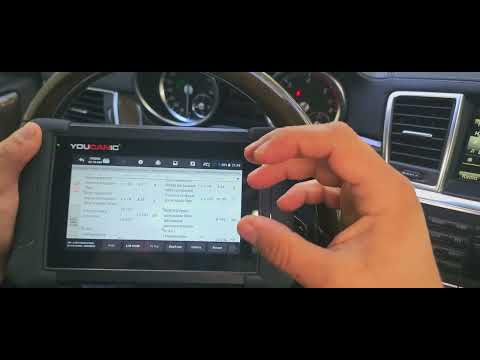
In this video, we show how to quickly assess the condition of the Diesel Particulate Filter (DPF) on a Mercedes-Benz diesel using the YOUCANIC UCAN-II scanner. You’ll learn exactly where to find DPF live data—including soot content (grams), differential pressure, and regeneration status—and how to decide if your DPF is healthy or approaching a service issue.
Want the full guide with photos, tools, and step-by-step help for this scanner demo?
👉 https://www.youcanic.com/how-to-perform-a-dpf-filter-health-check-using-a-youcanic-scanner/
At YOUCANIC, we’re on a mission to make car repair knowledge accessible to everyone so you can fix your own car, save money, and understand what’s really going on under the hood.
What you’ll learn
Connect the YOUCANIC scanner and select the correct Mercedes diesel engine (OM642, OM651, OM646, etc.)
Navigate to Live Data for the DPF/aftertreatment module
Read and interpret key PIDs: Soot content (g), Soot load (%), Differential pressure, Exhaust temps, Regeneration status
Identify when soot content is trending too high and when a regeneration or further diagnosis is required
Log and graph values for a short road test to confirm DPF performance
What a healthy DPF typically looks like
Soot content (g): After a successful regeneration, soot mass is generally low and stable. Values stay modest during light driving and rise gradually until the next regen.
Differential pressure: At fully warm idle, many engines show relatively low backpressure through the DPF; pressure rises predictably with RPM/load.
Regen behavior: Periodic regenerations complete without frequent interruptions; soot mass drops noticeably after a regen cycle, and no DPF-related DTCs return.
Note: Exact thresholds vary by model/engine and software version. Always compare to factory specifications and service information for you