
Honda Accord: How to Diagnose the Hybrid System with YOUCANIC Scanner
About this video
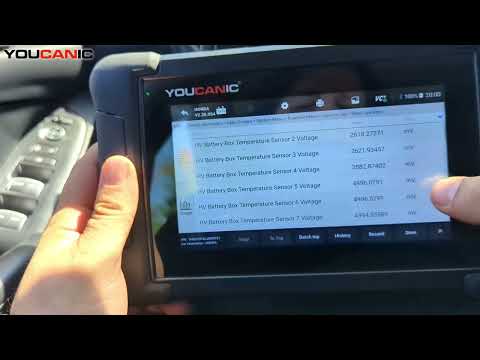
Learn how to check and diagnose the hybrid system on your 2018 Honda Accord using the YOUCANIC scanner. This step-by-step guide will help you retrieve hybrid-related fault codes, monitor system performance, and address potential issues to ensure your Accord Hybrid runs smoothly.
This guide also applies to other Honda Hybrid models using a similar hybrid system, including:
2019–2023 Honda Insight
2017–2022 Honda CR-V Hybrid
2018–2023 Honda Clarity
2020–2024 Honda Accord Hybrid
Topics Covered in This Video:
How to connect the YOUCANIC scanner to your Honda Accord Hybrid’s OBD-II port.
Navigating the scanner to access the hybrid system control module.
Retrieving and interpreting diagnostic trouble codes (DTCs) for the hybrid system.
Monitoring key hybrid system components, including the battery and electric motor.
Troubleshooting and clearing hybrid-related fault codes.
Common Hybrid Issues Diagnosed with the YOUCANIC Scanner:
Hybrid battery health and performance concerns.
Electric motor or inverter-related faults.
Charging system issues, including errors with regenerative braking.
Intermittent hybrid system warning lights.
Common Searches Addressed in This Video:
“How to diagnose Honda Accord Hybrid system”
“YOUCANIC scanner for hybrid fault codes”
“Hybrid battery diagnostics on 2018 Honda Accord”
“Clearing hybrid system warning light on Honda Accord”
Why Check the Hybrid System?
Regular diagnostics of your hybrid system can help identify issues early, prevent costly repairs, and ensure optimal performance and efficiency for your Honda Accord Hybrid.
👍 Like, comment, and subscribe for more Honda Hybrid tutorials, diagnostic tips, and troubleshooting guides!
#HondaAccordHybrid #YOUCANICScanner #HybridSystem #HondaDiagnostics