Mercedes-Benz Brake Pad Wear Sensor Replacement
Is your Mercedes-Benz brake pad wear sensor not working, or there’s a brake warning on your dashboard because of a faulty sensor? Learn how to fix the problem by replacing your Mercedes-Benz brake pad wear sensor.
This article provides instructions on replacing the brake wear sensor on Mercedes-Benz cars and SUV models such as C, E, S, CLK, CLS, ML, GL, GLE, GLS, and GLA. This guide is meant to help Mercedes-Benz owners who have changed the brake pads but need help replacing the brake pad wear sensor.
What you will need
- Mercedes-Benz Brake Pad Wear Sensor
Procedure
- Jack up the vehicle. Support it with jack stands. Install new brake pads.

- Install the new brake pad wear sensor. Insert the new sensor in the small hole on the brake pad.
- Connect the new brake pad wear sensor.
- Restart the car and turn off the brake pad wear sensor warning. If not, ensure the new Mercedes brake pad wear sensor is installed correctly.
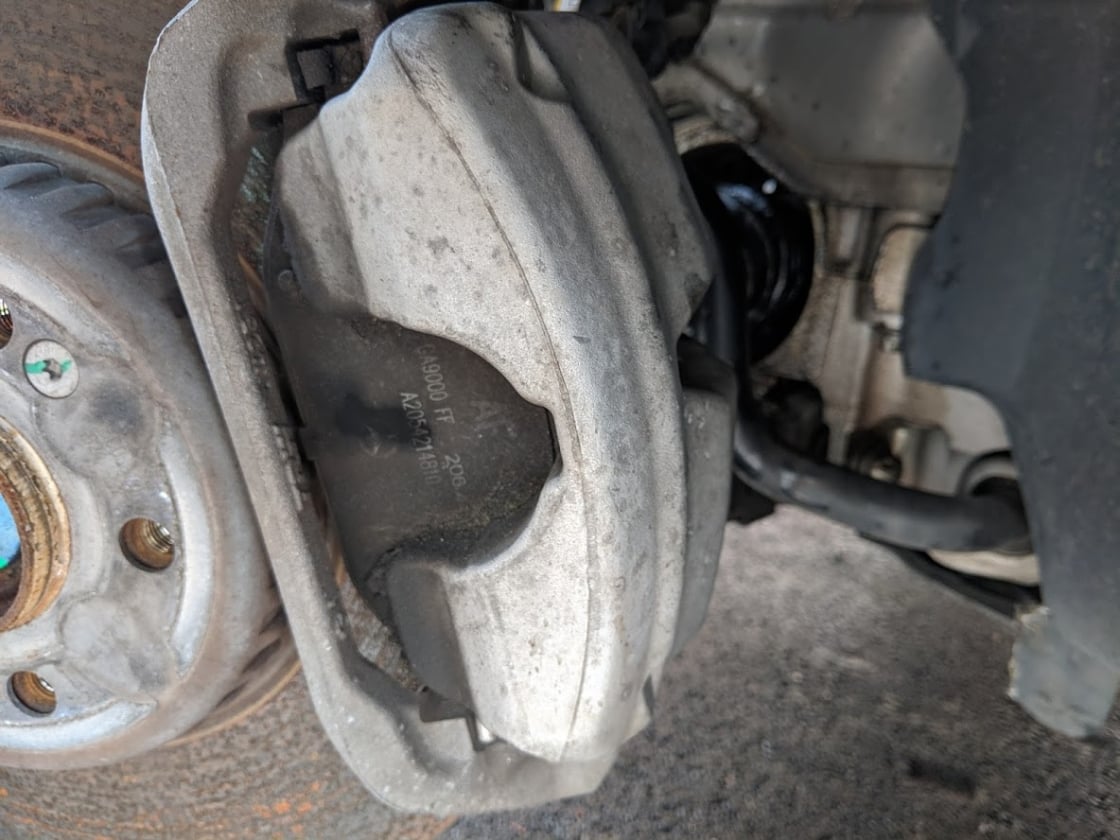
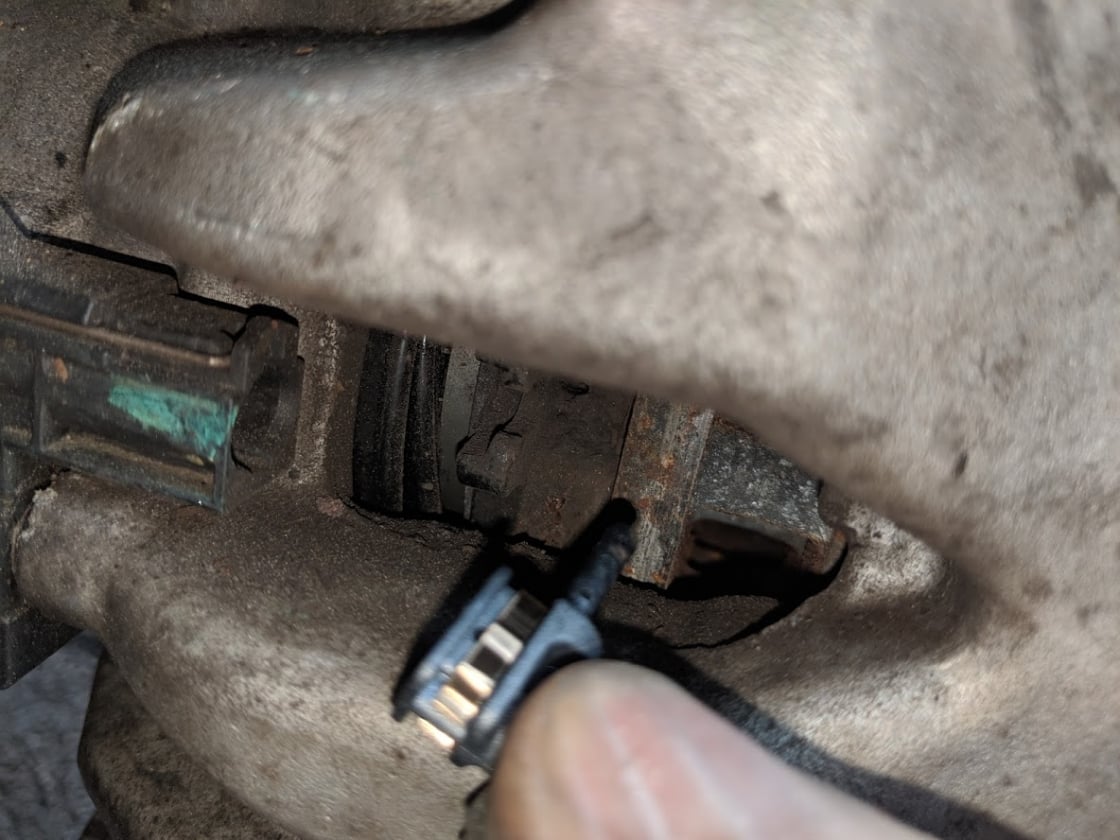 Insert the new sensor in the small hole on the brake pad.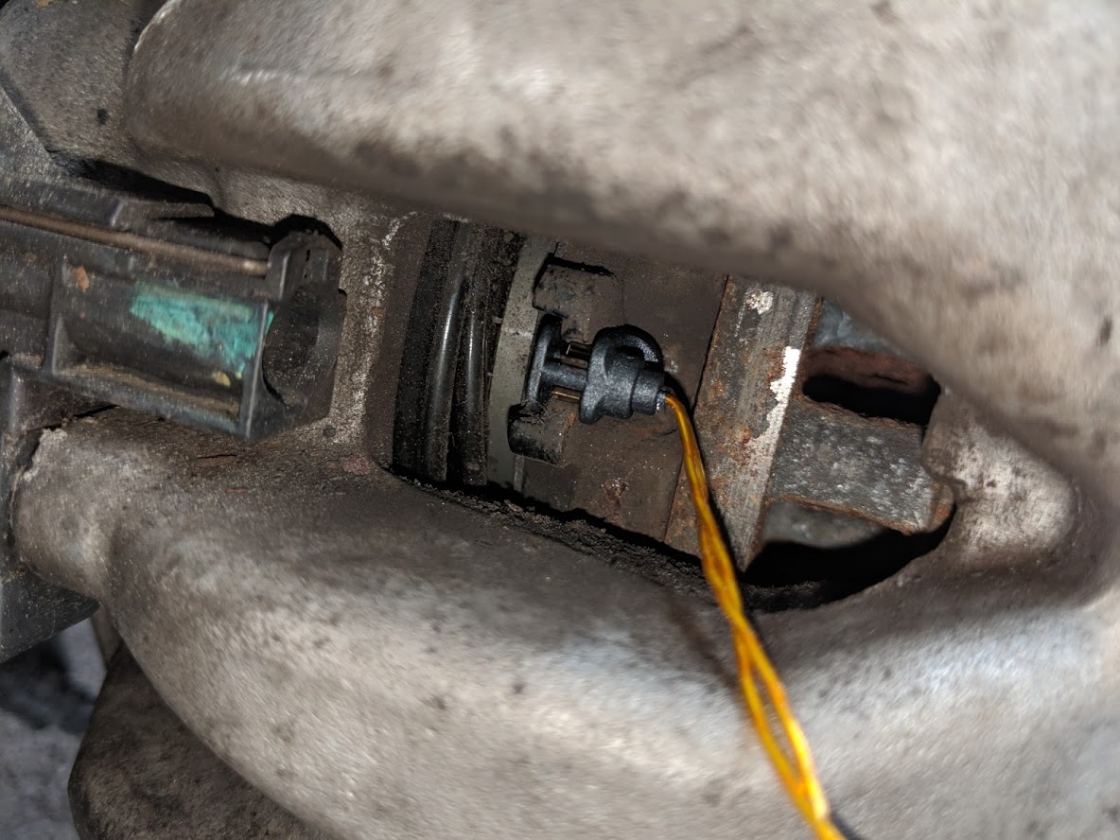
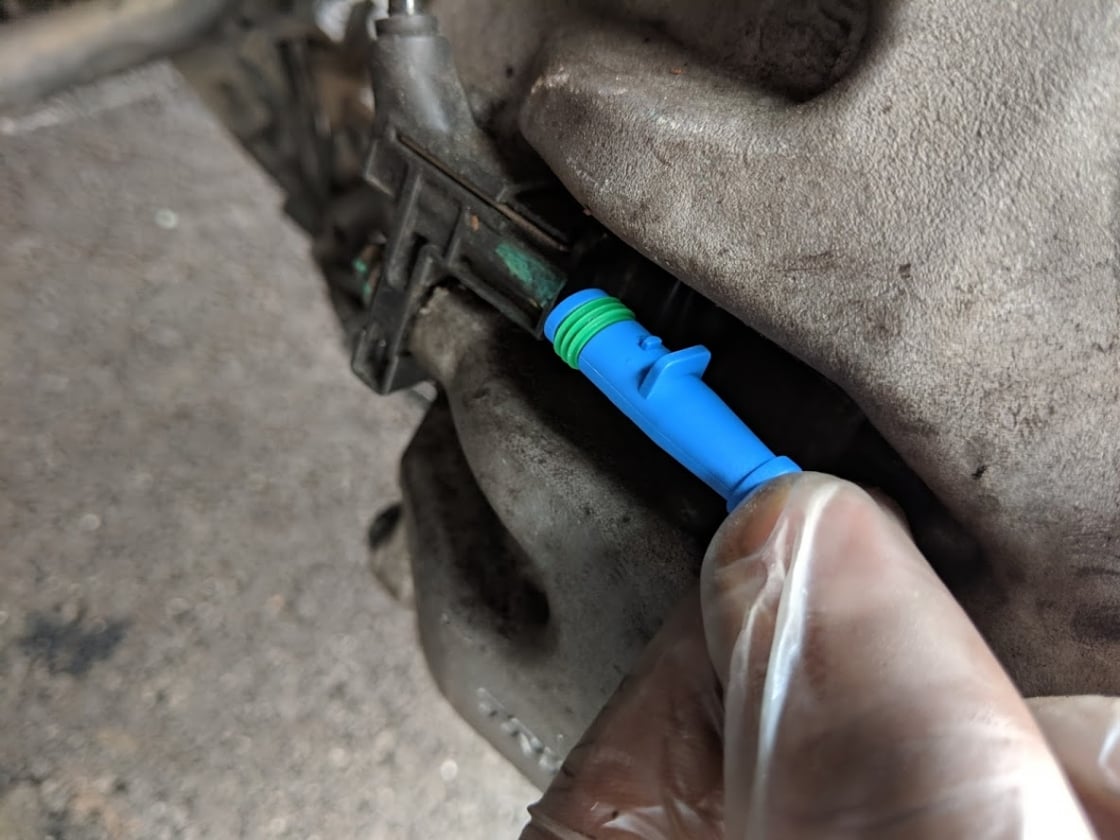
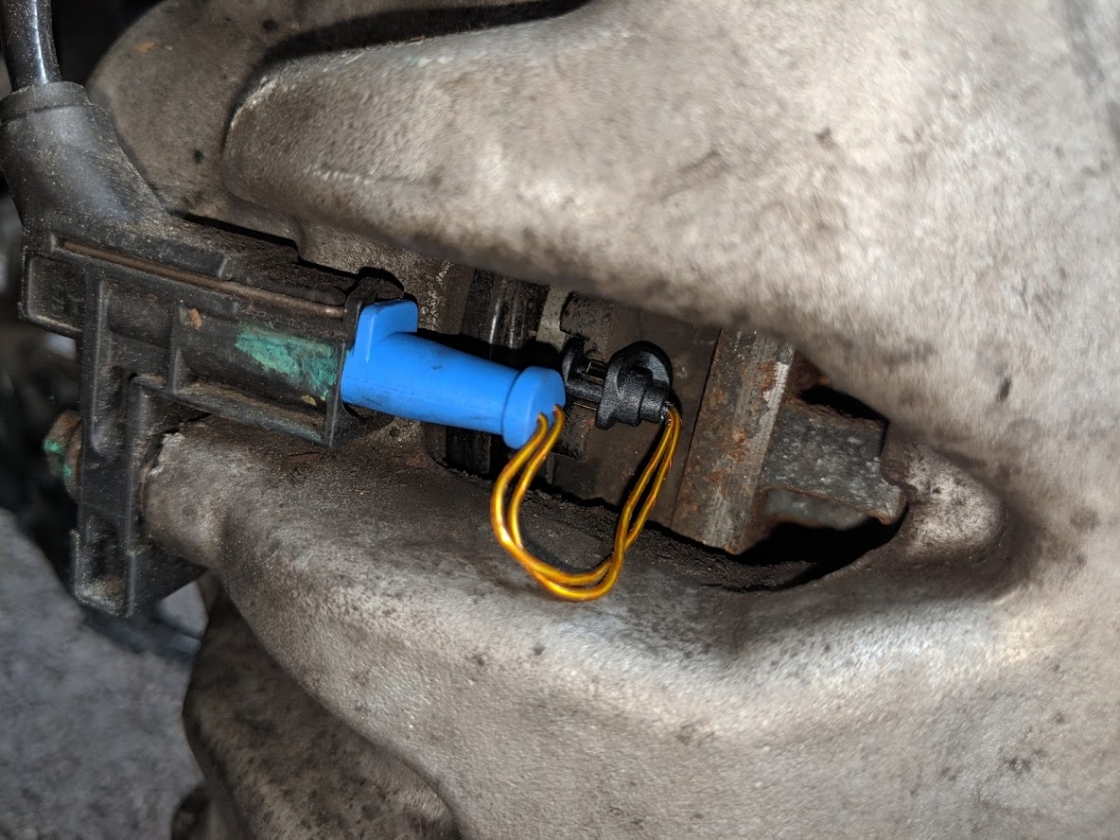
Note
If you get a brake wear warning on the dashboard, you must replace the brake pads and rotors. The brake pad wear sensor should only be replaced if the brake pads are replaced.

🔧 Stop paying the dealer for every warning light
Get dealer level diagnostics at home with the YOUCANIC Full System Scanner.
- ✔ Works with all makes and models, including most luxury brands
- ✔ Topology map view shows all vehicle modules on one screen for faster diagnostics
- ✔ Bi directional controls to test fans, pumps, actuators and more so you do not have to guess
- ✔ Special resets and calibrations such as ABS bleed, EPB service, battery registration and more
- ✔ Free lifetime updates with no recurring fees
We hope you find the Mercedes-Benz Brake Pad Wear Sensor Replacement guide helpful. Check these troubleshooting and repair guides for more help on your Mercedes-Benz.