Skip to content
YOUCANIC
  • LEARNExpand
    • Find by Vehicle
    • Video Library
    • Scanner Resources
    • Mechanic Fixes
    • Success Stories
    • Glossary
    • Advanced Vehicle Data by VIN
    • Share a Fix ✦
  • PRODUCTSExpand
    • UCAN-II PRO
    • UCAN-HD-A
    • UCAN-GO
    • Oscilloscope
    • High Capacity Jump Starter RB6000A
    • Battery & Charging System Tester
    • Adapters
    • TPMS Sensor
    • All Products
    • Rent a Scanner
  • TOOLSExpand
    • AI Mechanic
    • Calculators
    • Free VIN Check
    • VIN Decoder – Advanced
    • DTC Code Library
  • SUPPORTExpand
    • FAQs
    • Contact Us
    • Coverage Check
    • Track Order
    • Product Resources
    • Ask On Our Podcast
  • ABOUTExpand
    • About Us
    • Contact Us
    • Press
    • Right to Repair: Every Car Owner’s Right
    • UCAN-II Product History
Log in Create account
🛒Shop
YOUCANIC

DIY Guide: How to Replace the Battery on Honda Keys

Home/Videos/Honda
Video
Vehicle
Honda
Length
1:47
Views
45
Published
Jul 24, 2020
Watch on YouTube

About this video

  • Buy YOUCANIC Pro Scanner
  • https://www.youcanic.com/scanner/
  • Get Factory Service Repair Manuals & Specs
  • https://www.youcanic.com/manuals

Ask Car Questions & Get Help

https://www.youcanic.com/forum/ The battery may be dead if your Honda key isn't working correctly. Fortunately, replacing the battery on Honda keys is a straightforward process that you can do yourself. In this video, we'll guide you through the steps to replace the battery on Honda keys. We'll cover all the necessary tools and show you exactly how to remove the old battery and install the new one. You'll learn how to do this safely and quickly, so you can get back to using your Honda key without any issues. Save money and time by watching this DIY guide and replacing the battery on your Honda keys yourself.

If you need help, check this article: https://www.youcanic.com/article/key-doesnt-work-after-changing-battery

For more tutorials on this vehicle visit: https://www.youcanic.com/vehicle/honda

👉 *YOUCANIC Full System Diagnostic Scanner*

https://www.youcanic.com/ucan2

A Full System Diagnostic Scanner that works on all vehicles. Can read and clear codes from any system, module, control unit including engine, transmission, airbag, ABS, traction control, climate control, blind spot monitoring, air suspension, door modules, and immobilizer just to name a few. Bidirectional support.

  • 🆘 *Get help* with your car questions:
  • https://www.youcanic.com/support/
  • 📧 *Contact Us*
  • https://www.youcanic.com/contact/

More Honda videos

See all
Hqdefault - Diy Guide: How To Replace The Battery On Honda Keys4:48
HondaHonda ABS Traction Control and Steering Angle Sensor Reset | No Scanner & With YOUCANIC Scanner190.3K views · May 2023
Hqdefault - Diy Guide: How To Replace The Battery On Honda Keys1:11
Honda Civic2016-2021 Honda Civic – Check Add Engine Coolant159.2K views · Jan 2023
Hqdefault - Diy Guide: How To Replace The Battery On Honda Keys2:15
Honda Civic2016-2021 Honda Civic – Jump Start Dead Battery132.3K views · Jan 2023
Hqdefault - Diy Guide: How To Replace The Battery On Honda Keys2:00
HondaFix Honda Turn Signal Not Working122.8K views · Apr 2022
Hqdefault - Diy Guide: How To Replace The Battery On Honda Keys2:12
Honda Civic2016-2021 Honda Civic – Fuse Box Locations117.8K views · Jan 2023
Hqdefault - Diy Guide: How To Replace The Battery On Honda Keys1:52
Honda Civic2016-2021 Honda Civic- Release Gear Shift Manually (Transmission Stuck in Park)94.8K views · Jan 2023

Related repair guides

Honda Dashboard Warning Lights - Diy Guide: How To Replace The Battery On Honda Keys
GuideHow to Read and Erase Honda Fault Codes with an OBD-II Scanner
Repair guide
GuideHow to Replace the Cabin Air Filter on a 2007 to 2013 Honda Fit/Jazz GE
Honda Abs Acc Lane Assist - Diy Guide: How To Replace The Battery On Honda Keys
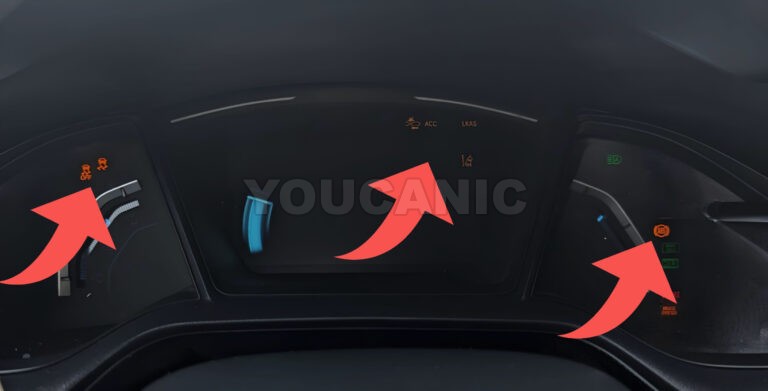
GuideTroubleshooting Honda ABS Light On, ACC, Traction Control Malfunction
YOUCANIC Home

606 Baltimore Ave Suite 405
Towson, MD 21204 USA
Tel: 1 (888) 959-4265
Hours: M-F 9:00 AM - 4:00 PM Eastern

© 2015-2026 YOUCANIC®, owned by Bohotina LLC. All rights reserved. YOUCANIC® delivers expert automotive guides and DIY solutions empowering vehicle owners to diagnose and fix car problems with confidence. While we strive for technical accuracy, our content is for educational purposes and cannot substitute for professional mechanical advice. Use of this site constitutes acceptance of our Privacy Policy andTerms of Service. Need help? Contact our dedicated Customer Service team.

YouTube Facebook Email Google Reviews Phone
  • About Us
  • Contact Us
  • DMCA
  • Privacy Policy
  • Terms and Conditions

Searching...

Scroll to top
🛒 SHOP
  • LEARN
    • Find by Vehicle
    • Video Library
    • Scanner Resources
    • Mechanic Fixes
    • Success Stories
    • Glossary
    • Advanced Vehicle Data by VIN
    • Share a Fix ✦
  • PRODUCTS
    • UCAN-II PRO
    • UCAN-HD-A
    • UCAN-GO
    • Oscilloscope
    • High Capacity Jump Starter RB6000A
    • Battery & Charging System Tester
    • Adapters
    • TPMS Sensor
    • All Products
    • Rent a Scanner
  • TOOLS
    • AI Mechanic
    • Calculators
    • Free VIN Check
    • VIN Decoder – Advanced
    • DTC Code Library
  • SUPPORT
    • FAQs
    • Contact Us
    • Coverage Check
    • Track Order
    • Product Resources
    • Ask On Our Podcast
  • ABOUT
    • About Us
    • Contact Us
    • Press
    • Right to Repair: Every Car Owner’s Right
    • UCAN-II Product History

Log in Create account

Search