YOUCANIC UCAN-II Pro vs. Foxwell NT809 BT: Which is better?
Reviewed/Verified by:

Foxwell has been in the scanner business for almost 20 years, building a solid reputation among DIYers and mechanics with their wide range of diagnostic scanners and other maintenance tools. The subject of today’s comparison is one of their scan tools: the Foxwell NT809BT. Core advantages of the YOUCANIC UCAN-II-D scanner over the Foxwell NT809 BT include double storage capacity, a built-in TPMS module (no such hardware in the Foxwell), a built-in camera on YOUCANIC, tons of special functions such as adaptations, teach-in, offline coding and relearns, Topology map, AI diagnostics and explanations of codes, Oschilloscope app ready for plug/play, and product lifetime free updates to name a few. You won’t find these features and hardware improvemnts on Foxwell NT809BT and you will only get 3 year free updates on the Foxwell. In addition, YOUCANIC offers US phone and email support compared even to other brands including Autel, Topdon, Mucar, Thinkcar which have email support only overseas.

On the surface, both YOUCANIC’s UCAN-II Pro and Foxwell’s NT809 BT may seem identical! There’s a reason for that: when we decided to start selling scanners in 2021, we used Foxwell as our base. Over the years, we’ve made improvements, turning the scanner into something entirely our own and much more capable as outlined below.
 NT809BT
 UCAN-II-A
 UCAN-II-D
Diagnostic Depth: The True Deciding Factors
Both scanners are bidirectional and offer support for 140+ vehicle makes. This means not only can you read and clear codes, but you can also perform active tests, which are crucial for proper diagnostics.

🔧 Find out what is actually wrong before you pay someone to guess
Dealer level diagnostics at home with the YOUCANIC UCAN-II Pro.
- ✔ Covers most makes and models, including many luxury brands. Send us your VIN and we will confirm your car before you order
- ✔ Reads every module, not just the engine, so you find the faults a basic reader says are not there
- ✔ Commands the car: test a fan or pump, bleed ABS, retract an electronic parking brake, register a battery
- ✔ No subscriptions. Free lifetime updates, so the price you pay is the whole price
- ✔ Backed by real mechanics in the USA you can email before and after you buy
Featured in The Wall Street Journal
Let’s say, for example, one of your windows won’t roll down properly. This could be due to a faulty wiring harness, a bad window switch, or a failing window motor. Before taking apart your car door to start swapping parts, running active tests with a scanner will help narrow down what parts need to be replaced. If the scanner isn’t able to make the window go up and down, that means the motor is bad. If the window rolls up and down smoothly, that means there is an issue with the door’s wiring harness, which is usually a much simpler fix.
That, however, is about where the similarities end. There are smaller differences, such as the UCAN-II-C and UCAN-II-D models having topology, while the NT809BT does not, but there are more impactful differences between the two. For instance, the UCAN-II supports 1,000+ special functions, and the NT809BT only supports around 30+. Throw in the fact that the UCAN-II-D can program blank TPMS sensors and has built-in AI diagnostic assistance, and it’s obvious which scanner is the better choice.


Special Functions
Foxwell’s scanner has some basic special functions, such as battery registration and oil light resets, but that’s about it. YOUCANIC’s UCAN-II comes with 1,000+ functions, including teach-in and coding functions, resets, and more. To prove this, we did a side-by-side comparison between the YOUCANIC UCAN-II and the Foxwell NT809BT:
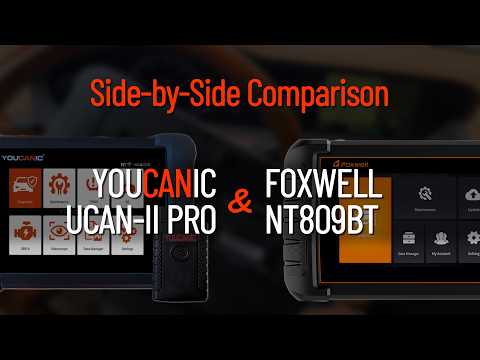
For an average DIYer, the NT809BT’s 30+ basic special functions might be enough, but for the serious DIYer who loves to do everything themselves, just 30 functions isn’t going to cut it.
The FCA SGM: How Does Foxwell Do Things?
Starting in 2018, the Fiat Chrysler Association (FCA) began installing a security bypass module, most commonly known as the SGM or SGW, in all the cars they manufacture, including Jeep, Dodge, Ram, Chrysler, Fiat, and Alfa Romeo.
The SGM was installed to address a very real cybersecurity issue with their vehicles, but it also blocked diagnostic access to all aftermarket scanners, including brands like Autel, iCarsoft, Foxwell, and YOUCANIC. This created a major problem for independent and home mechanics who didn’t have access to dealership-level tools.
Enter AutoAuth: a subscription service that will grant aftermarket scanners the ability to fully diagnose these cars. For $50 per year, subscribers gain full diagnostic access to their FCA vehicle that they already bought and paid for.
For FCA vehicles, Foxwell recommends you use AutoAuth. YOUCANIC does not. Instead, we recommend using a 12+8-pin adapter, which bypasses SGM security protocols while also ensuring that your diagnostic records don’t sit on AutoAuth servers. This adapter comes free and is included with every scanner purchase as of July 2026!
Locate the SGM in your vehicle (locations vary by make and model), disconnect it, and connect your 12+8-pin adapter. With this adapter in place, you’ll have full access to your car to read and clear fault codes and perform special functions.
Built-in AI: Completing the Repair Loop
Foxwell’s scanner will give you the fault code and direct you to Google for more information, but with YOUCANIC’s scanner, you get the code and actually learn how to fix the issue! YOUCANIC started in 2015 as a repair platform dedicated to empowering car owners to fix things themselves! We didn’t sell our first scanner until 2021.
 NT809BT
 NT809BT
 UCAN-II
 UCAN-II
Powered by the thousands of repair articles and videos on our website, YOUCANIC’s built-in AI mechanic takes the fault codes your car is throwing at you and gives you the most likely causes and most common fixes. If that isn’t enough for you or you don’t want to rely on AI, you can also contact YOUCANIC’s support team for assistance on any tricky fixes you come across in your diagnostic journey.
The Customer Support Difference
YOUCANIC’s US-based support team can be reached via email or phone during regular business hours. They help with more than just basic tech support. If you run into trouble when diagnosing an issue in your car, our on-staff mechanics can help via call or email!
Foxwell’s support team operates in China and is really only available for general tech support. While responsive, the time zone difference means you’re stuck waiting for a reply, and if you have questions about a trouble code you can’t seem to clear or a fix that didn’t turn out the way you had hoped, you will have to wait a few hours for a response.
Final Verdict
While Foxwell is a fine choice for the average DIY mechanic, the diagnostic depth the YOUCANIC scanner provides makes it the better choice overall. The YOUCANIC UCAN-II-D Pro and the Foxwell NT809BT are both bidirectional, all system scan tools, but they are not in the same hardware class. The UCAN-II-D Pro carries double the onboard storage (64GB vs 32GB), and it adds two pieces of hardware the NT809BT does not have at all: a built-in TPMS module for sensor programming and relearns, and a built-in camera for VIN scanning. On the software side, the UCAN-II-D Pro covers 1,000+ special functions including adaptations, teach-in, offline coding and component relearns, plus a topology map, AI diagnostics that read a full vehicle scan and explain fault codes in plain language, and a plug-and-play oscilloscope app. Updates are free for the life of the tool, while the Foxwell NT809BT includes three years. YOUCANIC also backs the UCAN-II-D Pro with US based phone and email support, which is uncommon in this price range.
Related Guides
- YOUCANIC UCAN-II Pro vs. iCarsoft CR-Series
- YOUCANIC UCAN-II Pro vs. BlueDriver Pro
- YOUCANIC UCAN-II Pro vs. ThinkCar ThinkScan 689BT
- YOUCANIC UCAN-II Pro vs. Autel MaxiCOM MK808BT Pro | Which is Better?