Hyundai Engine Oil & Filter Change DIY
Learn how to change the engine oil on Kia and Hyundai vehicles right from your driveway and skip going to the dealer or mechanic shop. This guide applies to most Hyundai and Kia vehicles equipped with the 2.4L four-cylinder engine.


Before you start
- The first step is to warm up the engine for two to three minutes, then turn off the engine. It will help the suspended contaminations mix with the oil and drain the old oil.
- You must secure the vehicle with jack stands in addition to the jack.
What you will need
- Full Synthetic Engine Oil 5W-30
- Oil Filter
Tools for changing engine oil:
- Oil filter wrench
- Oil drain pan
- Metrick Socket Set
Procedure
- Open Hood: First, ensure that the emergency brakes have been set. Then, locate the hood release in the car’s interior and pull it until you hear the hood pop up.
- Move to the front of the car and release the latch, then lift the hood.
- Raise the vehicle. Jack, the front of the Hyundai, using the jack that came with your car or an aluminum jack. ALWAYS use jack stands to secure the car. Using ramps makes changing the oil a much easier job and safer. If you plan on changing the oil regularly, you may want to consider investing in a set of ramps.
- Remove the drain plug and drain oil.

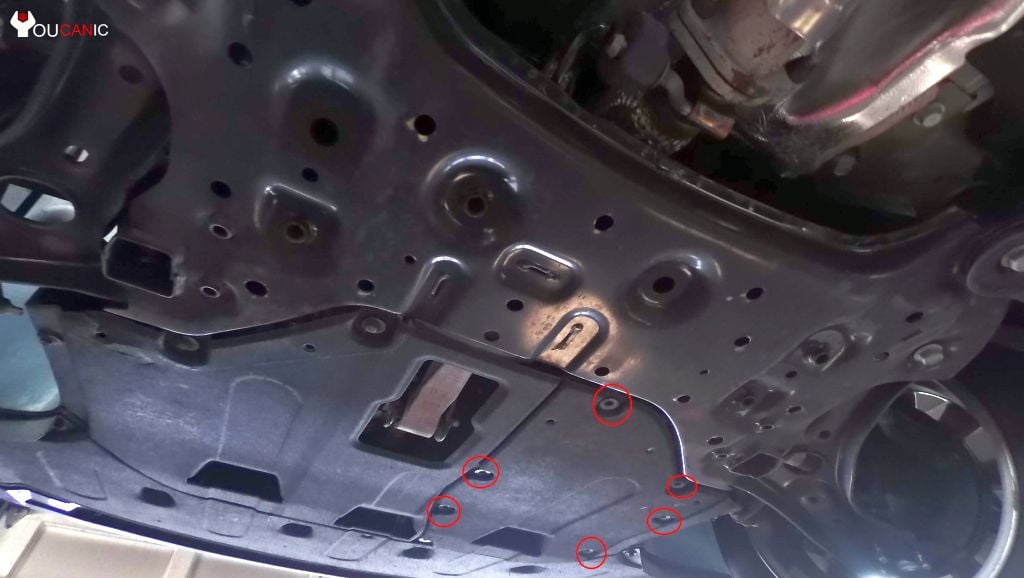
- The early model Hyundai had an access hole where you could drain the oil and remove the filter. Some models don’t have access holes, so you must remove the 10 mm bolts and pull down the skid plate to remove access to the oil filter and drain plug.
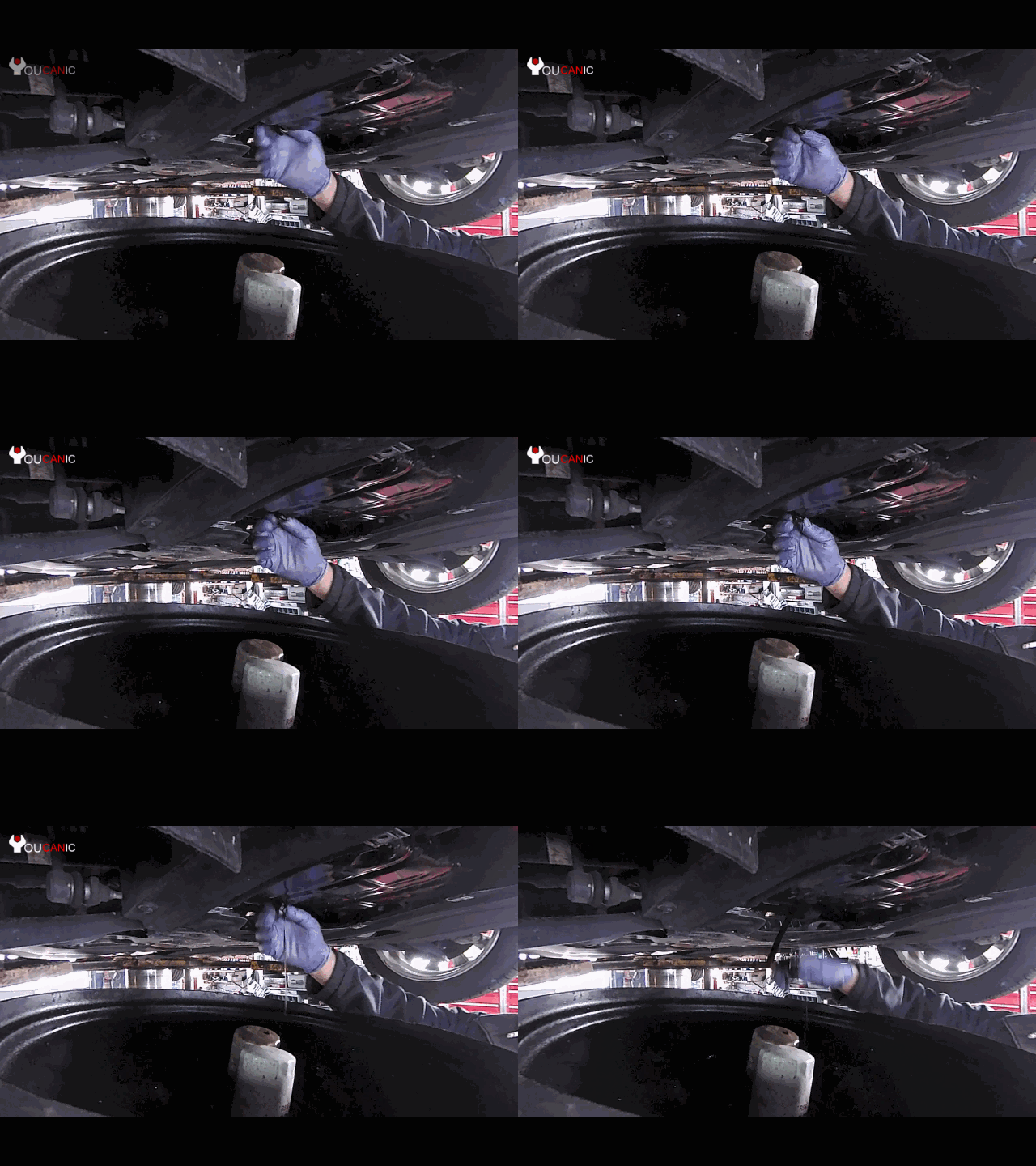
- Locate the drain plug and remove the bolt. Use a 17 mm socket to remove this bolt by turning it counterclockwise. Once you break the bolt loose, you can use your hands to remove the bolt. Ensure the oil catch pan is located under the oil drain hole.
 Be careful when draining the oil. If the engine hasn’t cooled down, the oil may be hot and cause burning. Allow at least five minutes for the old oil to drain. If time allows, let the oil drain for at least fifteen minutes or more.
 - Clean the drain plug and the oil bolt using a clean, dry cloth. Reinstall the drain bolt using your hand first. This will ensure that the bolt starts to go smoothly and that no threads get damaged. If you have a new washer for the drain bolt, make sure to install it. Tighten the oil drain plug by hand until it stops. Then tighten the bolt to 25 ft-lbs.
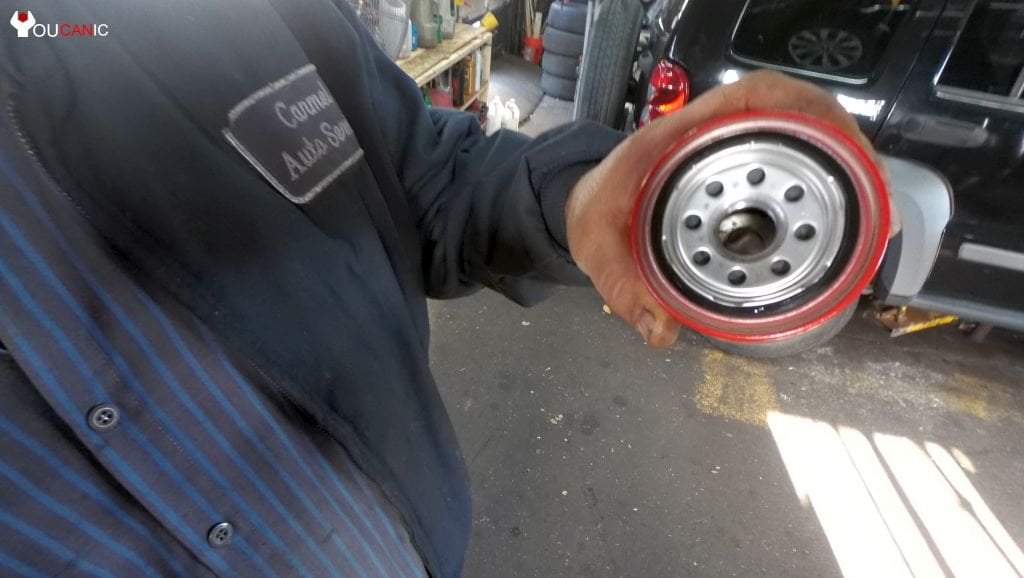
- Remove and replace the oil filter. Locate the oil filter. In the following picture, the oil filter stands out as red. The filter can be removed by twisting it counterclockwise.
- Use tools such as TEKTON 12-inch oil filter pliers to remove the old oil filter. Oil may still be in the filter, so be careful not to spill oil on your hands.
- Clean the surface where the oil filter will be installed. Apply engine oil to the gasket on the new oil filter.
- Screw the new oil filter in and tighten the filter to 11.5 ft-lb.
- Add Engine with Oil. Remove the oil filler cap on top of the engine. The oil filter cap should be labeled and usually has the recommended oil type.
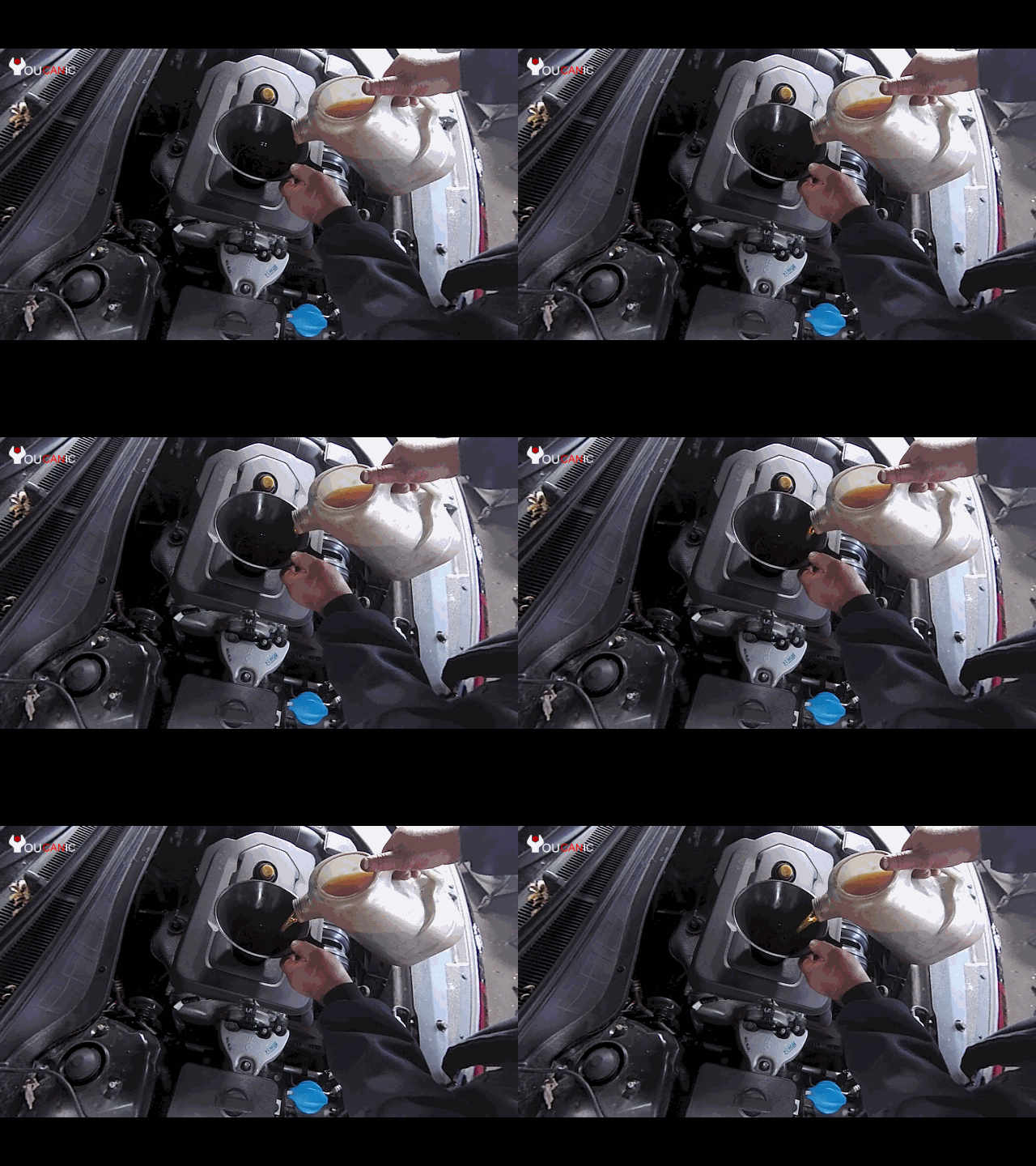
- Remove the cap by unscrewing it counterclockwise. Insert a funnel into the oil filler hole. Slowly pour the oil into the engine. Once you add the recommended engine oil, reinstall the oil cap.
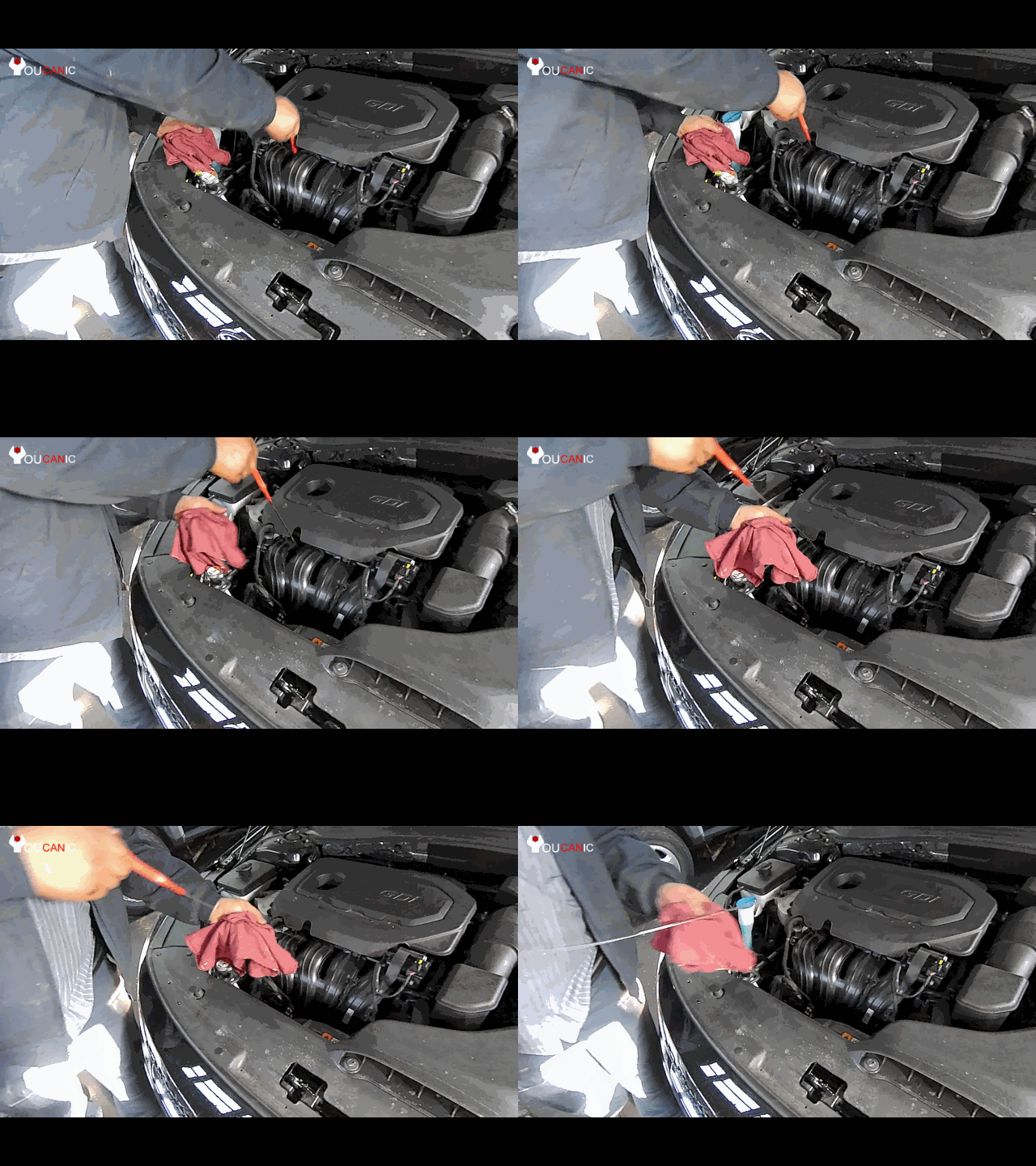
- Check Engine Oil Level – Ensure the oil is below the FULL mark but above the LOW on the oil dipstick.
 Be careful when draining the oil. If the engine hasn’t cooled down, the oil may be hot and cause burning. Allow at least five minutes for the old oil to drain. If time allows, let the oil drain for at least fifteen minutes or more.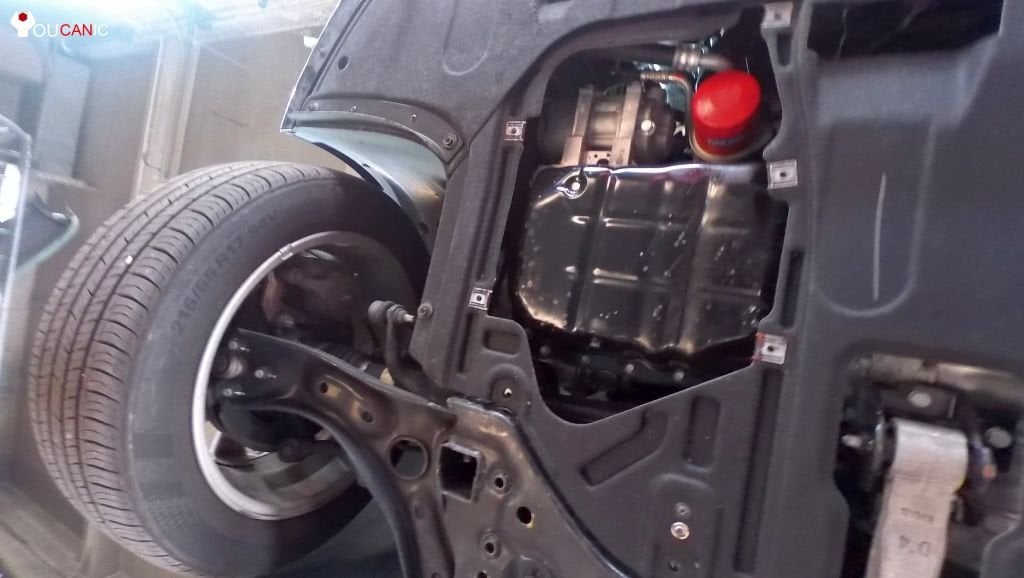

Reset Oil Service Interval
You can start the engine once you ensure the oil level is right. Don’t forget to reset the oil service reminder. In your Hyundai dashboard menu, look for the Distance to Service reminder.

🔧 Stop paying the dealer for every warning light
Get dealer level diagnostics at home with the YOUCANIC Full System Scanner.
- ✔ Works with all makes and models, including most luxury brands
- ✔ Topology map view shows all vehicle modules on one screen for faster diagnostics
- ✔ Bi directional controls to test fans, pumps, actuators and more so you do not have to guess
- ✔ Special resets and calibrations such as ABS bleed, EPB service, battery registration and more
- ✔ Free lifetime updates with no recurring fees
The following are instructions on how to reset the Oil Reminder on a Hyundai. These instructions may vary between Hyundai models.
- Press and hold the RESET button until the instrument cluster displays Engine Oil Service Reminder
- Scroll down using the TRIP button and select the Maintenace menu.
- Select an item. Press the RESET button again.
- Select the maintenance schedule. Note that this will depend on the oil and filter you use. If you used conventional oil, you would need to change your oil every 3000 miles. Some synthetic oils protect up to 15,000 miles.
This Hyundai oil change guide applies to the following vehicles.
2.0 L TurboTheta Engine (G4KA, G4KD, G4KF, G4KH)
- Hyundai Genesi Coupe 201, 2011, 2012, 2013, 2014, 2015, 2016
- Hyundai Sonata GDI 2011, 2012, 2013, 2014, 2015, 2016
- Hyundai ix35 2010 –
- Hyundai Santa Fe Sport 2.0 Turbo 2013, 2014, 2015, 2016
2.4 L Theta / Theta-II Engine (G4KC, G4KE, G4KG, G4KJ)
- Hyundai Sonata (2006-2010)
- Hyundai Sonata GDI (2011- )
- Hyundai Tucson (2010- )
- Hyundai Santa Fe (2010- )
We hope you find the Hyundai Engine Oil & Filter Change DIY guide helpful. Check these troubleshooting and repair guides for more help on your Hyundai.