

Nissan Key Fob Battery Replacement Quick & Easy Guide!
Are you having trouble unlocking your Nissan? The battery on your Keyfob might be dead. This guide will walk you through how to change the battery on a couple of different Nissan keyfobs. Below, you will find step-by-step instructions and videos on installing a new battery in a Nissan key fob.

These instructions apply to multiple Nissan vehicles, even those equipped with the intelligent key.
Nissan Intelligent Key Battery Replacement

Instructions for replacing the battery in Nissan’s intelligent key. This remote is often used on Nissan Maxima, Rogue, Altima, and 350Z.

🔧 Stop paying the dealer for every warning light
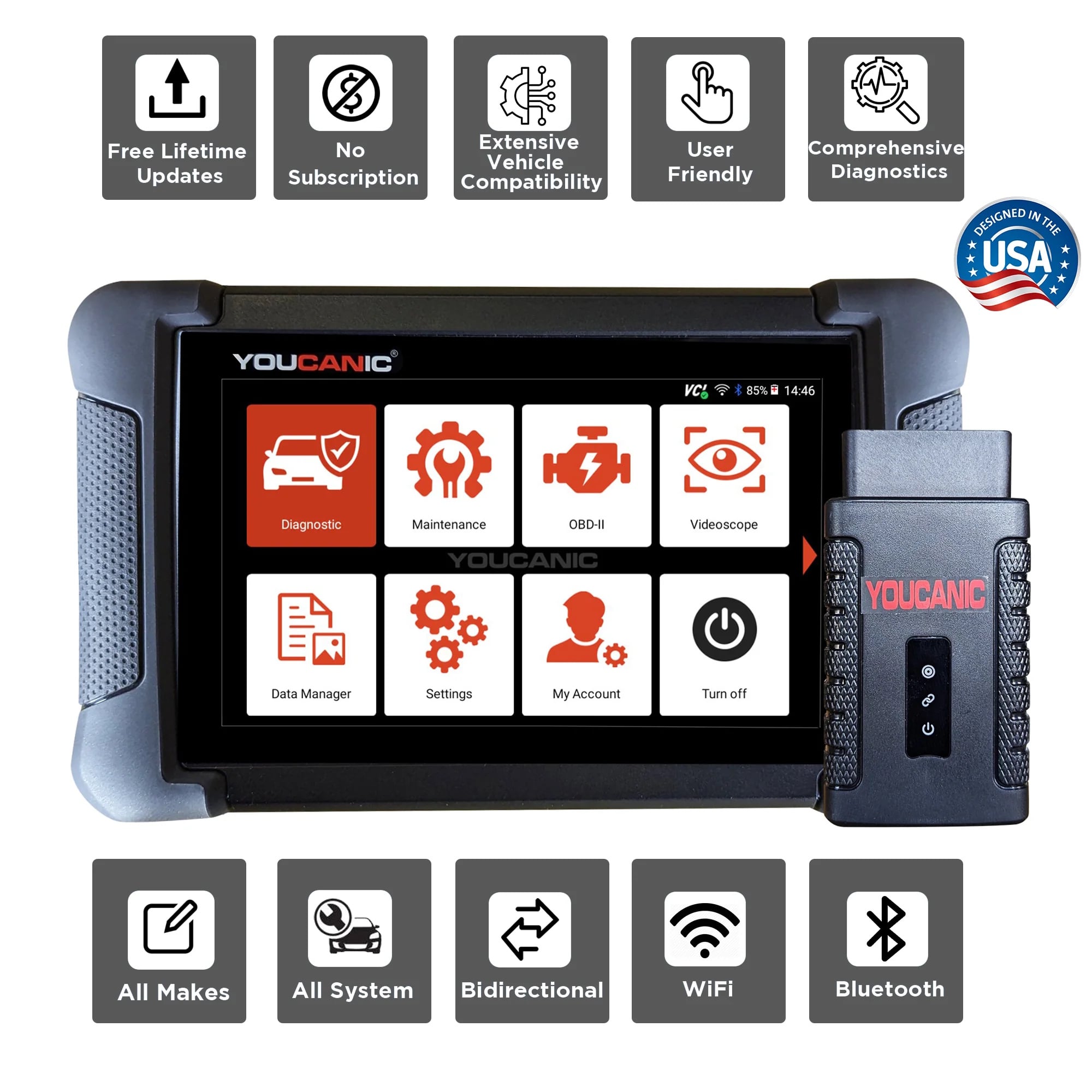
Get dealer level diagnostics at home with the YOUCANIC Full System Scanner.
- ✔ Works with all makes and models, including most luxury brands
- ✔ Topology map view shows all vehicle modules on one screen for faster diagnostics
- ✔ Bi directional controls to test fans, pumps, actuators and more so you do not have to guess
- ✔ Special resets and calibrations such as ABS bleed, EPB service, battery registration and more
- ✔ Free lifetime updates with no recurring fees
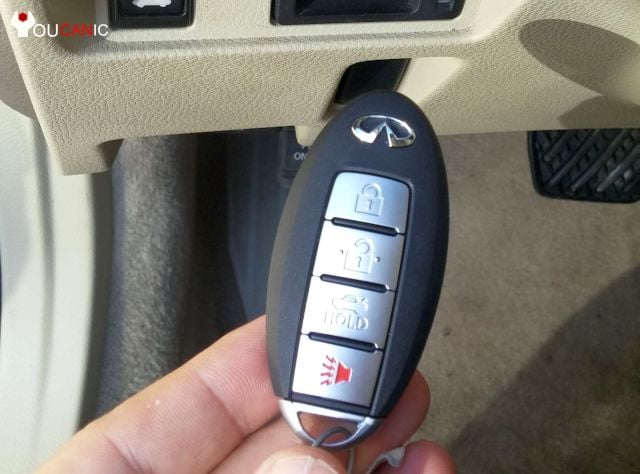
- Remove the metal key blade.
- Press on the small release tab shown in the picture.
- The metal key blade can be used to manually open the driver’s door or trunk.
- Separate the housing. If you are having a hard time getting the pieces separated, use a small flathead screwdriver to pry the pieces apart.
- Look at the backside of the key. Use a plastic wedge or a small flat screwdriver to separate the key housing.
- Remove the old battery and install the new CR2025 battery. Make a note of the battery orientation. Do not rotate the battery. Make sure the negative side of the battery is facing you.
- Put the keyfob back together.
NOTE: If your keyfob isn’t working after battery replacement, take the fob apart again, and make sure the battery is installed properly.
Nissan Keyless Remote Battery Replacement
Owners of the Nissan Rogue, Murano, Almera, Leaf, Sentra, Primera, Versa, Xterra, Altima, Maxima, Pathfinder, Juke, and Cube will find the video below helpful. Lastly, this is a video on changing the battery on the Nissan key fob found on older models.

We hope you find the Nissan Key Fob Remote Battery Replacement guide helpful. Check these troubleshooting and repair guides for more help on your Nissan.
Frequently Asked Questions
I keep accidentally pressing the panic or open trunk button.
You may accidentally press the buttons if you have owned a Nissan with the key fob remote shown in this tutorial. If so, consider adding a key fob cover for Nissan keys. It will greatly reduce the chances of the buttons being pressed.
How to start a Nissan if the key doesn’t work?
Press the brake, and press the start button. Nothing happens. Nissan didn’t even crank. If your push button is not starting the car, follow these troubleshooting steps: Check the main battery.
Check key fob batteries are in good condition.
Faulty brake switch. If you are sure that the car battery and key batteries are in good condition, you should check the brake switch.
How do I start my Nissan if the keyless remote/intelligent remote fob battery has died?
You must insert the key fob in the slot designated for manual starting.
The Nissan key fob doesn’t work. How do I start the car?
The RKE transmitter may have a low or dead battery if the car does not start. To start the car, put the Key Fob’s nose side against the ENGINE START/STOP button and push to operate the ignition switch. For more help, see our Diagnose Vehicle Problems Like a Pro guide.
How can I protect my worn Nissan key fob remote?
You may want to consider adding a cover to protect your remote. The covers can protect the buttons and the key fob remote itself. We recommend using a Silicone Key Fob Cover for Nissan, which protects the keyless remote. If you accidentally drop the key, a cover will better protect it from water.
What are some part numbers for Nissan remotes?
FCCID Numbers found on Nissan / Infiniti models:
285E3JA05A; 285E3JA02A; KR55WK4B903; 315MHz
285E3-JA05A; 285E3-JA02A; KR55WK48903
KRSSWK48903 ; KRS5WK48903; KR5SWK48903



10yr shelf life (inactive) is one thing, but once installed (active) there is a draw on the battery or it would not work. My wifes just started acting up at 3 years.
Over the last couple of days I have seen a flashing ‘KEY’ icon on the dash it goes out after a few seconds. I think this is a warning light that your key fob battery might be getting low, so I don’t think your key fob would just instantly stop working. But thanks to all the other commenters here for good info I was not aware of.
Battery replacement went perfectly, thank you for your help and information
I replaced the battery in my key fob tonight. It is quick and easy to do. Doing it yourself will save you unnecessary expenses taking it to a Nissan dealership to have it done!
Yes, that is true. And Most FOB are also very resilient and should last you a long time, unless you happen to break to loose one.
Actually, I just checked! Most 3v coin lithium batteries come with a shelf-life of 8-10 years.
3 years is pretty less. Imagine the horror if you want to go somewhere and your FOB battery suddenly dies!
Great Article. I think a bit of detail on the kind of cells/battery we need to use for the Nissan FOB would alos be good. From what I know, they need generic 3v lithium CR2032 batteries. I think Toshiba makes the best ones. I don’t think you really need duracell or something fancy. These can last for 2-3 years.
Hi Vicki,
As far as getting into your car, you would have needed to have gone in the back of your key fob and pushed up the little notch on the back and pulled on the key ring. This would have pulled out a key and you insert that into your driver side door. Then when you got in, to start your car you would have needed to have taken your key fob and pressed the part opposite of the keyring into the START button and pressed in the brake and this would start it as normal. Hope this helps!
My key fob stopped working and my car was locked. I couldn’t get into my car to even attempt to use the key fob to start the car. Luckily, I had an extra key fob. Had I not….what should I have done?