
Tesla Frunk Hood Stuck: Won’t Open
Reviewed/Verified by:

Tesla’s frunk hood should pop up when you press open on your touchscreen. Some Tesla owners are having problems with a stuck hood that won’t open. This guide will explain possible problems preventing you from opening your Tesla hood.
At a Glance
- Normal opening: touchscreen Frunk button, double press the fob front trunk button, or the mobile app
- Dead 12V battery: power the release wires behind the front tow eye cover
- Common causes: latch actuator failure, corroded cable, failed microswitch or a dead 12V battery
- Will not latch: check the striker and latch microswitch
- Tip: the vehicle must be in Park to open the frunk

How to open the front trunk (frunk) on a Tesla?

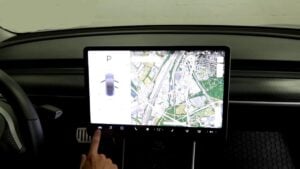
To open the front trunk of your Model X, make sure the vehicle is in “Park” and then choose one of these options:
- Go to “Touch Controls” on the touchscreen and select “Frunk”.
- Double-press the front trunk button on the key fob.
- Tap the front trunk button in the mobile app.
- Then, pull the hood open.
Frunk Will Not Open Because the 12 Volt Battery Is Dead
The frunk latch is electric, so a dead low voltage battery leaves it locked even when the high voltage battery is charged. On most Tesla models you can release it from outside:

🔧 Find out what is actually wrong before you pay someone to guess
Dealer level diagnostics at home with the YOUCANIC UCAN-II Pro.
- ✔ Covers most makes and models, including many luxury brands. Send us your VIN and we will confirm your car before you order
- ✔ Reads every module, not just the engine, so you find the faults a basic reader says are not there
- ✔ Commands the car: test a fan or pump, bleed ABS, retract an electronic parking brake, register a battery
- ✔ No subscriptions. Free lifetime updates, so the price you pay is the whole price
- ✔ Backed by real mechanics in the USA you can email before and after you buy
Featured in The Wall Street Journal
- Remove the tow eye cover on the front bumper.
- Pull out the two wires (red positive and black negative) behind the cover.
- Connect an external 12 volt power source, such as a jump pack: red to red, black to black.
- The frunk latch releases. Open the frunk to reach and charge or replace the 12 volt battery.
Check your owner’s manual for the exact location on your model, and never connect the leads in reverse.
Symptoms
Common problems with the Tesla hood:
- Tesla’s frunk hood stuck closed.
- Tesla hood shows open even when closed.
- The Tesla hood won’t open at all.
- The Tesla hood pops up an inch, but the latch is still engaged.
- Frunk won’t open at all; pressing open makes a noise.
- Frunk does not fully close but engages.
Possible Causes
A common problem with Tesla vehicles, especially Model 3, is that the hood may get stuck and not open due to faulty hood latch actuators. Other problems that lead to a stuck frunk hood on a Tesla include rusted cables or a misaligned hood latch.
Faulty Latch Actuators

If your Tesla hood is not opening when you press the OPEN button, the problem could be a faulty hood release actuator. Two actuators are installed next to the hood latch. The primary actuator allows the hood to unlock and pop up about an inch.
The secondary actuator serves a safety function and prevents the hood from opening up if you forget and drive with the hood open. The secondary actuator can fail, leading to the hood not opening up when opening the frunk. These actuators are electronically controlled and release the hood when the button is pressed.
The actuators may fail and need to be replaced. Replacing a Tesla hood actuator is very easy and takes about thirty minutes. The actuator is held in place with two 10mm bolts.

Once you remove the plastic cover in the frunk, you will see the two actuators and can replace them using a 10mm wrench. If the primary actuator allows the hood to pop up an inch, but the secondary actuator is not releasing, it is possible to release the hood manually.

This video shows how to open a Tesla hood that is stuck due to the failure of the secondary actuator.
Rusted Cables

The actuator cables may get stuck due to rust. A common symptom that your Tesla may have a frunk cable problem is that the hood can be fully closed, but it is stuck and won’t pop up when you press the OPEN button. Typically, if you hear a noise at the front of the hood by the front latch, the hood actuators are working, but the cables or latch are stuck.
Spray lithium grease on the actuator cable and operate the cable by hand a few times to free the cables and ensure normal operation.
Damaged Microswitches

In the hood latch, a microswitch detects if the hood is open or closed. If the microswitch is damaged or misaligned, it may show as the hood open even when it is closed.
If that is the case, you will have to open the hood of your Tesla manually and either replace or realign the micro switches.
Frunk Latch Problem

The last problem that can lead to a Tesla hood not closing or opening properly is a misaligned hood latch. If your vehicle had a front-end collision, the front bumper might have caused the hood latch to bend. This can lead to the micro switch and actuators not working correctly, leaning to the hood, and not releasing completely when you open the frunk. It is not uncommon for the Tesla front trunk to not disengage completely due to a problem with the hood latch.
Why is my Tesla Frunk not closing?
There can be several reasons why your Tesla frunk may not be closing properly:
- Obstruction: Make sure nothing is blocking the frunk from closing.
- Misalignment: Check if the frunk is aligned properly with the car’s body.
- Loose hinges: The frunk hinges may be loose or damaged, preventing the frunk from closing securely.
- Broken latch: The frunk latch may be broken, preventing it from engaging and locking the frunk closed.
- Software issues: A software glitch may sometimes prevent the frunk from closing properly. Try restarting the vehicle or having it serviced.
If you cannot resolve the issue independently, contacting Tesla for service is recommended. Check these troubleshooting and repair guides for more help on your Tesla.
Frequently Asked Questions
How do I open my Tesla frunk with a dead battery?
Remove the tow eye cover on the front bumper, pull out the two release wires and connect a 12 volt jump pack, red to red and black to black. The frunk will release.
Why does my Tesla frunk not open from the touchscreen?
The car may not be in Park, the 12 volt battery may be low, or the latch actuator or its wiring may have failed.
Why will my Tesla frunk not close?
A sticking latch, a misaligned striker or a failed latch microswitch can stop it from latching. Close it with two hands pressing on the front edge, not the middle of the hood.