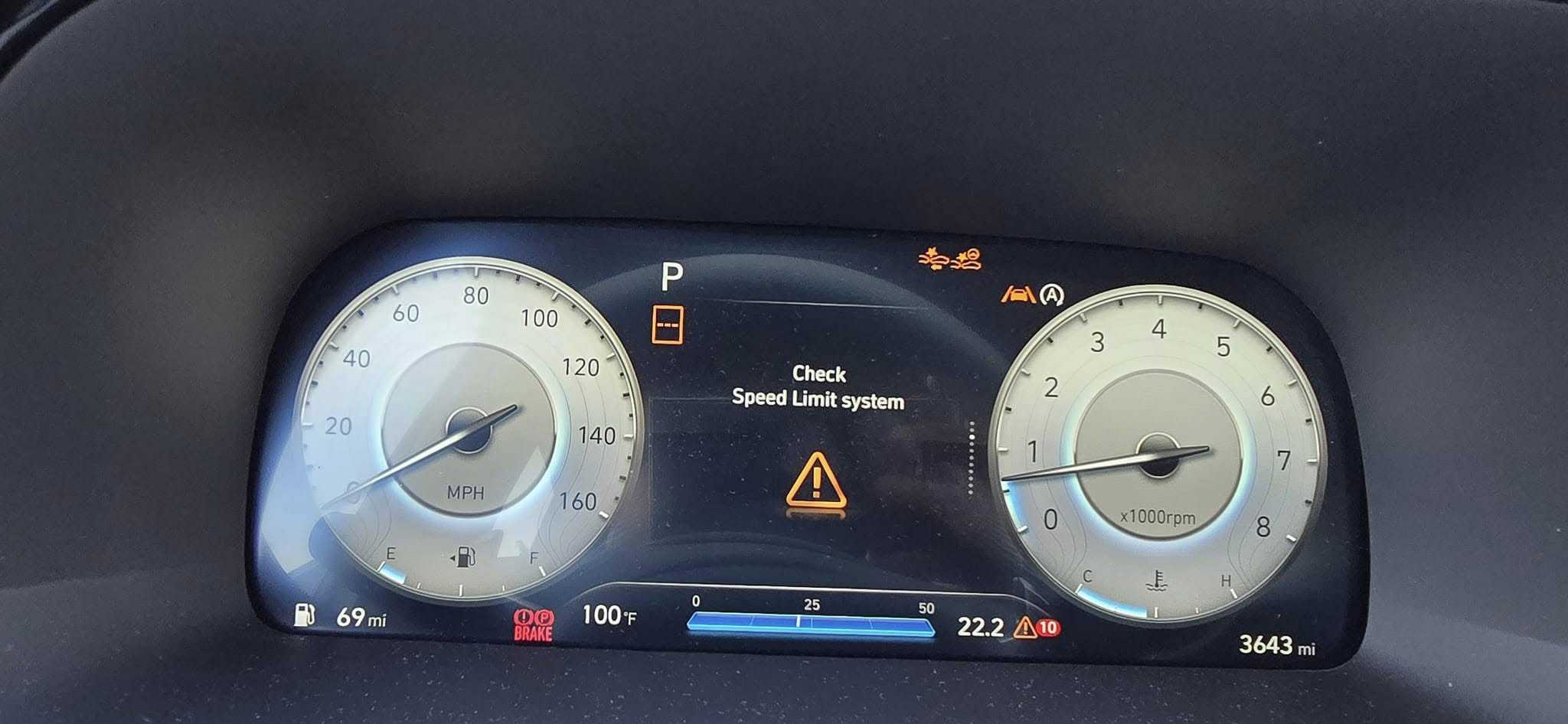
Hyundai “Check Speed Limit System” Warning: Causes & Easy Fixes

Medium
1-3
$350
Seeing the “Check Speed Limit System” warning on your Hyundai? This means there’s a problem with the Intelligent Speed Limit Assist (ISLA) system, which is designed to help keep you driving at safe speeds. Ignoring this warning could lead to unexpected slowdowns, speeding tickets, or even accidents.

The Hyundai Intelligent Speed Limit Warning System (ISLA) is part of your vehicle’s Driver Assistance System that helps the car stay within the legal speed limit by alerting the driver through the dashboard or adjusting the smart cruise control speed. It uses speed data from speed limit road signs and the vehicle’s navigation system to determine the safe and legal speed your vehicle can go. When this light turns on, the Intelligent Speed Limit Warning System is not working correctly.
⚠️ Why You Should Fix It As Soon As Possible
Here are the most common reasons this light appears:
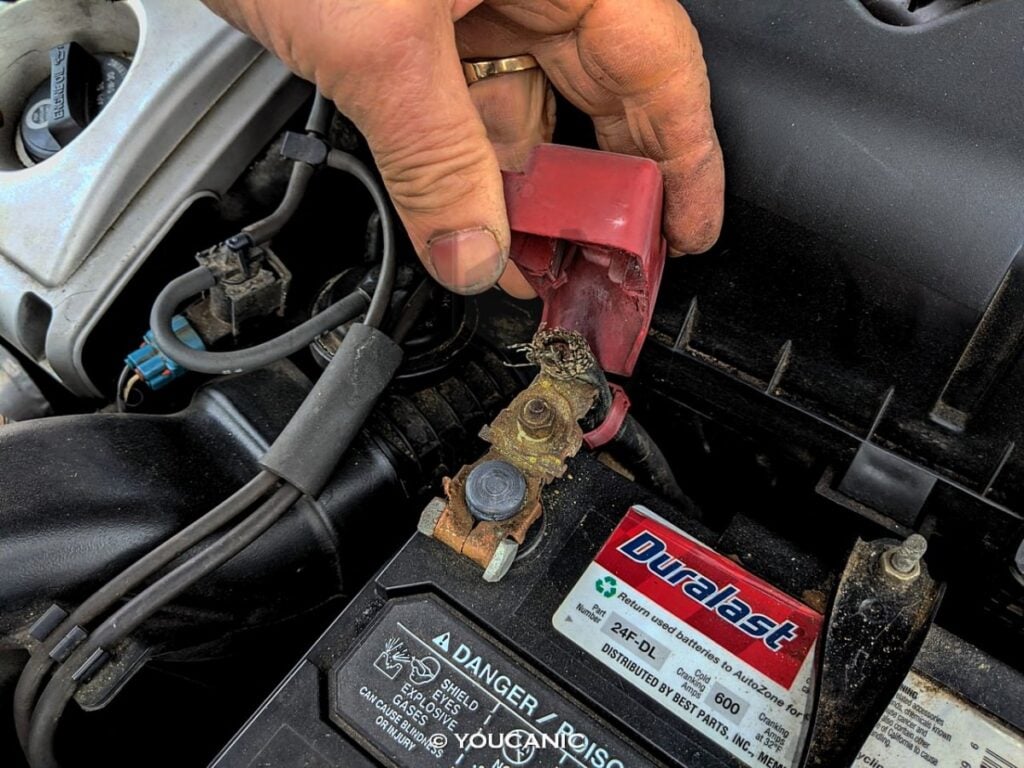
⚠️ Weak Battery: Low voltage can cause system errors and unexpected warning lights. Loose or corroded connections can cause similar symptoms as well.
⚠️ Faulty Sensor: The front-view camera may be dirty, obstructed, or misaligned, causing it to misread data.
⚠️ Loose or Corroded Wires: Bad connections can cause intermittent faults.
⚠️ Malfunctioning Module: A bad electronic control unit (ECU) or connection can disrupt electronic communications, triggering false alerts.
⚠️ Software glitch: The system may fail to recognize speed limit road signs accurately.
⚠️ Outdated navigation system: The Smart Speed Limit Warning System heavily relies on the navigation system for speed limit information. Cruising through a highway with no speed limit input to its navigation system can trigger the warning message on the dashboard.
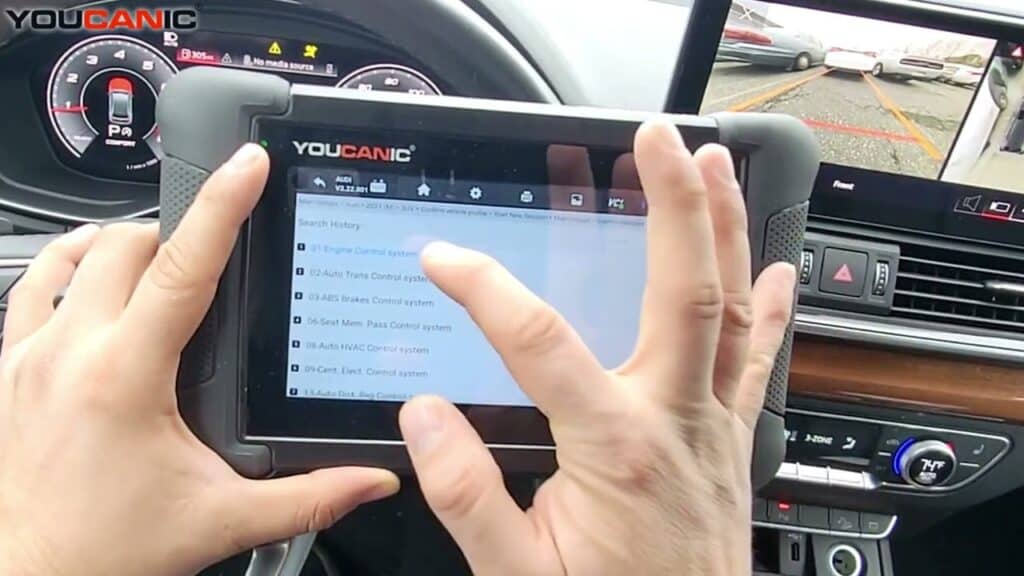
🛠️ Pro Tip: Use an OBD-II scanner to check for error codes related to the issue.
Before taking your car to a mechanic, try these DIY fixes:
➡️Yes, but you can feel a difference in driving, especially with Smart Cruise Control and Highway Driving Assist turned on. You might feel brake pressure slowing you down because of a misidentified speed limit sign on the road. You can disable the system in settings to avoid inconveniences, but be aware that some countries require it by law. Turning it off may lead to legal consequences if an accident occurs. Your insurance might not want that.
➡️To reset the warning message, try disconnecting the negative terminal of your battery for 30 minutes. An OBD-II scanner will also work to clear error codes. You can also try to drive for at least 20 minutes to allow the system to recalibrate itself, or try inserting a small pin through the pinhole of your infotainment system.
➡️Ignoring the warning can raise the risk of speeding fines or accidents since the system might not adequately control your speed. The system works with the Smart Cruise Control and the Highway Driving Assist. These two features may malfunction if the system fails, leading to more expensive repairs.
➡️By following the troubleshooting steps in this article, you can attempt to fix the issue yourself. If these methods don’t resolve the problem, it’s time to call in your trusted mechanic or dealership.
The Check Speed Limit System message on Hyundai and Kia should never be ignored, as it could indicate a serious issue with your vehicle’s speed regulation and braking system. Following these troubleshooting steps and scanning for fault codes can save time and money while ensuring your car remains safe and reliable.
Antonie Labasan is a Registered Mechanical Engineer and Lean Six Sigma Blackbelt who brings practical automotive expertise to our diagnostic guides. With specialized training at VOLVO and years of experience managing diverse vehicle fleets including Toyota, Hyundai, and Kia models, Antonie understands common failure points across different manufacturers. His systematic approach to diagnostics helps readers identify and fix the true source of automotive problems, making his YOUCANIC scanner guides exceptionally effective for DIY mechanics.

Rushit Hila is a dedicated automotive engineer with ASE G1 certification and specialized training from an esteemed Automotive Specialty School. His hands-on experience and technical expertise in advanced diagnostics, system integration, and performance optimization make him a trusted voice in the industry.
Searching...
⭐⭐⭐⭐⭐ 4.8 stars · 247 Verified Reviews
The UCAN-II-D gives you full system diagnostics, bidirectional controls, and lifetime free updates. One scanner. Own it forever.
+ Free shipping · No subscription ever