
Mercedes-Benz S-Class Can’t Set Analog Clock Time: Permanent Fix
Reviewed/Verified by:

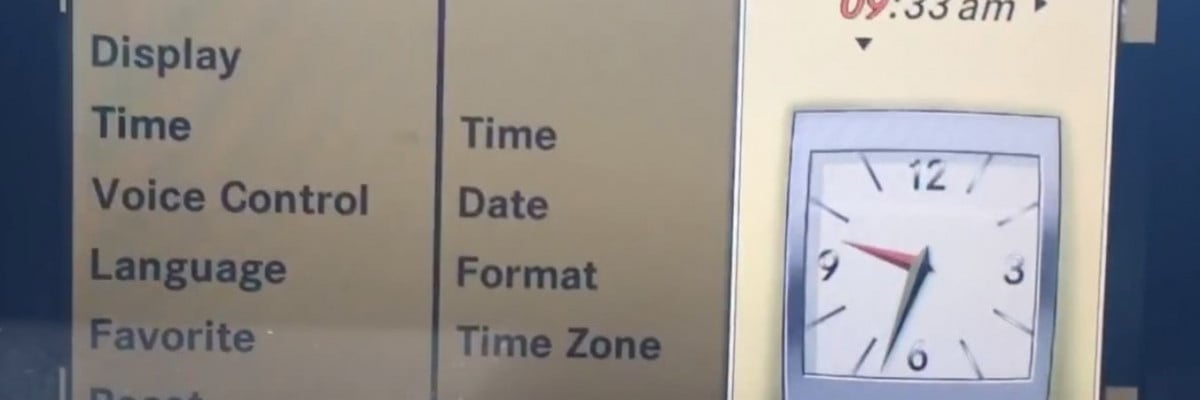
Can’t set the time on your Mercedes-Benz S-Class? Follow the procedures below to learn how to set the analog clock time on your Mercedes-Benz S-Class.
Problem
From 2006 to 2013 Mercedes-Benz S-Class / CL-Class, the clock showed the wrong time and couldn’t be set without a GPS connection.
Symptoms
- The date and clock will not reset
- Can’t set time via COMAND
- The analog clock shows the wrong time
- The clock doesn’t sync with COMAND.
- The analog clock shows the wrong time
- The analog clock won’t adjust after making changes
This problem affects all S-Class W221 models, including S550, S400, S500, and C216 models, such as CL550.

🔧 Find out what is actually wrong before you pay someone to guess
Dealer level diagnostics at home with the YOUCANIC UCAN-II Pro.
- ✔ Covers most makes and models, including many luxury brands. Send us your VIN and we will confirm your car before you order
- ✔ Reads every module, not just the engine, so you find the faults a basic reader says are not there
- ✔ Commands the car: test a fan or pump, bleed ABS, retract an electronic parking brake, register a battery
- ✔ No subscriptions. Free lifetime updates, so the price you pay is the whole price
- ✔ Backed by real mechanics in the USA you can email before and after you buy
Featured in The Wall Street Journal
Solution
First, try this solution:
- Power off the COMAND unit, lock the vehicle, and let the parking lot for a few hours.
- Unlock the vehicle and enter the car.
- Turn on the ignition lights, but don’t start the engine. If you have the START button, press it without pressing the brakes.
- Turn on COMAND.
- Go to the time date settings.
- Adjust the date and time, then confirm.
These steps must be completed within one minute.
The above solution doesn’t always work.
If that is your case, the only permanent solution is to apply a patch to the COMAND, which fixes this issue and allows you to change the time anytime without any restrictions.
- First, download this patch and burn it on a new DVD.
- Eject all CDs and DVDs from the drive.
- Put the created DVD in the drive-in position 1.
- Go to vehicle settings in COMAND.
- Switch off the display.
- With the display off, press the “*” key (which is called the favorite key), and at the same time, move the dial to the right (but don’t turn the dial or press it. Press it to the right), keep both pressed and then press the massage and mute keys.
- Now, the developer menu opens, and you can navigate it with the rotary control.
- Go to software update, and press to confirm.
- It takes five to ten minutes, and an error message will appear, but you can ignore it.
- After that, the command will show errors in the Star Diagnostic; you must delete them the next time the diagnostic device is connected. But everything works, including the clock
Applications
- S-Class W221
- S350
- S550
- S600
- S400 Hybrid
- S63 AMG
- etc
- CL-Class C216
- All models
Model Years
- 2007, 2008, 2009, 2010, 2011, 2012, 2013
Check these troubleshooting and repair guides for more help on your Mercedes-Benz.




Hi thanks fir valuable information but unfortunately there is no menue option in my vehicle for adjusting the time and date,so what should I do?it means the option for the time and date is not appear in menue and not available I appreciate it in advance