Mitsubishi Outlander Front Brake Pad Replacement
Is your Mitsubishi Outlander brake feeling soft and getting weak? Learn how to fix the problem by replacing the front brake pads of your Mitsubishi Outlander. This guide provides instructions on replacing the brake pads and rotors on a Mitsubishi Outlander.

Tools
- Metric Socket Set
- 14mm, 17mm, 21mm socket
- Ratchet and breaker bar
- Torque wrench
- Brake caliper piston compressor
Parts
- Mitsubishi Outlander Brake Pads
- Mitsubishi Outlander Front Rotors
- Brake caliper grease
- Brake parts cleaner
- Shop towels
Procedure
- Loosen the front wheels lug nuts with a 21mm socket and breaker bar with the vehicle on the ground.
- Jack the front of the vehicle off the ground and place on the jack stands. Chock the rear wheels. Do not work on the vehicle unless it is supported with jack stands.

- Remove the lug nuts and remove the front wheels.
- Turn the steering wheel to whichever side you are working on to make working on the brakes easier.
- Take your 14mm socket and ratchet and loosen the two brake caliper pin bolts from the bracket. Remove the 14mm bolts.
- Pull the brake caliper off the pads and bracket, and use a hanger to hang it from the struts to prevent it from falling and damaging the brake hose.
- Use a 17mm socket and ratchet to remove the two brake caliper bracket bolts. Remove the brake caliper bracket and set it aside.
- The rotor can now be pulled off the wheel bearing. Install the new rotor, and make sure to clean the new rotor with brake parts cleaner. They are stored with an oil film to prevent corrosion.
- Remove old brake pads from the caliper bracket. Remove any old brake hardware clips and replace them with new ones. Brake pads should come with stainless steel hardware if they do not order new ones. Failing to replace these will cause a brake squeal and improper operation of the new pads.
- Reinstall the brake caliper bracket and torque to spec. Insert the new brake pads into the slots on the brake caliper bracket. Make sure the brake wear indicator on the pad is pointed towards the rotor’s leading edge, meaning the rotor’s rotation will push against the tab, not pull it.
- Use a brake caliper compressor to press the pistons back inside the caliper so the caliper will slide over the new brake pads that are thicker.
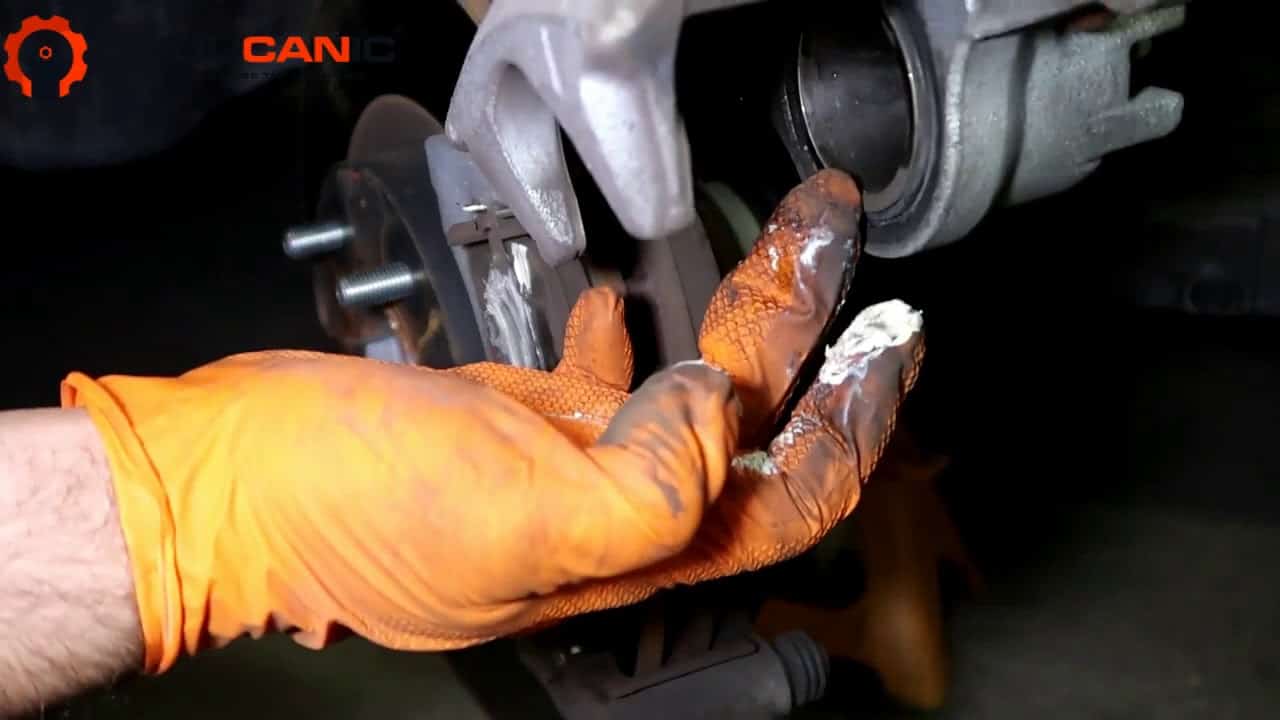
- Reinstall the calipers over the new pads. Grease the slide pin bolts with fresh brake caliper grease and torque them back down.
- Mirror the procedure on the other side.
- Get inside the vehicle and pump the brakes until the pedal is hard. Check the brake fluid level. Make sure it is at least at the minimum level.
- Replace the wheels and lug nuts.
- Jack the vehicle up and remove the jack stands, lower the vehicle so the wheels are touching the ground.
- Torque the lug nuts to spec with the tire touching the ground.
- Remove the jack, and you are done! Test the new brakes out around the block. For good measure, once again, make sure the brake pedal is hard before putting the vehicle in a drive position.
Not doing this job properly can lead to premature wear and excessive brake noise. Pay attention, and you too will be able to do a proper brake job on most makes and models, including your own Mitsubishi.

Torque Specifications
- Brake caliper bracket: 80 ft-lbs
- Brake caliper slide pin bolts: 30 ft-lbs
- Wheel lug nuts: 100 ft-lbs
We hope you find the Mitsubishi Outlander Front Brake Pad Replacement guide helpful. Check these troubleshooting and repair guides for more help on your Mitsubishi.

No subscriptions • lifetime updates
🔧 Stop paying the dealer for every warning light
Get dealer level diagnostics at home with the YOUCANIC Full System Scanner.
- ✔ Works with all makes and models, including most luxury brands
- ✔ Topology map view shows all vehicle modules on one screen for faster diagnostics
- ✔ Bi directional controls to test fans, pumps, actuators and more so you do not have to guess
- ✔ Special resets and calibrations such as ABS bleed, EPB service, battery registration and more
- ✔ Free lifetime updates with no recurring fees