

Scanner Guide: How to Perform a Factory Reset on a YOUCANIC Scanner
Have you been experiencing performance issues with your YOUCANIC scanner? It might be time for a factory reset. Factory resets can be a good way to fix software glitches, corrupted settings, and more. Please note that a factory reset will not fix any hardware problems that you may be experiencing.
⚠️Important Note⚠️ Factory resets should only be used as a last resort. Before proceeding, please make sure you:
- Remember your username and password to log back in.
- Note that all vehicle data will be erased.
- Note that you will need to redownload vehicles and run all updates after the reset.
Disclaimer: The scanner used in this guide is YOUCANIC’s latest UCAN-II-C model. However, these steps will work for other YOUCANIC scanner models, such as the UCAN-II-B and UCAN-HD-A scanners.

🔧 Stop paying the dealer for every warning light
Get dealer level diagnostics at home with the YOUCANIC Full System Scanner.
- ✔ Works with all makes and models, including most luxury brands
- ✔ Topology map view shows all vehicle modules on one screen for faster diagnostics
- ✔ Bi directional controls to test fans, pumps, actuators and more so you do not have to guess
- ✔ Special resets and calibrations such as ABS bleed, EPB service, battery registration and more
- ✔ Free lifetime updates with no recurring fees
Reset Process:
1. On the home screen, find and select the “Settings” icon.

2. Once in the settings menu, find and select “System Settings.”

3. Scroll to the bottom of the menu and select “System.”
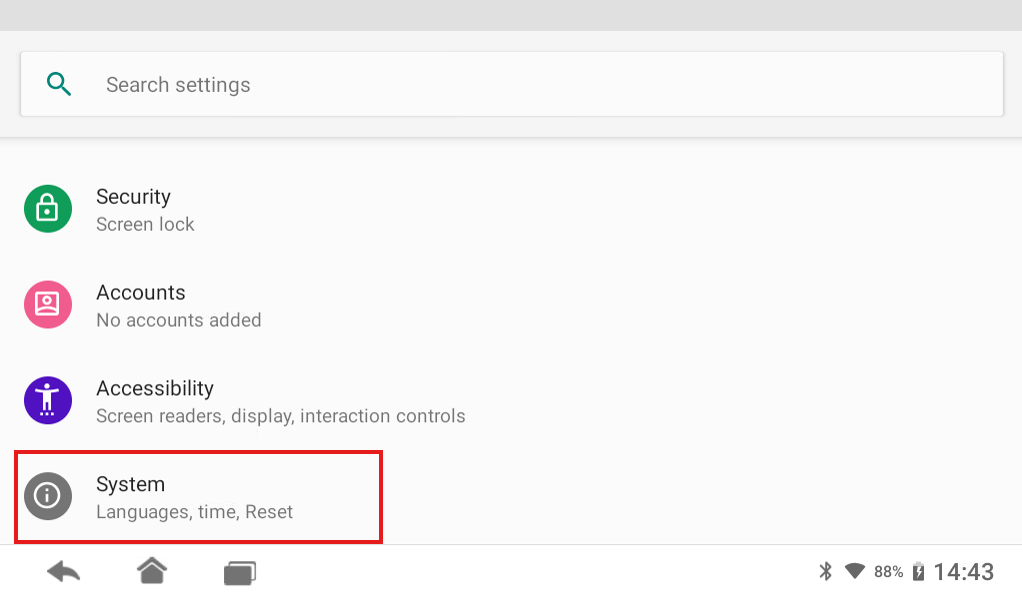
4. Select “Reset options.”

5. Select “Erase all data (factory reset)”

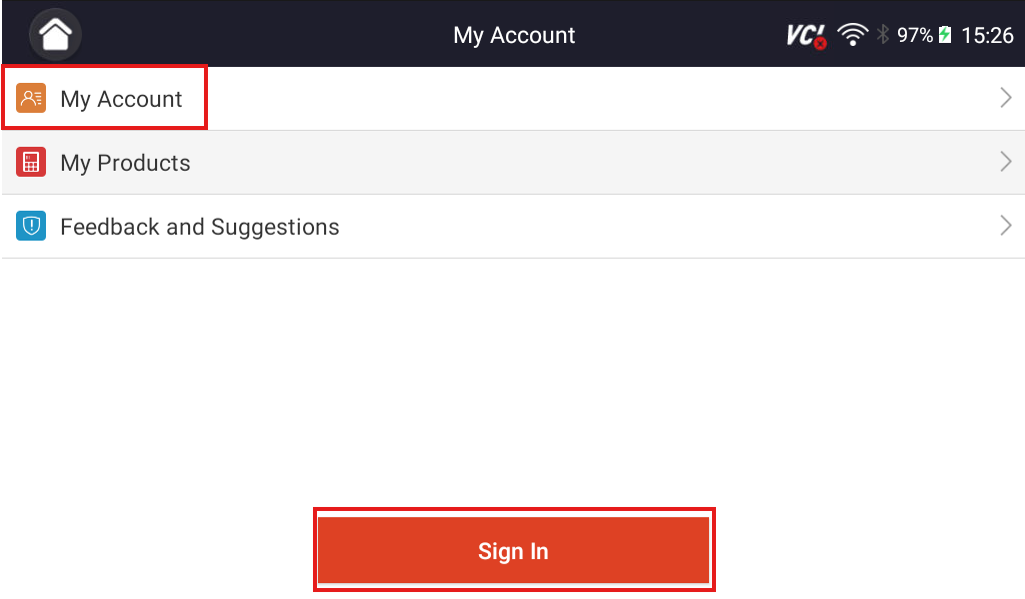
Once your scanner has been reset, log back into your scanner account, go to the Updates menu, and select “Update All” to reinstall all necessary software. This includes all important updates and vehicle software.

If you experience any problems with your scanner, please contact our Support Team for assistance. We are here to help ensure your device is running at its best.
Do you need more help with your scanner? Check out our other scanner guides!



Hi Ernesto,
I’m sorry to hear about that! Please email YOUCANIC support at support@youcanic.com with pictures of your scanner. Our team can look into this issue and possibly send you a replacement.
I try it the above suggestion and did not fix the problem. Tablet still has doble or tripple imaging overlayed making impossible to work with only two month old used 5 times