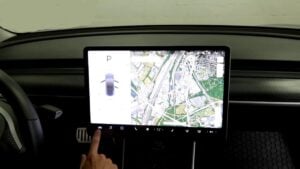
Tesla Model 3 Rear Shock Replacement Guide
Does your Tesla have a bumpy ride due to faulty shocks? Learn how to fix the problem by replacing the rear shocks of your Tesla. This guide provides step-by-step instructions on changing the rear shock (called strut) on a Tesla Model 3.\

What you will need
- Tesla 3 Rear Shocks
- Tesla Jack Pad
- Mechanic Toolset
- Torque Wrench
- Floor Jack
- Jack Stands
Procedure
How to replace Tesla Model 3 rear shocks.
- Park the Tesla on level ground.

- Loosen the lug nuts for the wheel that you are working on.
- Jack up the vehicle. Make sure to use the jack pads to protect the battery.
- A secure vehicle with jack stands.
- Remove the 10mm bolt and the plastic cover under the lower control arm.
- Remove two 15mm bolts that secure the shock to the frame.
- Place a floor lift under the rear control arm.
- Remove the bolt that secures the rear shock to the lower control arm.
- Remove the bolt where the lower control arm connects to the wheel knuckle.
- Slowly lower the control arm.
- Install the new shock in reverse order.
- Install the wheel and torque it to 130 ft/lbs.

 Make sure to use the jack pads to protect the battery.


Replacing the rear shock on a Tesla Model 3 is easy and takes about thirty minutes to one hour per shock. Sometimes, the rear Tesla shock may also be called a strut, but the proper name is called shock. The pictures in this guide are from a 2018 Tesla Model 3 AWD.

🔧 Stop paying the dealer for every warning light
Get dealer level diagnostics at home with the YOUCANIC Full System Scanner.
- ✔ Works with all makes and models, including most luxury brands
- ✔ Topology map view shows all vehicle modules on one screen for faster diagnostics
- ✔ Bi directional controls to test fans, pumps, actuators and more so you do not have to guess
- ✔ Special resets and calibrations such as ABS bleed, EPB service, battery registration and more
- ✔ Free lifetime updates with no recurring fees
We hope you find the Tesla Model 3 Rear Shock Replacement Guide helpful. Check these troubleshooting and repair guides for more help on your Tesla.