
Tesla Model 3 Wheel Configuration Tire Pressure Monitoring System Reset
Reviewed/Verified by:

How can I change the wheel configuration and reset the tire pressure monitoring system on my Tesla Model 3? Learn how to reset the TPMS and change the wheel configuration of your Tesla by following the procedures below. This configuration must be done if the wheels are changed on a Tesla. Also, if the tire pressure light is on and the air pressure is corrected, this procedure may need to be done.

Lastly, this reset must be done if any tire pressure sensors are replaced.
Vehicle Applications
Tesla Model 3 years: 2017, 2018, 2019, 2020, and other Tesla models such as the X and S.

🔧 Find out what is actually wrong before you pay someone to guess
Dealer level diagnostics at home with the YOUCANIC UCAN-II Pro.
- ✔ Covers most makes and models, including many luxury brands. Send us your VIN and we will confirm your car before you order
- ✔ Reads every module, not just the engine, so you find the faults a basic reader says are not there
- ✔ Commands the car: test a fan or pump, bleed ABS, retract an electronic parking brake, register a battery
- ✔ No subscriptions. Free lifetime updates, so the price you pay is the whole price
- ✔ Backed by real mechanics in the USA you can email before and after you buy
Featured in The Wall Street Journal
What you will need
- No tools or parts are required.
Procedure
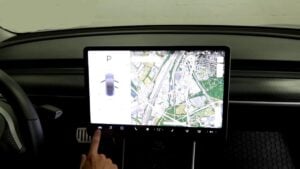
- On the touchscreen display, tap the car icon on the bottom left of the screen and navigate to the service menu.
- In the service menu, tap the wheel configuration icon.
- Make sure the correct size wheel for the vehicle is selected. Use the drop-down menu to see the various sizes. Confirm the option by tapping the confirm button.
- In the service menu, tap the reset TPMS sensor button.
- Make sure all the tires are inflated to the correct pressure. Refer to the driver’s side door jamb sticker for the correct tire pressure.
- After the tires are correct, while the vehicle is in the park, select the learn new pressures button on the prompt on the touchscreen display.
- The vehicle must be driven above at least 16 mph for a few minutes to learn the new pressures.
- The tire pressure sensors will now be reset, and the pressures are reading correctly. The TPMS light will go off; you are done!
Specifications
- Front tire pressure: 42 PSI
- Rear tire pressure: 35 PSI
Refer to our Tesla Model 3 tire pressure guide.
I reset the TPMS, but an error message said, “TPMS reset learning failed,” what do I do?
This means that one or more of the sensors are not functioning properly. If new wheels were recently installed, ensure the wheel configuration is also set. If the TPMS still fails to reset, a sensor is likely bad and needs to be replaced; refer to the touchscreen display to see if any pressures are showing up.
Use a handheld TPMS reset tool to diagnose further and see which sensor is not being programmed. However, it is also possible but unlikely that one of the antennas for the TPMS in the vehicle has failed.
How long do TPMS sensors last? Can I replace the batteries?
Typically, the batteries in the tire pressure monitor sensors last five years. They can last longer, even upwards of ten years, but it is a good idea if they are older and one fails to replace them all.
Check these troubleshooting and repair guides for more help on your Tesla.