
Jaguar Key Fob Battery Replacement Guide
Reviewed/Verified by:

Can’t lock or unlock your Jaguar due to a dead key fob battery? Learn how to fix the problem by replacing the key fob battery of your Jaguar.
How to Replace Key Fob Battery on a Jaguar

What you will need
- CR2032 Battery
Procedure
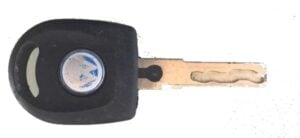
- Slide the chrome cover away from the key and remove it. This will expose the metal key.

- Remove the metal key and use it to pry open the key case.

- Slide the CR2032 battery out of the key.
- Install the new battery with the positive (+) sign facing you.
- Align the key shell and press it to close it.
- Reinsert the metal key.


This 315MHz smart key remote is used in many models, including the XF XJ XK XE model years 2013, 2014, 2015, 2016, 2017, 2018, and 2019. Handle your Jaguar key with care. Avoid touching the positive and negative sides of the battery at the same time.
Check these troubleshooting and repair guides for more help on your Jaguar.

No subscriptions • lifetime updates
🔧 Find out what is actually wrong before you pay someone to guess
Dealer level diagnostics at home with the YOUCANIC UCAN-II Pro.
- ✔ Covers most makes and models, including many luxury brands. Send us your VIN and we will confirm your car before you order
- ✔ Reads every module, not just the engine, so you find the faults a basic reader says are not there
- ✔ Commands the car: test a fan or pump, bleed ABS, retract an electronic parking brake, register a battery
- ✔ No subscriptions. Free lifetime updates, so the price you pay is the whole price
- ✔ Backed by real mechanics in the USA you can email before and after you buy
Featured in The Wall Street Journal
MSRP $749 $499
See if it covers your car
Free USA shipping · 31 day money back guarantee · USA support