

2017+ Nissan Rogue Sport Set Date & Time Car Stereo
Do you need to change the date and time settings on your Nissan Rogue? This guide provides a step-by-step procedure for editing the date and time on the car stereo of a Nissan Rogue Sport 2017+.

Procedure
- Turn the ignition switch on.
- Once the car stereo is switched on, tap the Settings button at the lower right of the screen.

- Tap on the Clock menu on the car stereo’s screen.
 Or, scroll to the main menu screen by pressing the arrow on the left side of the screen.
 - Then, once the clock pops out on the screen, the screen will show different clock menus.

- Press on the Clock Format to set the time to 12H or 24H time format.

- Press on the Date Format to set the date format you want.

- Press on the Set Clock Manually and press the arrows to manually set the time and date.

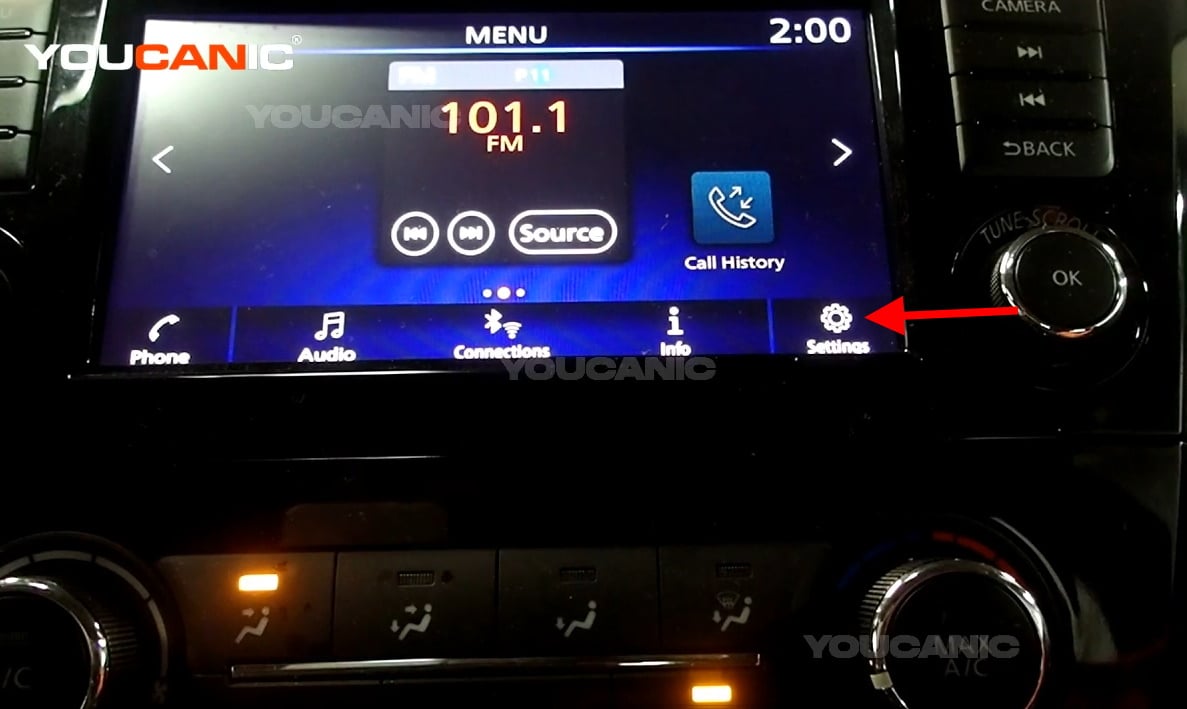
 Or, scroll to the main menu screen by pressing the arrow on the left side of the screen.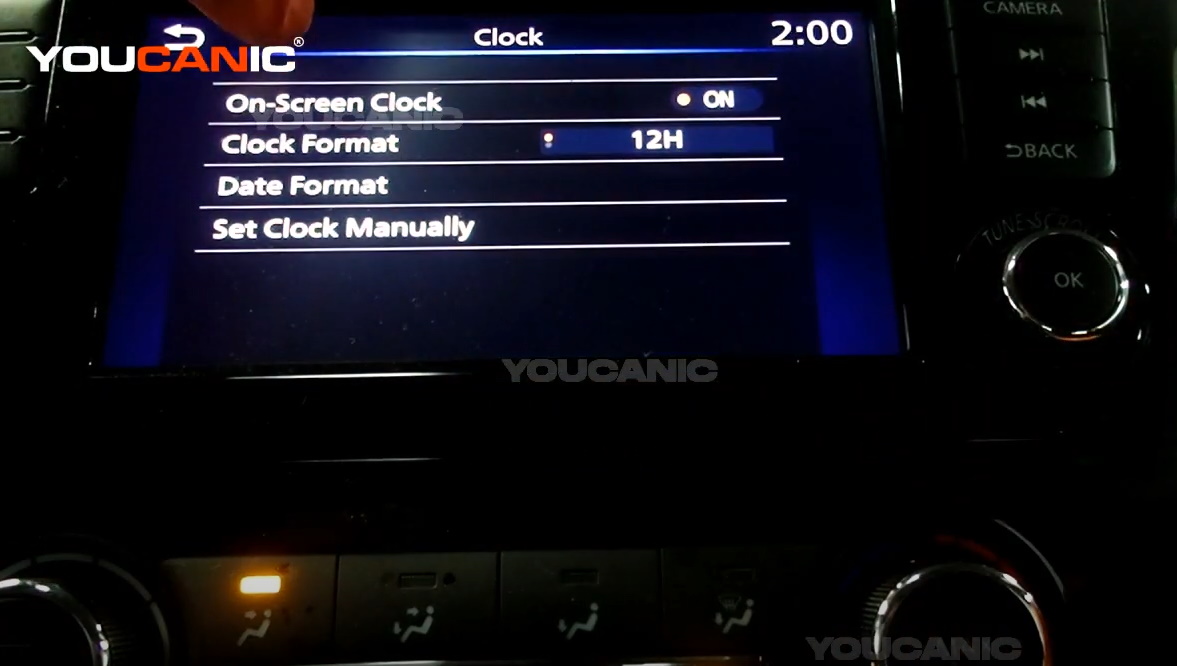

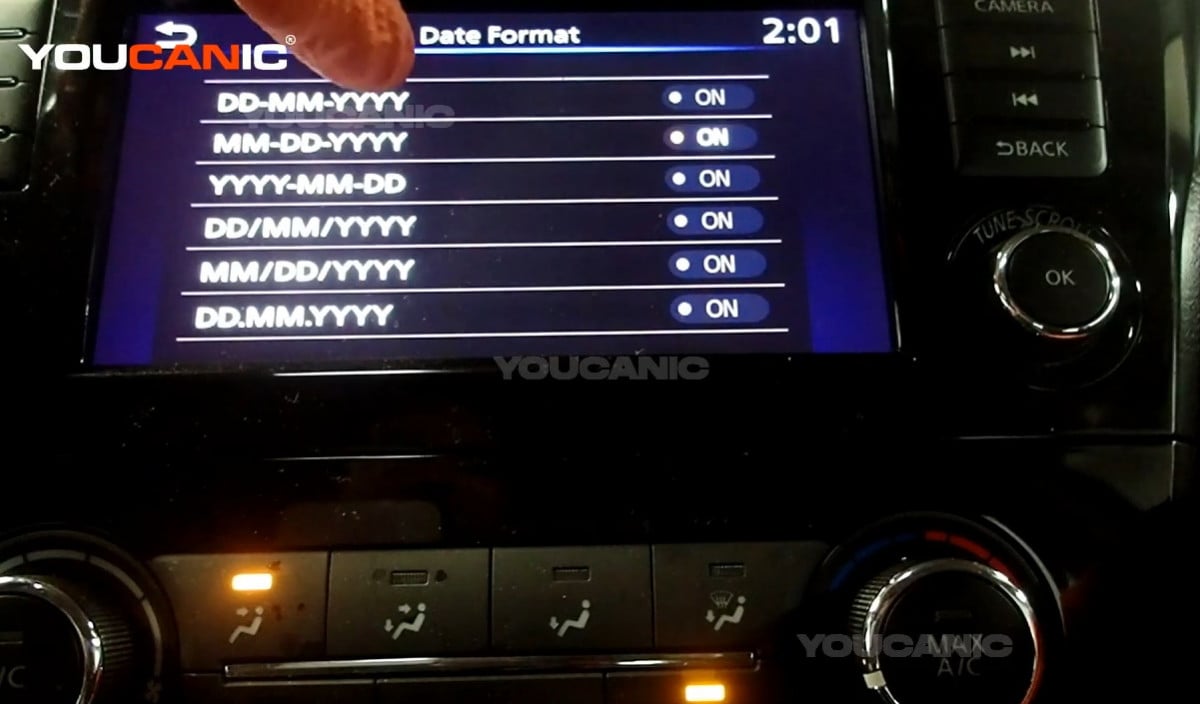
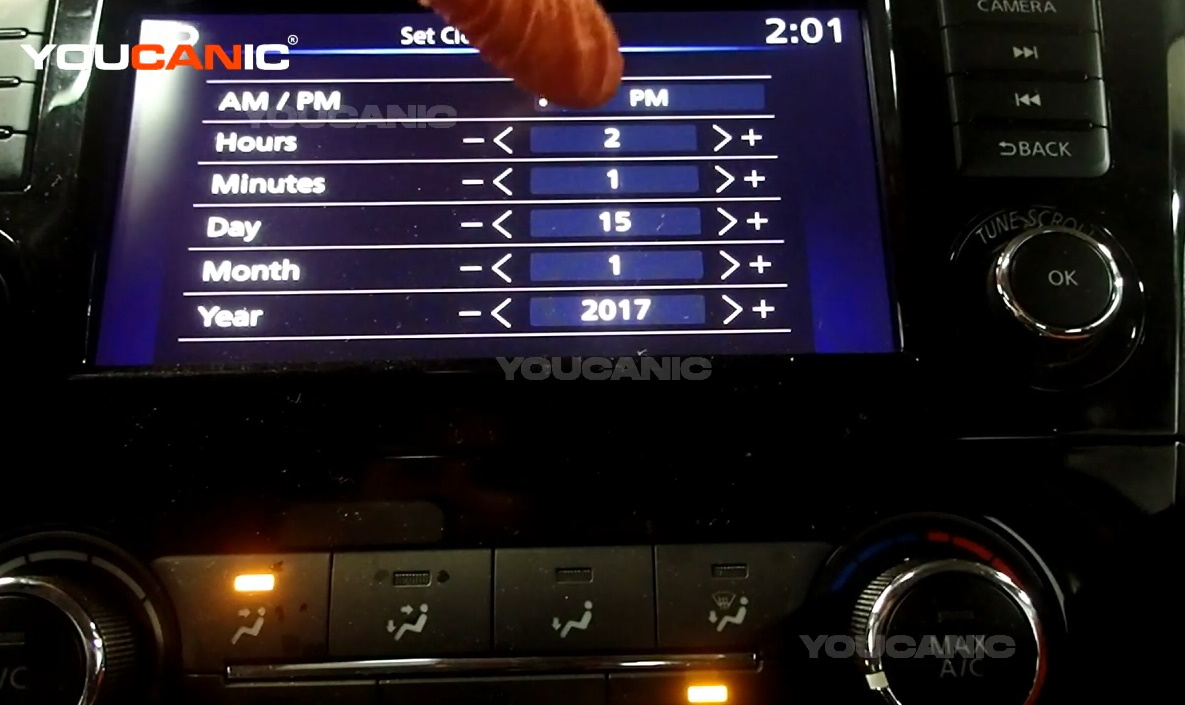
We hope you find the 2017+ Nissan Rogue Sport Set Date & Time Car Stereo guide helpful. Check these troubleshooting and repair guides for more help on your Nissan.


