Easy Replacement Guide: Audi Key Fob Battery
Are you having trouble locking or unlocking your Audi because of a dead battery? While you can just use the keyblade to unlock your car, that can get old fast! This step-by-step guide will walk you through how to replace the battery!
On the newer Audis, a warning light will appear on your dashboard when the battery is dead. To make the light go away, you should replace the battery in your key fob as soon as possible.
Are you more of a visual learner? Follow along with our video guide!

🔧 Stop paying the dealer for every warning light
Get dealer level diagnostics at home with the YOUCANIC Full System Scanner.
- ✔ Works with all makes and models, including most luxury brands
- ✔ Topology map view shows all vehicle modules on one screen for faster diagnostics
- ✔ Bi directional controls to test fans, pumps, actuators and more so you do not have to guess
- ✔ Special resets and calibrations such as ABS bleed, EPB service, battery registration and more
- ✔ Free lifetime updates with no recurring fees
How to change the battery
NOTE: These steps will vary depending on the type of fob you have.
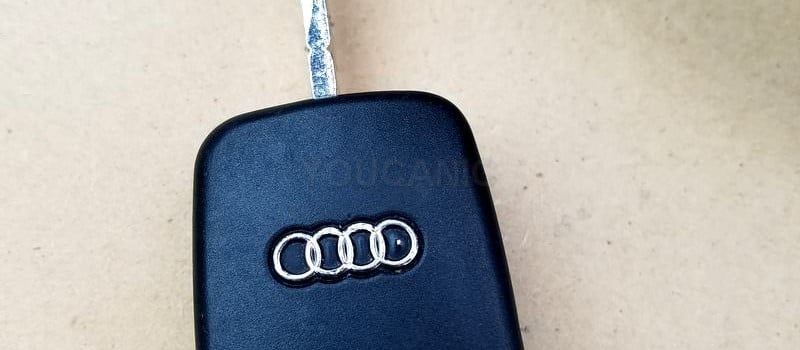
- Use a flat screwdriver to gently separate the case into two pieces.
- Remove the CR1620 button cell. Pay attention to the positive side.
- Press the new battery into the housing.
- Press the shell together until you hear it click.
- If the lock/unlock feature does not work after changing the battery, insert the key blade into the driver’s door. Turn the lock to the unlock position to make the car recognize your key fob. Remove it from the door and press unlock.
Battery Size: CR1620 (ONE)
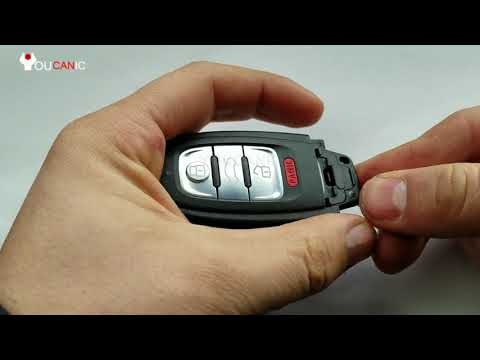
How to Replace the Battery in an Audi Smart Keyless Entry Remote
Since 2008, this key fob has been used in many Audi cars, including A, Q, R, S, and TT models. If your battery is too weak or dead, it will prevent you from starting the car using the Start/Stop button.
- Use your thumb to press on the release button found on the chrome part of the fob.
- Pull the metal key blade out of the shell.
- Press the exposed plastic and pull it out of the shell with your thumb.
- Remove the battery. Pay attention to the positive side.
- Install a new battery. The positive should be facing the plastic side.
- Press the holder and the metal key into the shell.
Battery Size: CR2032 (One)
Audi Remote Battery Replacement

- Flip the keyblade open.
- Use a small screwdriver or pen to press the back cover of the case off.
- Pry out the back cover at the end of the keyfob.
- The battery is inserted into the back cover. Pry it out and pay attention to the orientation of the positive side of the battery.
- Press the new battery on the back cover.
- Press the back cover.
Battery Size: CR2032 (ONE)
Over the years, Audi has developed several different key designs. These instructions were written to help owners change the battery on Audi models such as the A3, S3, RS3, A4, S4, A5, S5, A6, S6, A7, S7, RS7, A8, S8, Q3, Q5, SQ5, Q7, TT, and R8.
Frequently Asked Questions
Will the dealer need to program the key?
No. It will work; no programming is required after changing the battery. If it does not work after you change the battery, try the following:
Open the Audi using the keyblade. Next, press the unlock button on the remote. Enter the vehicle and insert the key into the ignition, then remove it from the ignition.
If this synchronization procedure does not work, open the fob and make sure the positive (+) side is on the correct side.
Can I change the shell of the Audi key fob?
Yes. If the key fob shell is damaged or broken, you can consider replacing just the shell. New shells can easily be purchased online.
Is the Audi battery rechargeable?
No. Audi does NOT use rechargeable batteries in their key fobs. It is okay to use a rechargeable type. Remember to remove and charge it or replace it once it dies.
My fob does not work after changing the battery.
Open the shell again and ensure the battery is installed correctly. Check if the positive (+) side is installed on the required side.
We hope you found this guide helpful. Please check out our other troubleshooting and repair guides for more help on your Audi.