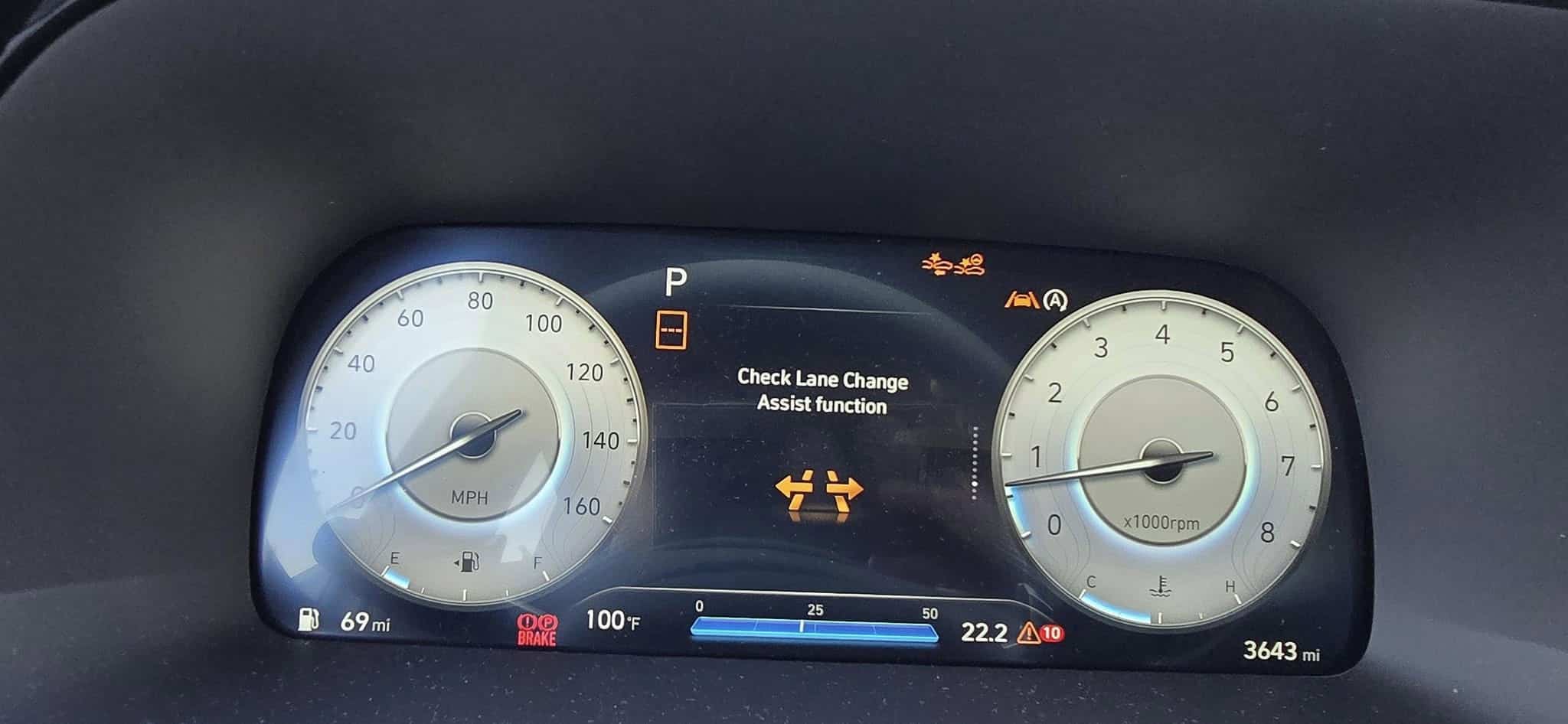
When the “Check Lane Change Assist Function”warning message comes on in your Hyundai, it means there is an issue with the Highway Lane Change System. Ignoring this warning will lead to minor inconveniences as some assistance features may also be affected, such as the Smart Cruise Control, Lane Following Assist, and Highway Driving Assist. If you usually rely on these safety features when driving, it is important to resolve this issue as soon as possible.
What Does the Check Lane Change Assist Function mean?
The Highway Lane Change System is one of the Driver Assistance features installed in newer Hyundai models, which provides steering assistance to the vehicle, making changing lanes as safe as possible. When this light turns on, the Highway Lane Change System is not working properly, most likely due to dirty sensors or a weak battery.
⚠️ Why You Should Fix It As Soon As Possible:
Safety Risk – Highway Lane Change Assist only works for certain controlled highways, as indicated by your navigation system, which allows uninterrupted high-speed traffic flow. This warning light could indicate a problem with other safety features, like Highway Driving Assist, Blind Spot Safety, and Forward Collision-Avoidance Assist. If these systems malfunction, your car may not be able to detect vehicles in your blind spot or fail to apply emergency braking when it senses a possible collision.
Performance Issues – Driving comfort is compromised. The steering wheel buttons and infotainment center may not work, both of which are essential tools to control the settings and systems of your vehicle.
Costly Repairs if Ignored – A broad diagnostic scan should be expected because the Highway Lane Change Assist works with linked operations of the front-view camera, front radar sensors, and rear corner radar sensors. If left unaddressed, it may affect other systems relying on these sensors. Depending on your region, a diagnostic check will cost around $100-$200, $400-$700 for sensor calibration and alignment, about $450 for a new wire harness, and $1,000 or more to replace one rear radar sensor.
Common Causes of Check Lane Change Assist Error Message
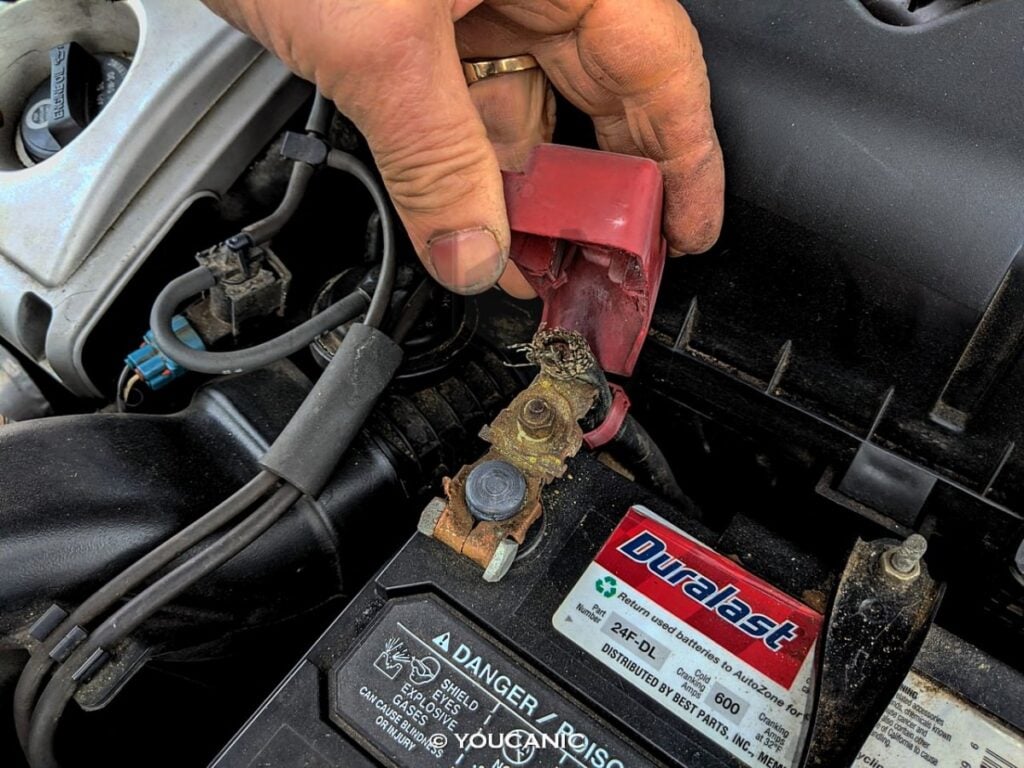
✅ Weak Battery: Low voltage can cause many system errors and unexpected warning lights. Almost every Hyundai system requires some amount of electricity to function. A weak or dead battery will not supply the right power to the vehicle’s systems, leading to error messages.
✅ Faulty Sensor: Highway Lane Change Assist relies on the front-view camera, front radar sensor, and rear-corner radar sensors. Dirt, mud, rain, water, or snow on these sensors can prevent them from reading data correctly. These sensors may also become misaligned over time, triggering the warning message.
✅ Loose or Corroded Wires: Bad connections or broken wires can cause intermittent faults and can disrupt the flow of electricity to necessary systems in your vehicle.
✅ Low Fluid Levels: Highway Driving Assist, Smart Cruise Control, and Lane Following Assist work with the Highway Lane Change Assist System, which controls automatic braking. If your brake fluid is low, it may also affect how well the Lane Change Assist works.
✅ Malfunctioning Module: A bad ECU or ABS Control Module could trigger false alerts.
✅ Outdated Navigation System: The system relies on the GPS and map information in your vehicle’s infotainment system.
✅ Malfunctioning Infotainment System: This can also affect your Highway Lane Change Assist. The system will not work on an overloaded infotainment system where your Car Play or Apple Play, for example, runs simultaneously with other infotainment functions.
✅Defective Clock Spring: Your steering wheel has buttons that allow you to control the settings and systems of your car conveniently. If the clock spring is defective, it will affect these connections, triggering faults in the systems connected.
✅Malfunctioning Electronic Power Steering (EPS): Highway Lane Change Assist relies on the EPS for its lane change steering inputs. The EPS does not typically malfunction, but the lane change function may struggle or become unresponsive if it does.
✅Defective turn signals: Highway Lane Change Assist is controlled by the turn signal levers. If there is a faulty turn signal connection, it may trigger a warning message to appear.
✅Aftermarket wheel size and suspension modifications: Highway Lane Change Assist reads lane markings on the highway using a front-view camera. If the camera is misaligned or defective because of oversized or undersized rims and tires or suspension modifications affecting the default height of the vehicle, it will not be able to detect lane markings accurately, which may give incorrect steering assistance or can cause the system to fail.
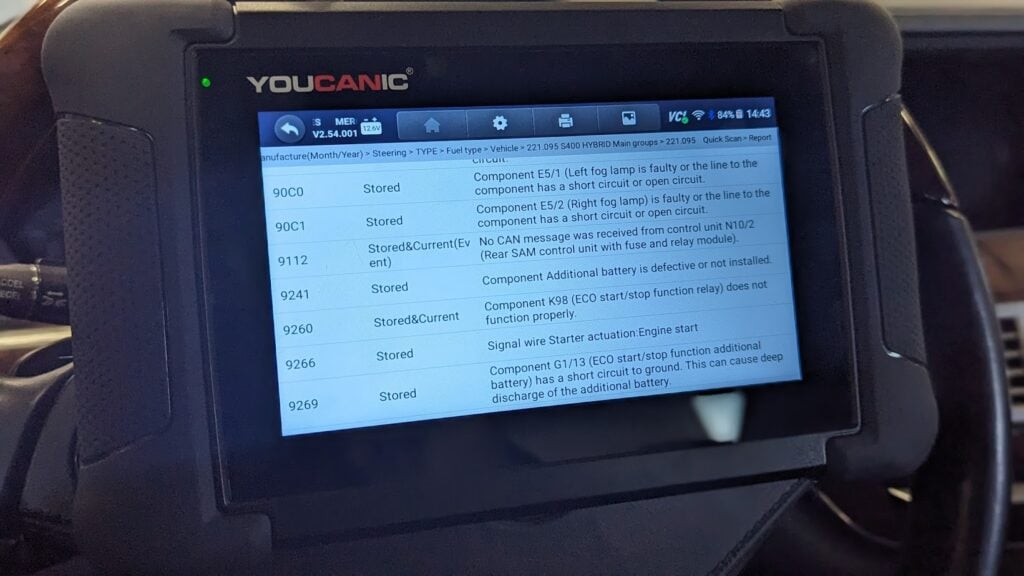
🛠️ Pro Tip: Use an OBD-II scanner to check for error codes related to the issue.
Troubleshooting & Fixes for Check Lane Change Assist Function
Before taking your car to a mechanic, try these DIY fixes:
Check Battery Health – Use a battery tester, multimeter, or scanner to check for low voltage. Car batteries need to be replaced every 3-5 years. If the voltage falls below 12.4, your battery must be replaced or recharged. If your new battery still struggles to keep a charge after replacing it, you might have a faulty alternator.
Inspect Wiring & Connections – Look for loose or frayed wires around the front-view camera, front radar sensor, and rear corner radar sensors.
Inspect Fuses – look for damaged or melted fuses in your vehicle’s fuse box. This could be an indicator of an electrical issue in your car. ONLY REPLACE OLD FUSES WITH NEW ONES OF THE SAME AMPERAGE.
Inspect sensors for dirt and damage – Sensors can become damaged or dirty over time. Check the sensors around your vehicle, especially the front and rear corner radar sensors, for dirt, water damage, or loose wiring, as this might be the reason for the problem. Make sure the windshield in front of the front-view camera is clean and free of stains or obstructions.
Top-Off Fluids: Make sure the brake fluid is at the correct level, and top it off if needed. Refer to your owner’s manual or the brake fluid reservoir cap for the correct type of brake fluid for your Hyundai. NEVER MIX DIFFERENT BRAKE FLUIDS.
Reset the infotainment device: The infotainment system can be reset by inserting a pin through the pinhole near the volume knob. Remember that this may delete your car’s settings, so you might need to set them up again.
Reset the System – If a glitch causes the warning light/error message, it can be cleared by disconnecting the battery for 30 minutes or using a scan tool.
Update your Infotainment and Navigation System: Outdated systems can cause software glitches. The Highway Lane Change System relies on map information of your navigation system. If your map is outdated, this can cause a warning message to appear on your dashboard.
Follow the correct chassis specifications: Use the proper wheel size and suspension for your chassis. If you plan to modify your vehicle, the front-view camera must be recalibrated to the new height of your Hyundai.
Common Fault Codes that Trigger Check Lane Change Assist Function
If you scan your vehicle with an OBD-IIscan tool, you may see one of these codes:
C1620 – Front Radar Fail
C162078 – front radar calibration failed
C186286 – Lane Assistance Front View Camera Inactive/Invalid signal of smart cruise control (SCC)
C270354 – Control Module Slave Missing Calibration
🚗 Need help decoding a fault code? Use the YOUCANIC Scanner to read and clear trouble codes instantly.
FAQs
Can I still drive with the Check Lane Change Assist warning message on?
➡️You can still drive with the Check Lane Change Assist warning, but this and possibly other safety features it is connected to will not work. This warning means the system may not detect vehicles in your blind spot or assist with lane changes properly. If other safety features like Blind Spot Safety or Forward Collision-Avoidance Assist are affected, the risk increases.
How do I reset the Check Lane Change Assist warning message?
➡️To reset the Check Lane Change Assist warning, start by turning the car off and back on to see if the message clears. If that does not work, try resetting the infotainment system by inserting a pin (a paperclip also works) into the pinhole near the volume knob. If that still doesn’t fix it, you can reset the car’s system by disconnecting the negative battery terminal for about 30 minutes. Another option is using an OBD-II scanner to check for error codes and clear the warning if no serious issues are found.
What happens if I ignore this warning?
➡️If you ignore the Check Lane Change Assist warning, the system might stop working, leaving you without key safety features like Blind Spot Detection and Lane Following Assist. This increases the chances of accidents when changing lanes. Over time, the issue could worsen, leading to costly repairs like fixing or replacing sensors and cameras.
Do I need a mechanic, or can I fix this myself?
➡️You can try troubleshooting the Check Lane Change Assist warning with the procedures written in this article, like restarting the car, resetting the infotainment system, disconnecting the battery, and running scanning diagnostics through your OBD-II scanner. These are easy to do and can save you time and money. However, if the problem persists, it is likely something more complex, such as an issue with the sensors or cameras, requiring professional tools and expertise. At this point, take your car to a mechanic or your trusted dealership for a proper diagnosis and repair.
Final Thoughts
The Check Lane Change Assist Function should never be ignored, as this complex system is tied up with other safety features of your vehicle. You may never know what other systems are involved until you have it fixed. By following these troubleshooting steps and scanning for fault codes, you can save time and money while ensuring your car remains safe and reliable.
Antonie Labasan is a Registered Mechanical Engineer and Lean Six Sigma Blackbelt who brings practical automotive expertise to our diagnostic guides. With specialized training at VOLVO and years of experience managing diverse vehicle fleets including Toyota, Hyundai, and Kia models, Antonie understands common failure points across different manufacturers. His systematic approach to diagnostics helps readers identify and fix the true source of automotive problems, making his YOUCANIC scanner guides exceptionally effective for DIY mechanics.
rhila, ASE Certified
Diagnostic Specialist15+ years of experience
Rushit Hila is a dedicated automotive engineer with ASE G1 certification and specialized training from an esteemed Automotive Specialty School. His hands-on experience and technical expertise in advanced diagnostics, system integration, and performance optimization make him a trusted voice in the industry.
Searching...
33% OFFFlash Sale — Ends Soon
⭐⭐⭐⭐⭐ 4.8 stars · 247 Verified Reviews
Stop paying $150 every time a warning light comes on.
The UCAN-II-D gives you full system diagnostics, bidirectional controls, and lifetime free updates. One scanner. Own it forever.
Was
$750
→
Now
$499
Save $251
+ Free shipping · No subscription ever
Free lifetime updates included — no annual fees ever