
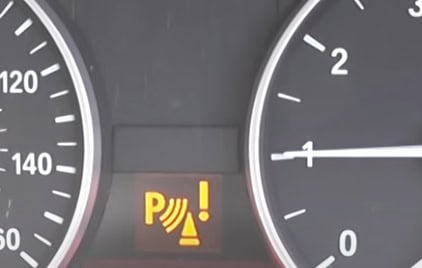
BMW PDC Parking Assist Malfunction | Common Problems
Does “BMW Parking Assist Malfunction”, “Auto PDC Failure” and no “Parking List” display on iDrive screen according to your Drive Component Status? BMW PDC Parking Assist Malfunction means that your car’s Park Distance Control system is out of order and may be unable to work accordingly. The reasons could be sensor failure to malfunction, wiring damage, or corroded wire end or harness. Also, possible issues include PCM software or inappropriate software versions, which might not send audio and visual warnings when parking and getting too close to obstructing areas. Take your car to a mechanic for prompt checking and recommend accordingly.

BMW parking assistant uses ultrasonic sensors to measure parking spaces on both sides of the vehicle and incorporates the Park Distance Control system. Anytime the car speed is lower than 22 mph, it observes the potential parking spaces. It also takes over the steering, braking, and acceleration during parking.
What Causes BMW Parking Assist Error Message?

“BMW No Parking Assistance, please park unaided” may come on for one of the following reasons.

🔧 Stop paying the dealer for every warning light
Get dealer level diagnostics at home with the YOUCANIC Full System Scanner.
- ✔ Works with all makes and models, including most luxury brands
- ✔ Topology map view shows all vehicle modules on one screen for faster diagnostics
- ✔ Bi directional controls to test fans, pumps, actuators and more so you do not have to guess
- ✔ Special resets and calibrations such as ABS bleed, EPB service, battery registration and more
- ✔ Free lifetime updates with no recurring fees
Defective Sensor
As with dirt and dust obstructions, improper sensor operation can result in mechanical damage. Although a slight impact on the bumper might not leave a visible trace, it could push the sensor out of its place. The result will be incorrect readings and possible system failure. Naturally, it is also possible for a sensor to fail.
Excessive dirt and dust can distort the signal from ultrasonic sensors and disable the system. Occasionally, this happens after washing the car, as dirt particles gather at the sensor’s edge. Usually, cleaning the sensor with a clean cloth solves the problem.
Software Issues
In some cases, a software issue can cause problems with parking assistance. As a result, the system will malfunction only in specific situations, such as parking in a tight space. This can be solved with software updates as BMW continuously develops software solutions.
Control Module
The control module is installed in the trunk next to the battery on almost all BMW cars. If, for any reason, water floods the boot, it will also fill in this compartment. As a result, corrosion and other buildups can occur within the control module. One solution is to open the module and clean all traces of corrosion.
Active Power Steering
The park assist system uses an Active power steering system to operate the steering wheel. Unlike traditional hydraulic systems, this one uses a powerful electric servo motor to aid the driver. Any issues with it will result in an inoperable park assist system.
How do I reset the BMW PDC?
To reset the BMW PDC (Park Distance Control) system, you can follow these steps:
- Locate the PDC button, which is typically located on the center console or the vehicle dashboard.
- Press and hold the PDC button for approximately 10 seconds. The PDC indicator light on the dashboard should start flashing, indicating that the system is being reset.
- Release the PDC button once the indicator light stops flashing.
- Turn off the ignition and then start the engine again.
- Test the PDC system by reversing the vehicle and checking that the warning sounds and indicator lights function correctly.
Note: the steps may vary based on the model of your BMW, and some models may have different buttons or reset procedures. Therefore, it is recommended to refer to the BMW’s owner manual for the specific steps for your vehicle.
How to Diagnose and Reset BMW PDC Parking Warning
You need a YOUCANIC Full System scanner to diagnose the BMW parking assistance system.
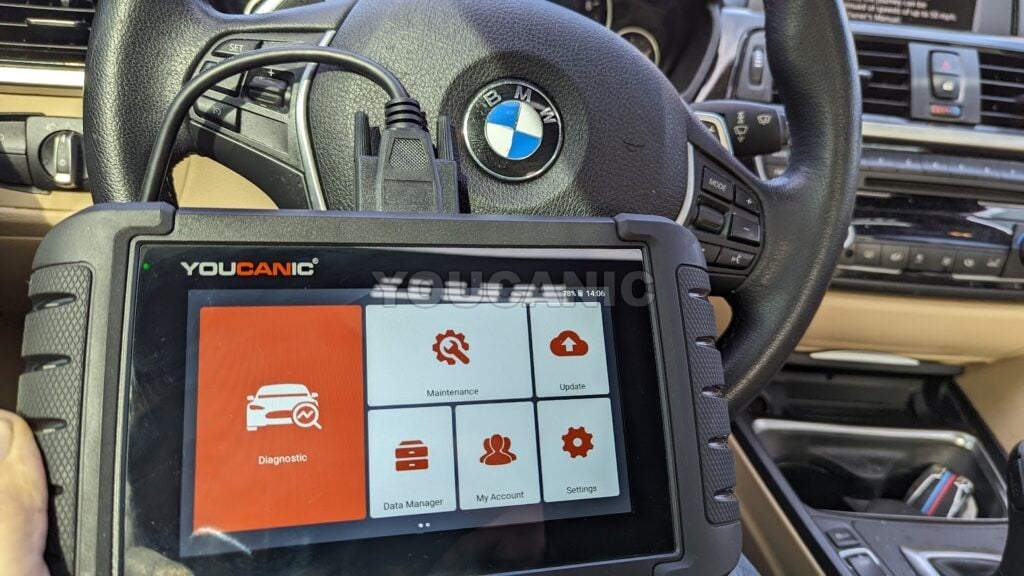
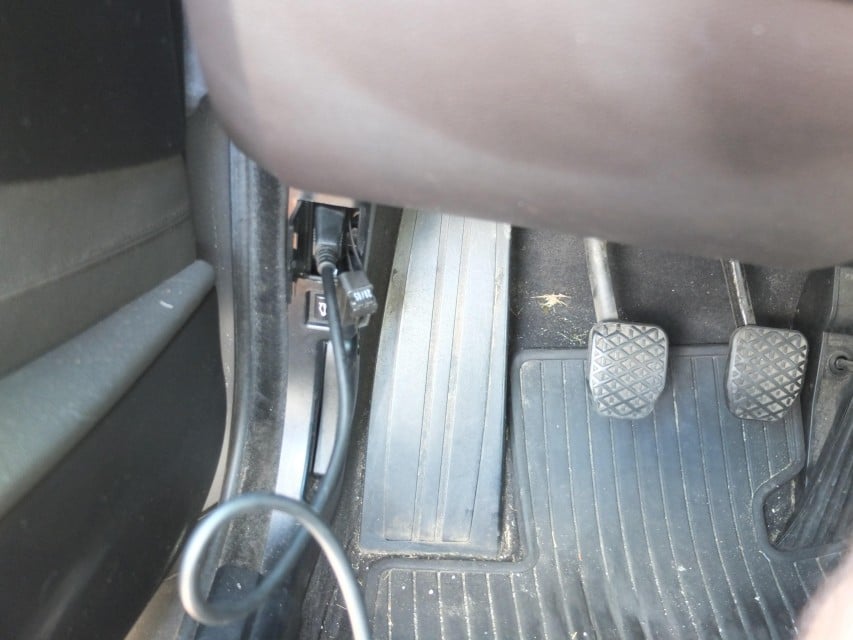
- Locate the OBD-II port under the dashboard on the driver’s side.

- Plug your scanner and turn on the ignition.
- Allow the scanner to turn on and select your BMW model.
- Select Control Units from the main menu.
- Scroll to Park Assist (PDC) and select read codes.
Write down the fault codes. Further troubleshooting may be required to find the defective part or sensor.
How Does BMW Parking Assistance Work
This system is relatively easy for a driver to use. He initializes the parking procedure by pressing the parking assistant button in the center console. The parking assistant will scan for a free parking space with slow, straightforward driving. The controlled displays suitable parking spaces. The driver must use a turn signal in that direction to select the discovered space. The automatic steering process will take effect after stopping and putting the transmission in reverse.
While the Park assist system controls the steering, the driver controls the braking and gear selection. The driver can cancel the whole process by pressing the button once more. The system depends on the sensors and other components to work without glitches; even the slightest irregularities can malfunction. If this happens, the system will warn the driver with a Parking assist malfunction warning message such as:
- Parking assistant malfunction: Parking operation has been canceled. Please park the vehicle manually.
- Parking assistance. No Parking assistance; please park unaided. Consult the service center.
- AutoPDC malfunction.
We hope you find the BMW PDC Parking Assist Malfunction | Common Problems guide helpful. For more help with your BMW, check these troubleshooting and repair guides.


I found the car did not warn of passing vehicle while I was backing out of a parking space.
Wiring or electrical issues: Loose or corroded connections, damaged wiring, or a malfunctioning control module can cause the PDC system to work intermittently.
2013 BMW 535i My PDC is intermittent. Any idea why?