BMW OBD2 Port Location
BMW OBD-II (OBD2) port can be used to troubleshoot the vehicle, read codes, and even install a monitoring device. Locating the OBD2 port on a BMW is very easy.
Where is the OBD2 port on a BMW?
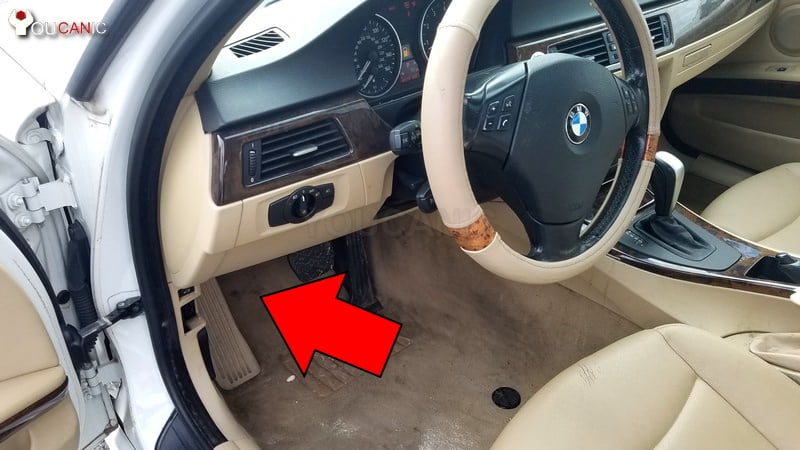
On most BMW vehicles, the OBD2 port is under the dashboard on the driver’s side, right above the hood release handle.
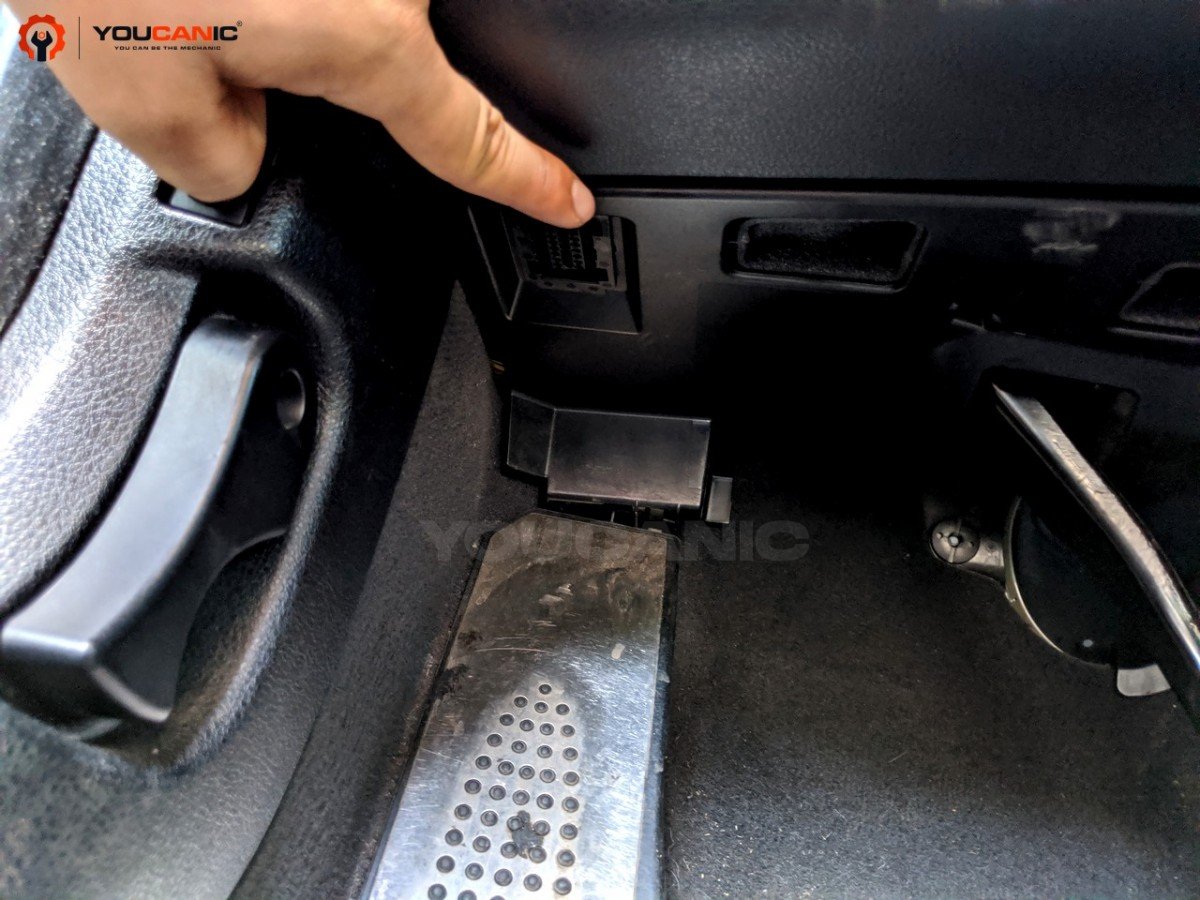
Open the driver’s door, but don’t enter the vehicle. Kneel on the ground and look under the dashboard, and you will see the OBD-II access port.

🔧 Stop paying the dealer for every warning light
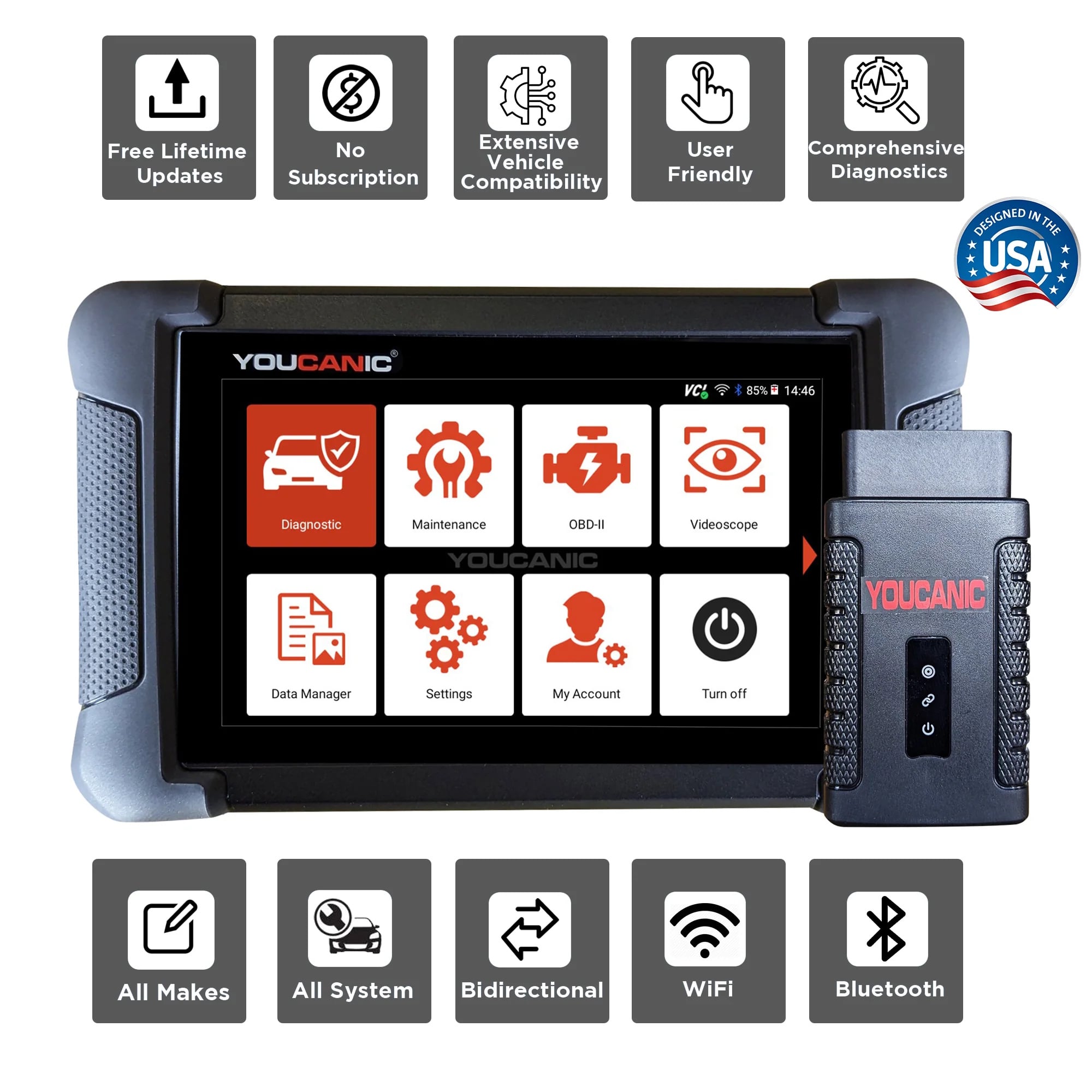
Get dealer level diagnostics at home with the YOUCANIC Full System Scanner.
- ✔ Works with all makes and models, including most luxury brands
- ✔ Topology map view shows all vehicle modules on one screen for faster diagnostics
- ✔ Bi directional controls to test fans, pumps, actuators and more so you do not have to guess
- ✔ Special resets and calibrations such as ABS bleed, EPB service, battery registration and more
- ✔ Free lifetime updates with no recurring fees

Pry open the plastic access door to access the OBD-II port.
What is the BMW OBD2 port used for?

The BMW On-Board Diagnostic II (OBD-II) is used to diagnose and troubleshoot vehicle problems. For example, the BMW OBD2 port can diagnose engine, transmission, ABS, Airbag, and other problems.
To access these systems, you will need a BMW OBD2 Scanner.
Where can you find the OBD2 port on a BMW?
First, make sure to look deep under the dashboard. The OBD-II is deep under the dashboard on some BMWs, which means you may need to slide under the dash and use a flashlight to locate it.
Typically, BMW covers the OBD-II port with a small cover, which you need to open to access it. Plastic may also be inserted in the port, which you must pull out to plug in your scanner.
If you don’t have an OBD2 port under the dashboard, your BMW’s may have one on the center console next to the cigarette outlet. You will have to remove a small trim to access the OBD2 port.
Use a small flathead screwdriver to remove the plastic to expose the OBD2 port.
Where is the BMW e46 OBD2 port located?
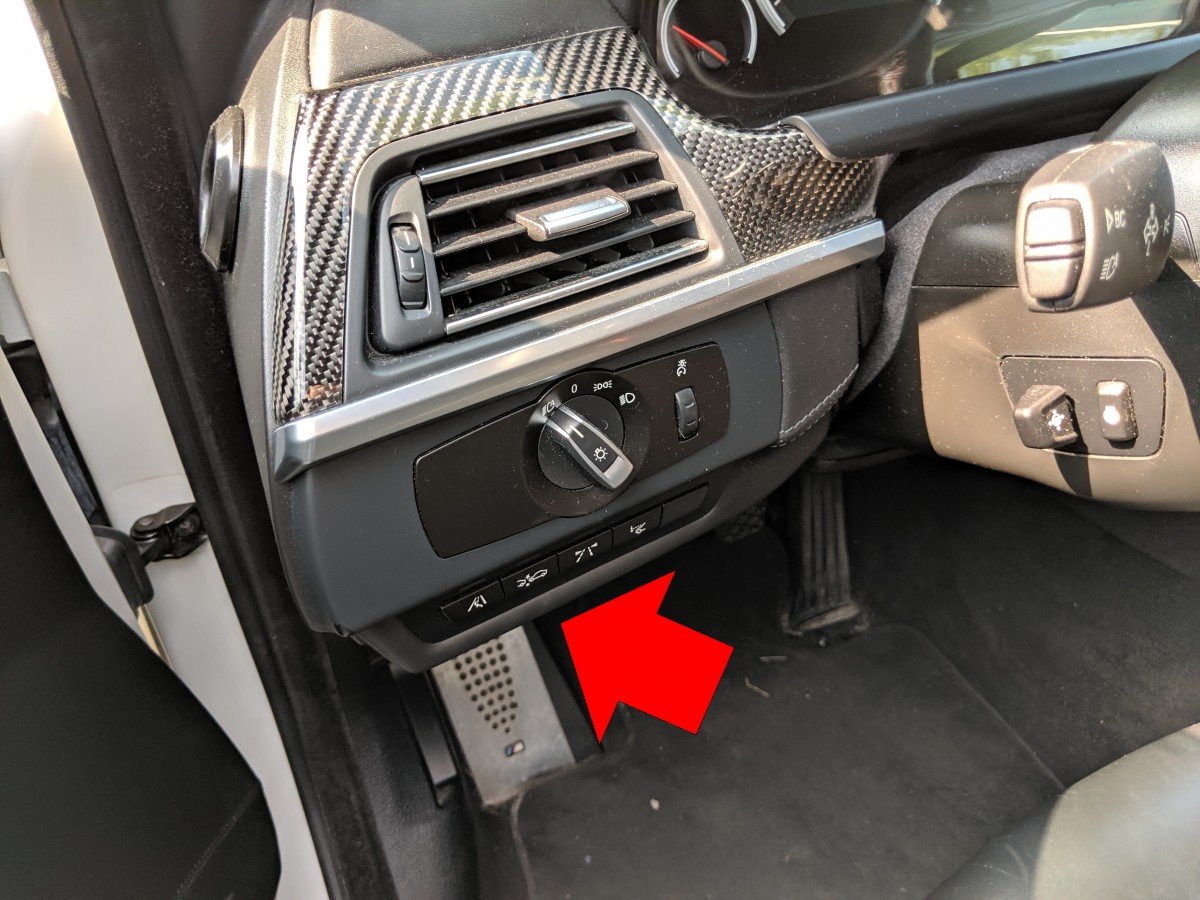
The OBD2 port on a BMW e46 can be found under the dashboard on the driver’s side.
Where do you find the BMW Z3 OBD2 port?
The BMW Z3 OBD2 Port is located on the left passenger side. There is a little cap labeled “OBD” that you must remove to expose the port.
Where do you find the BMW X5 OBD2 port?
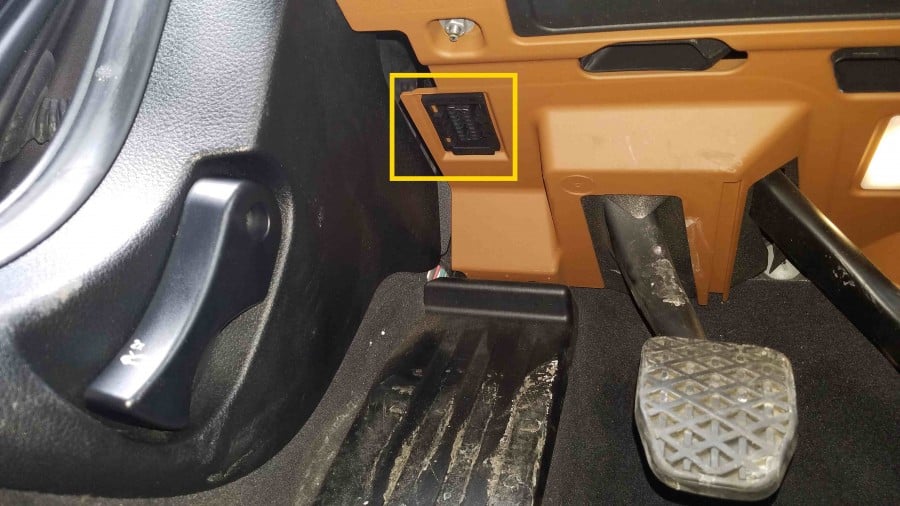
The OBD2 port on a BMW X5 is under the dashboard above the brake pedal.
Where is the OBD2 port on a BMW E36?
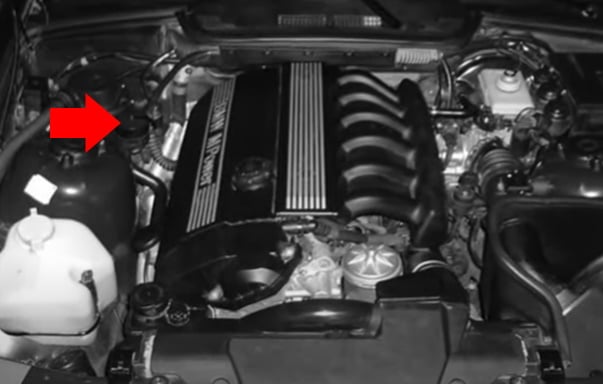
On some BMW E36, the OBD2 DLC port is in the engine bay. There is a round cap that you need to remove.
Where can you find the OBD2 Port location on a BMW E60/E61?
You can find the OBD2 port on the driver’s left side of a BMW E60/E61.
Where can you find the BMW E39 OBD2 port location?
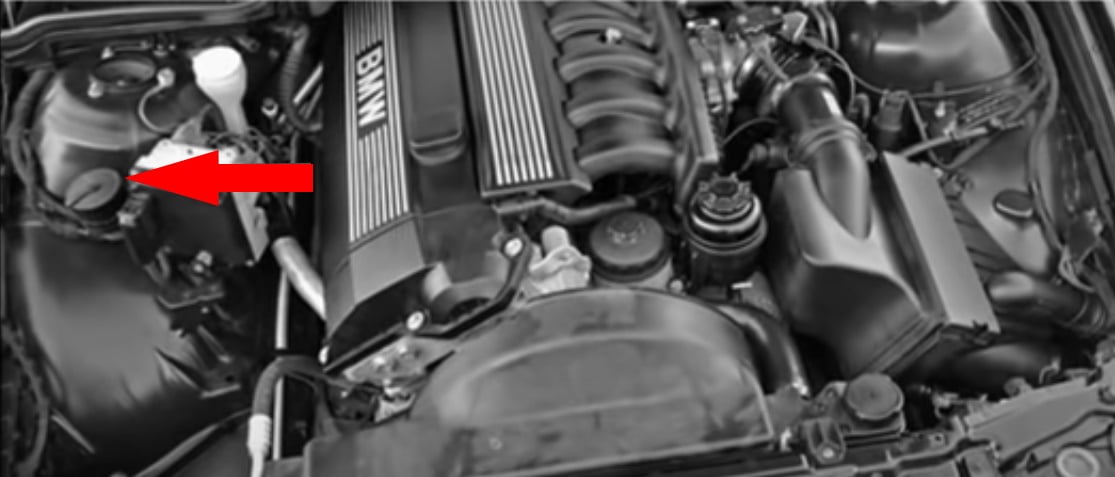
The OBD2 port on a BMW E39 (1996-2003) is underneath the steering wheel. You can expose it by pulling the cap down.
If you cannot find the OBD2 port in that location, there is a second option. You can check the engine bay and find a black circle cap by removing the OBD2 port. It will be located there.
Where can you find the OBD2 port located on a BMW E38?
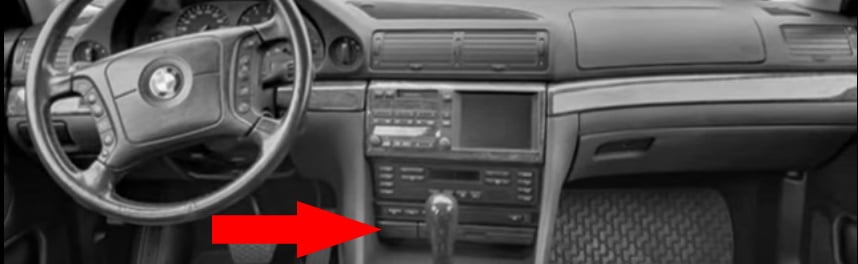
You can find the OBD2 port next to the cigarette outlet.
Does my BMW have an OBD2 port?
All 1996 and newer BMWs sold in the US or 2001 and newer BMWs sold in Europe have an Onboard Diagnostic Port, which you can use to troubleshoot your vehicle. That includes BMW 1-Series, 3-Series, 5-Series, 7-Series, Z3, X1, X3, X5, X7, etc.
What is the difference between OBD, OBD2, and OBD-II?
OBD stands for Onboard diagnostic system. It often refers to OBD-I, which was found on some older BMWs from 19985 to 1995. OBD-II is the correct name, but sometimes it is called OBD2. OBD-II is found on all 1996 and newer BMW vehicles sold in the US.
Troubleshooting with YOUCANIC Full System Scanner.
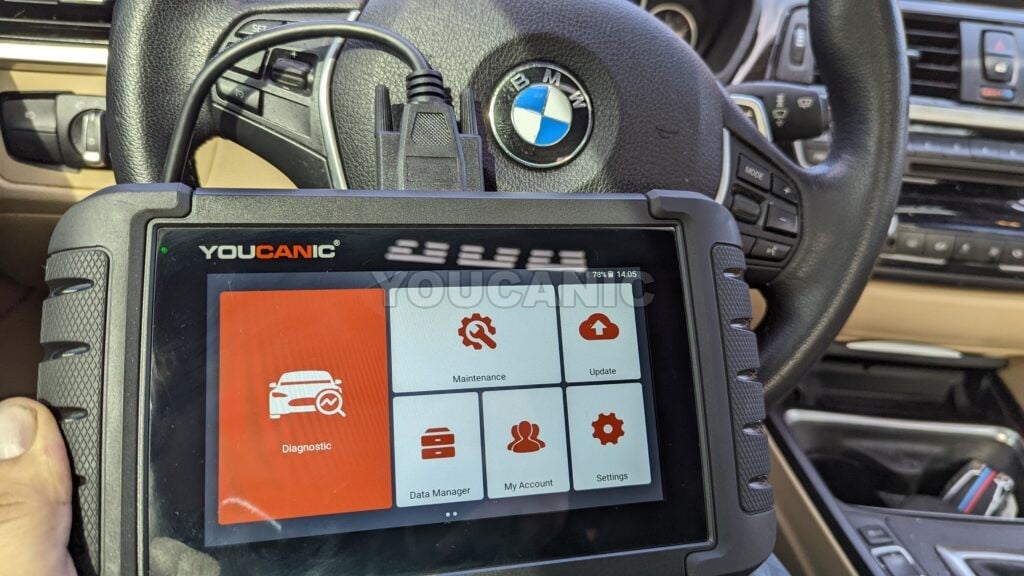
The YOUCANIC Full System Scanner is a perfect example of an OBD-II scanner for troubleshooting your BMW. This powerful device can read and clear fault codes from all the systems, perform bidirectional tests, perform maintenance and repair resets, and perform many more professional-grade functions that can help you determine the cause of the problem in your BMW.
We hope you find the BMW OBD2 Port Location guide helpful. Check these troubleshooting and repair guides for more help on your BMW.