

Audi OBD2 Port Location
Reviewed/Verified by:

The Audi OBD-II (OBD2) port can be used for troubleshooting, installing tracking, or monitoring devices. Finding the OBD2 port on an Audi is simple.
At a Glance
- Location: under the dashboard on the driver’s side, left of the steering column, on most 1996 and newer Audis.
- Some older models: in the center console beside the parking brake, under a small cover.
- Generic scanners read engine codes only; ABS, airbag and module codes need an Audi capable scanner.
- Will not connect: ignition on, plug fully seated, and check the fuse shared with the 12 volt socket.
Where is the OBD2 port on an Audi?

In most 1996 and newer Audi vehicles, the OBD2 port is under the dashboard on the driver’s side, to the left of the steering column.

Audi On-Board Diagnostic II (OBD-II) is used to diagnose vehicle problems. The OBD2 port can diagnose engine, transmission, ABS, Airbag, and other problems. To access these systems, you will need an Audi OBD2 Scanner.

🔧 Find out what is actually wrong before you pay someone to guess
Dealer level diagnostics at home with the YOUCANIC UCAN-II Pro.
- ✔ Covers most makes and models, including many luxury brands. Send us your VIN and we will confirm your car before you order
- ✔ Reads every module, not just the engine, so you find the faults a basic reader says are not there
- ✔ Commands the car: test a fan or pump, bleed ABS, retract an electronic parking brake, register a battery
- ✔ No subscriptions. Free lifetime updates, so the price you pay is the whole price
- ✔ Backed by real mechanics in the USA you can email before and after you buy
Featured in The Wall Street Journal
I cannot find the OBD2 port on my Audi.

First, look carefully under the dashboard. On some Audis, the OBD-II is deep under the dashboard, so you may need to slide under it and use a flashlight to locate it.
If you don’t have an OBD2 port under the dashboard, your Audi may have one on the center console next to the parking brake handle. Use a small flathead screwdriver to remove the plastic and expose the OBD2 port.
Where is the Audi A6 OBD2 port located?

The OBD2 port on an Audi A6 can be found on the driver’s side under the dashboard.
Audi Q5 OBD2 port location?
The Audi Q5 OBD2 port can be located under the dashboard on the driver’s side above the brake pedal.
Audi TT OBD2 port location?
The OBD2 port on an Audi TT is under the dashboard above the brake pedal.
Older Audi A6 OBD2 port location?
On some older Audi A6 models, the OBD2 port is in the center console next to the parking brake handle. Remove the small cover to expose the OBD2 port.
What is the difference between OBD, OBD2, and OBD-II?
- OBD stands for Onboard diagnostic system.
- OBD-II is the correct name, but sometimes it is called OBD2.
- OBD-II is found on all 1996 and newer Audi vehicles sold in the US.
OBD often refers to OBD-I, found on some older Audis built before 1996.
Does my Audi have an OBD-II port?
Yes, if it is a 1996 or newer model sold in the US, or a 2001 or newer gasoline model sold in Europe. That covers every A1, A3, A4, A5, A6, A7, A8, Q2, Q3, Q5, Q7, Q8, TT and R8.
All 1996 Audis sold in the United States have an OBD2 port. While in Europe, it wasn’t until 2001 that EOBD became mandatory for all gasoline vehicles in the European Union (EU).
If your scanner will not connect
Turn the ignition to the ON position so the dash lights come up without starting the engine. Audi control modules generally will not answer a scan tool with the ignition off, and this accounts for most no communication reports on cars that are otherwise fine. Push the plug fully in as well, since a half seated connector powers the tool without passing data.
If the tool gets no power at all, check the fuse feeding the diagnostic socket before suspecting the port. On many Audi models it shares a circuit with the cigarette lighter, so a dead 12 volt socket confirms it in seconds.
Audi stores far more in its modules than a generic reader can see. Engine codes are only a fraction of it: ABS, airbag, the comfort control module, transmission and the gateway all keep their own fault memory, and reaching those needs a full system scanner rather than a basic OBD2 reader.
Troubleshooting with YOUCANIC UCAN-II Pro
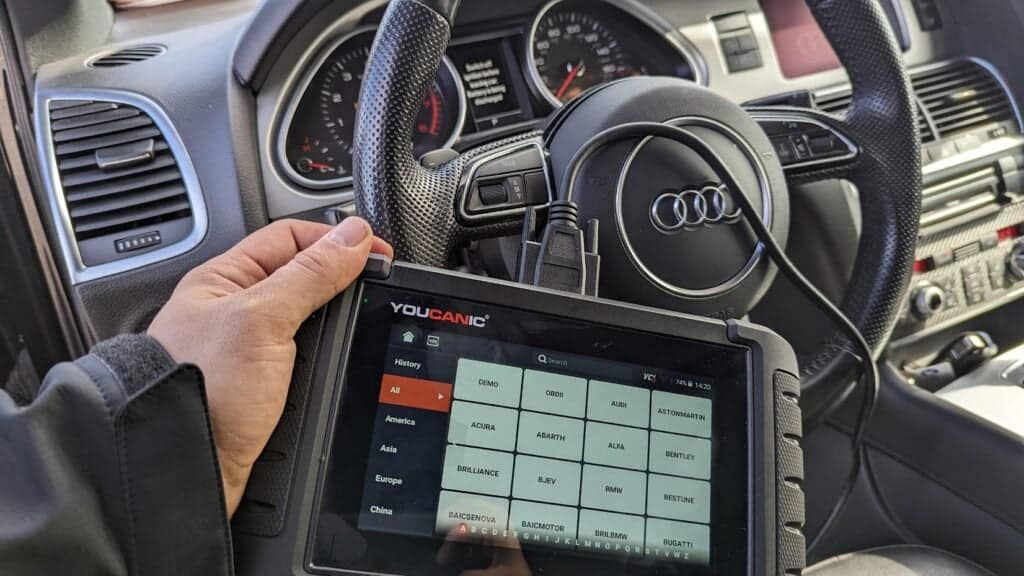
The scanner is a perfect example of an OBD-II scanner for troubleshooting your Audi. This powerful device can read and clear fault codes from all the systems, perform bi-directional tests, maintenance and repair resets, and many more professional-grade functions that can help you determine the cause of the problem in your Audi.
What to Do After You Connect
- Write down every code and the freeze frame before clearing anything.
- Audi stores many faults outside the engine computer, so scan all modules, not just the engine, when a warning light is on.
- If you replaced a module, it may need coding or adaptation to your car before the fault clears.
What to do next: most Audi faults are not in the engine module
The connector gets you in. What you find depends entirely on how many modules your tool can interrogate, and on an Audi the answer matters more than usual, because the systems people complain about are rarely the engine.
- Scan the chassis and body modules, not just the powertrain. ABS, stability control, electrical and comfort systems account for most Audi warning lights.
- Write down every code before clearing any of them. Audi faults frequently arrive in clusters where one cause sets several codes, and the pattern is the diagnosis.
- Check voltage and battery health early. Low voltage produces multi module fault storms on these cars that clear up the moment the supply is healthy.
- Finish mechanical work before any calibration. If an alignment or suspension job is pending, calibrating first means doing it twice.
If it is a brake or stability warning you are chasing, start with Audi ABS Light Came On, which covers the usual causes in order of likelihood.
The YOUCANIC UCAN-II Pro reads the full module list and performs the common Audi service functions, with a seven day rental for one off work. Function availability varies by platform and year, so send support your VIN before you buy.
When you can stop at the socket
Fitting a dongle, a tracker or a logger needs the location and nothing else. Same if you only want the engine code so you can price the repair.
Frequently Asked Questions
Can I leave an OBD2 tracker plugged into my Audi?
Yes, but some dongles keep drawing power while the car sleeps and can drain the battery on a car that sits for days. Unplug it if the car will be parked for a while.
Why does my Audi show component protection after a module swap?
Some Audi modules, such as the infotainment unit, are locked to the car. A used unit from another Audi needs an online dealer procedure to remove component protection.
Did older Audis use a different port?
Audis built before OBD2 used separate round diagnostic plugs, often near the fuse panel or under the hood, which need an adapter.
Related guides: Read and Clear Audi Fault Codes Easily: A Step-by-Step Guide · Audi Dashboard Warning Lights Meaning