How to Perform an ABS Bleed using a YOUCANIC Scanner
Have you recently replaced your brake pads? Does your brake pedal feel spongy when you press it? It might be time to bleed your brakes! This guide will walk you through brake bleeding using a YOUCANIC scanner. If you are a visual learner, you can follow along with our video guide below!

Demo Model: Toyota Sienna
Step-by-step Guide
NOTE: This is a two-person job. You will need one person inside the car to press the brake pedal, and one person outside the vehicle to loosen the bleeder plugs on every wheel. A Bleeder Plug, also known as a Brake Bleeder Screw, is a small screw located at the top of the brake caliper that will let you release air trapped in the brake system. If you are having a hard time finding the location of your bleeder plugs, look it up online.

🔧 Stop paying the dealer for every warning light
Get dealer level diagnostics at home with the YOUCANIC Full System Scanner.
- ✔ Works with all makes and models, including most luxury brands
- ✔ Topology map view shows all vehicle modules on one screen for faster diagnostics
- ✔ Bi directional controls to test fans, pumps, actuators and more so you do not have to guess
- ✔ Special resets and calibrations such as ABS bleed, EPB service, battery registration and more
- ✔ Free lifetime updates with no recurring fees
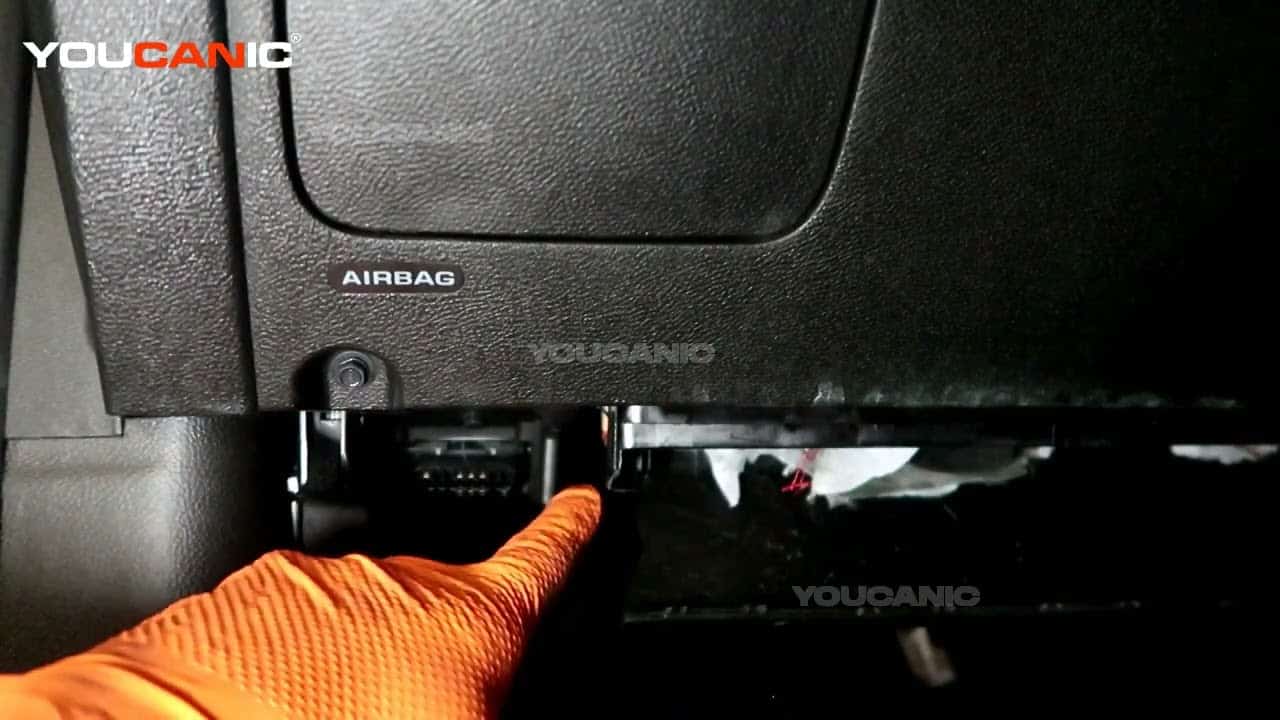
- Connect your VCI to your vehicle’s OBD-II port, and make sure it is connected to your scanner. If you don’t know where your OBD-II port is, look it up in your owner’s manual, or find it online.

- Select your vehicle model from the list, then select either SmartVIN or Manual Selection and fill in the necessary information on the following screens.
- Before you begin bleeding your brakes, make sure you have enough brake fluid in the reservoir. It needs to be between the MIN and MAX lines on the reservoir, but we recommend keeping the level closer to the MAX line because you will lose some brake fluid during brake bleeding.

NOTE: Only use the brake fluid type printed on the top of your brake fluid reservoir cap. It will either be DOT 3, DOT 4, DOT 5, or DOT 5.1 - Once you are ready to begin, select Air Bleeding, then follow the on-screen instructions.
- Follow the on-screen instructions until all wheels have been bled!
NOTE: Some steps may need to be repeated if brake fluid does not leak from the bleeder plugs right away. This means there is still air trapped inside of your brake system. - Once you are finished, press Exit.

Disclaimer: This guide may not apply to all vehicle makes and models. If you need to verify coverage for your particular vehicle, please contact YOUCANIC support or use our Compatibility Checker.

This is the information you need to include when using our compatibility checker to ensure our scanner works with your car to bleed brakes.