Troubleshooting Land Rover Check Engine Light
Reviewed/Verified by:

Is your Land Rover check engine light on? Learn how to troubleshoot the problem and how to fix it using an OBD-II Scanner. Follow the procedures below to fix the check engine light problem.
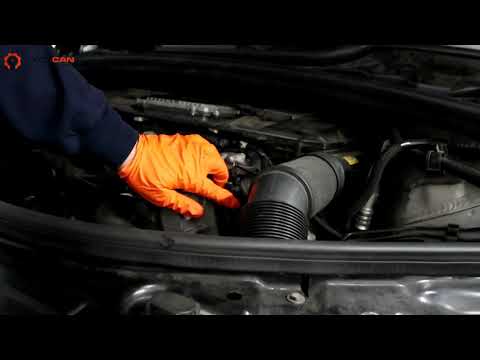
Land Rover check engine light or Engine Service Required message may come on due to a loose gas cap, but it can also indicate an engine problem, EVAP system leak, or transmission malfunction.
Symptoms

Common symptoms you may notice when your Land Rover check engine light comes on:

🔧 Find out what is actually wrong before you pay someone to guess
Dealer level diagnostics at home with the YOUCANIC UCAN-II Pro.
- ✔ Covers most makes and models, including many luxury brands. Send us your VIN and we will confirm your car before you order
- ✔ Reads every module, not just the engine, so you find the faults a basic reader says are not there
- ✔ Commands the car: test a fan or pump, bleed ABS, retract an electronic parking brake, register a battery
- ✔ No subscriptions. Free lifetime updates, so the price you pay is the whole price
- ✔ Backed by real mechanics in the USA you can email before and after you buy
Featured in The Wall Street Journal
- Service required a warning message on the dashboard.
- Engine Rough running
- Engine Misfire or juddering
- Lack of power
- Poor throttle response
- Unusual sounds
- Smoke from the exhaust
In some cases, such as EVAP leaks, the check engine light may come on, but no performance issues appear. Fuel consumption may be higher than normal.
How to Diagnose and Reset Land Rover Check Engine Light
With a check engine light on, you need to find out what caused it. This section will teach you how to use an OBD-II scanner to read codes and reset the Land Rover check engine light.
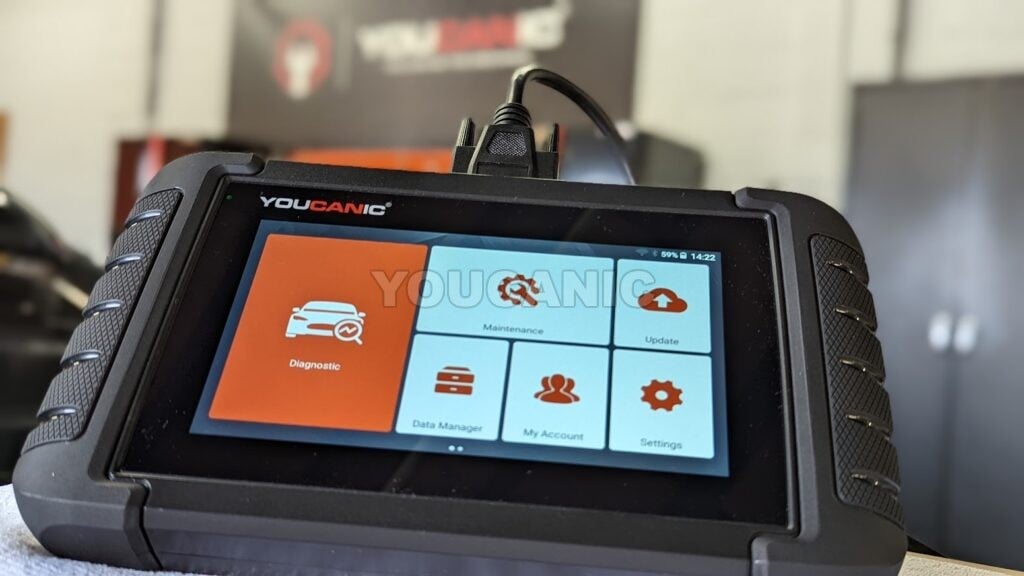
The YOUCANIC UCAN-II Pro reads Land Rover engine codes, including manufacturer specific ones, and shows freeze frame data, which tells you the speed, temperature and load when the fault set.
Procedure
- Locate the OBD-II port under the dashboard. Plug your scanner into the port.

- Turn on the ignition, but do not start the engine.
- Enter the Engine Control Module (ECM) by selecting it.

- Scroll down to Read Codes and press enter. All fault codes and a short description of the problem will be displayed on the screen.


Fix any problem that came up in step five. Return to the main menu and select Clear Fault codes instead of reading codes.
If the Land Rover check engine light is reset without fixing the underlying problem, the check engine light will come back on. Depending on the problem, the check engine light may come back on as soon as you restart the engine, or it could take up to a week.
What causes problems trigger the Land Rover check engine?

Common issues that trigger the check engine light on Land Rover vehicles.
- Worn spark plugs
- Ignition coil
- MAF sensor
- Oxygen sensor
- Catalytic converter
- Loose gas cap
- EVAP leak
- Vacuum leak
In addition to the causes listed above, the following problems are common issues that affect Land Rover vehicles.
-
Timing Chaing: Newer 4.4-liter V8 engines are prone to timing-related problems caused by chain guides that wear out. Early symptoms are intermittent knocking and metallic rattling from the engine bay, usually more prominent during deceleration. With time, chain tension can wear to the extent of causing a ‘check engine light. You might also experience a loss of power, sluggish acceleration, and poor idle. Although the most common code is a ‘crankshaft/camshaft correlation,’ you might get some other timing-related codes. Related DTC: P0016
Crankshaft Position Sensor: If your Land Rover has intermittent starting issues, look for stored codes related to the crankshaft position sensor. The problem usually starts as an occasional crank-but-no-start situation, especially when the engine is hot. With time, it can display other symptoms, such as misfiring, cutting out, and stalling. Related DTC: P0335
-
Mass Air Flow Sensor: In the case of a ‘check engine light triggered by various Systems to lean codes, the first thing to check is the MAF sensor. Although cleaning with special MAF fluid might help, the sensor will need to be replaced in most cases. Other possible causes for these codes are various vacuum leaks. Related DTC: P0170 to P0174
-
Fuel Pump: Models with 4-cylinder TD4 diesel engines are known for going into limp mode without apparent reason. When that happens, the engine will not go over 3000 RPM, there will be no boost from the turbocharger, and you will notice a considerable loss of power. A faulty low-pressure fuel pump can cause this issue in the fuel tank. DTC: P1260
-
Intercooler Hose All Land Rovers with 2.2-liter diesel engines can have a damaged top intercooler hose. This is a design flaw, as the hose chafes on a nearby bracket. In addition to a ‘check engine light, you will experience a lack of power and acceleration, combined with a hissing sound from the engine bay. When replacing, make sure to install a modified intercooler hose. Related DTC: P0101
Shift Solenoids: With an automatic gearbox, you might notice hesitation when shifting or even an intermittent inability to shift into 3rd and 4th gear. This is caused by sticking shifting solenoids resulting from poor maintenance. Try changing gearbox oil and filter; if that doesn’t help, replace shift solenoids. Related DTC: P0783
What does it mean when the Land Rover Check Engine is Flashing?
If your Land Rover check engine light flashes on and off, it indicates a misfire on one or more cylinders. Typically, this is caused by a bad spark plug, a faulty ignition coil, or a clogged catalytic converter.
If the check engine light is flashing, do not drive or keep the engine running. To prevent any additional engine or catalytic converter damage. Check engine light on all 1996 and newer Land Rovers, including Discovery, LR2, LR3, LR4, Discovery, Evoque, Defender, etc.
Conclusion
Hundreds of possible problems can cause the check engine light on your Land Rover to stay on. The most common issues are spark plugs, oxygen sensors, and catalytic converter failure. Instead of guessing what is wrong, use an OBD-II scanner to read the fault codes.
Check these troubleshooting and repair guides for more help on your Land Rover.
