Scanner Guide: How to Uninstall Vehicle Software to Free up Space
Are you running out of space on your scanner? It might be time to delete some software you don’t use. This step-by-step guide will show you how to uninstall unused vehicle software from your YOUCANIC scanner to optimize storage space and improve device performance.
Deleting software isn’t permanent. At the end of this guide, we also walk you through reinstalling the software if you ever need to use it again.
Are you more of a visual learner? Follow along with our Video guide!

🔧 Stop paying the dealer for every warning light
Get dealer level diagnostics at home with the YOUCANIC Full System Scanner.
- ✔ Works with all makes and models, including most luxury brands
- ✔ Topology map view shows all vehicle modules on one screen for faster diagnostics
- ✔ Bi directional controls to test fans, pumps, actuators and more so you do not have to guess
- ✔ Special resets and calibrations such as ABS bleed, EPB service, battery registration and more
- ✔ Free lifetime updates with no recurring fees

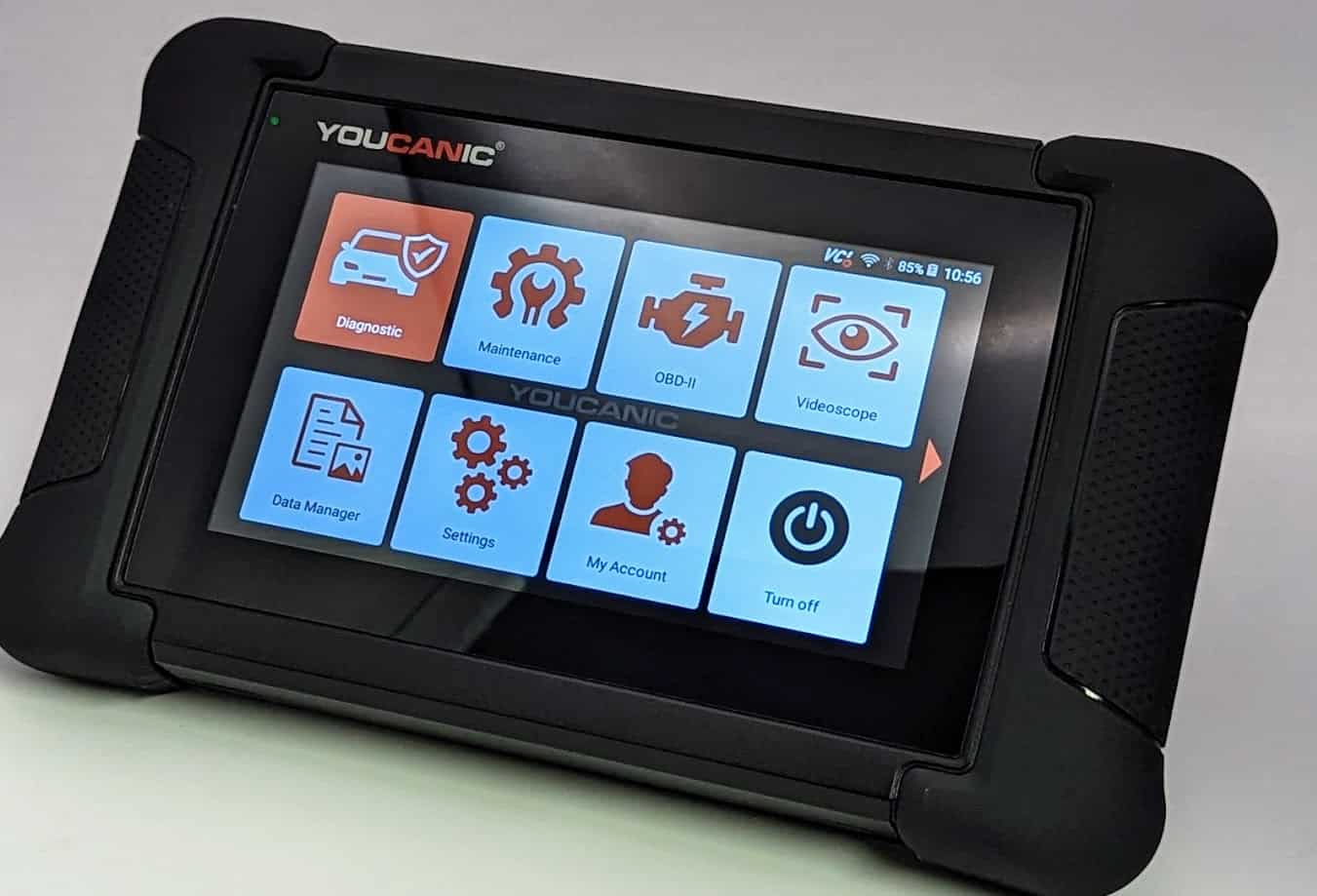
NOTE: The scanner used in this guide is YOUCANIC’s latest UCAN-II-C model. However, these steps will work for other YOUCANIC scanner models, such as the UCAN-II-B and UCAN-HD-A scanners.
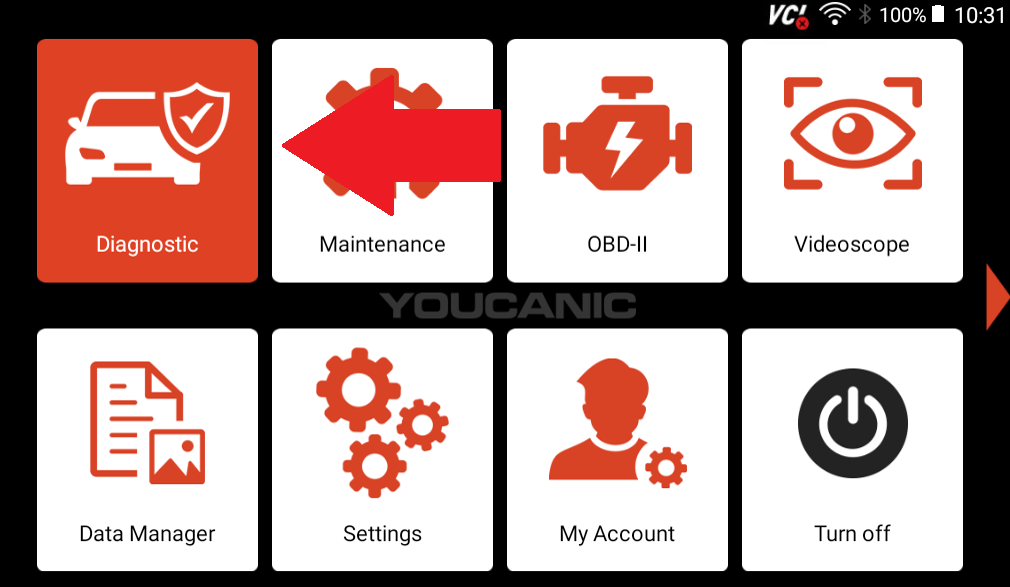
1. On the home screen, find and select “Diagnostic”.
2. Press and hold a vehicle option until an “X” appears in the corner of all vehicle options.
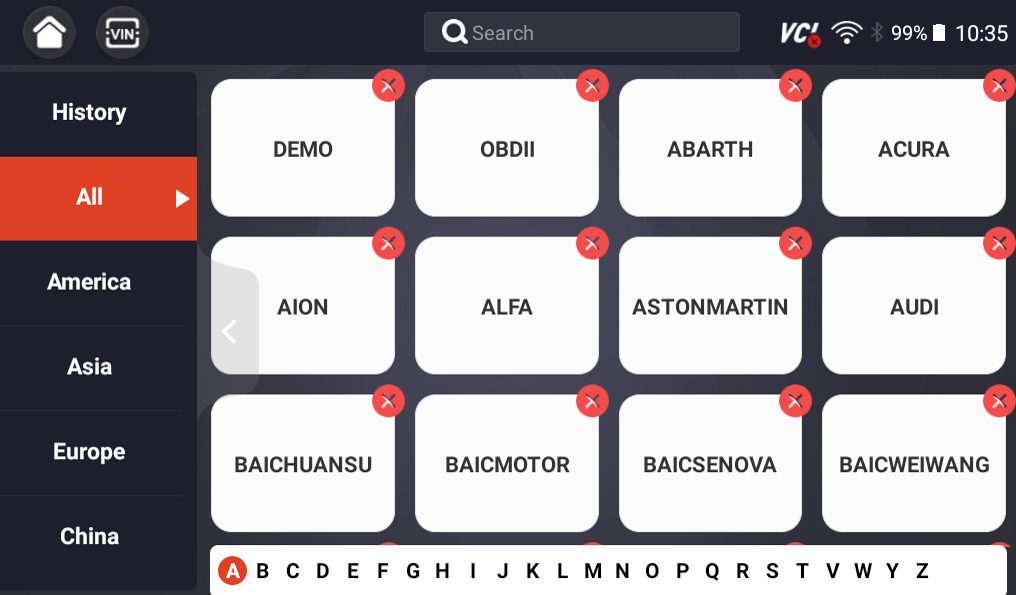
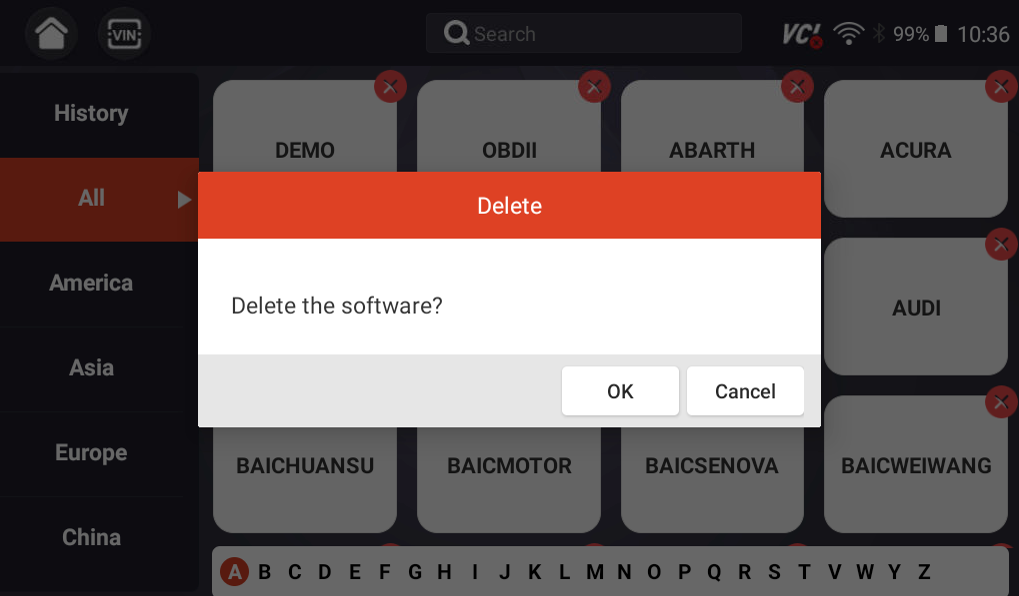
3. Remove the vehicle makes you don’t want by pressing the “X” in the corner. A popup will appear, asking if you would like to delete the software. Press “OK.”
4. Once you have removed the unwanted software from the list, go to updates.

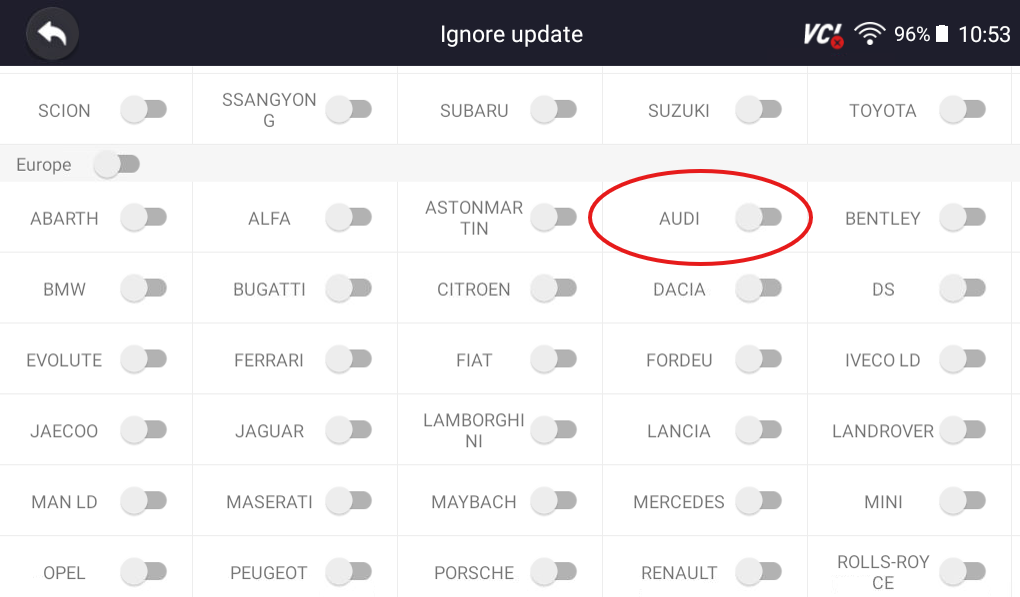
5. Tap the “Ignore Update” button at the bottom of the screen, and select the vehicles that you deleted on the “Diagnostic” tab. If you run all updates now, the software that you just deleted will be reinstalled.

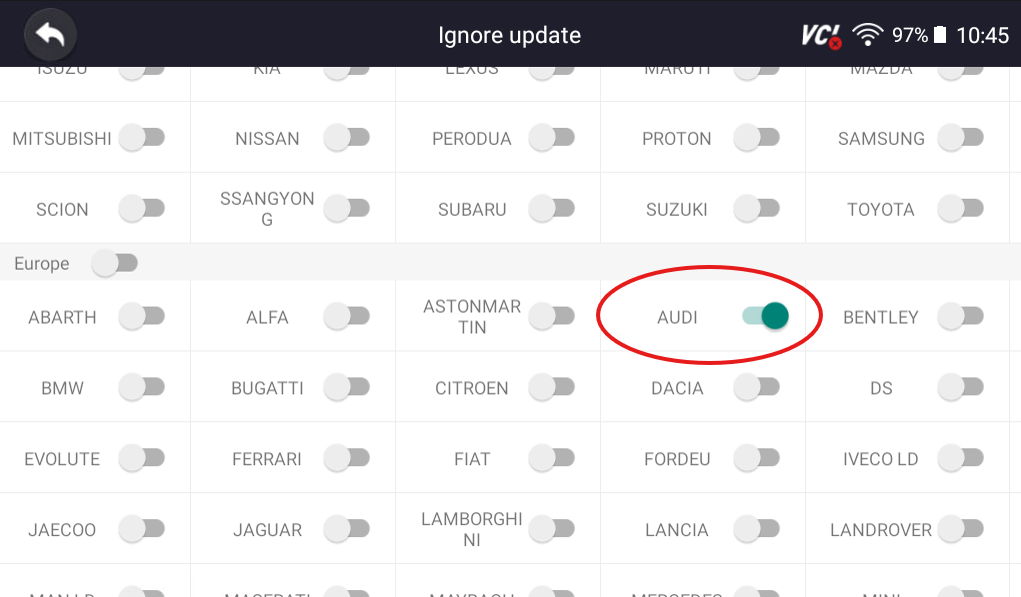
6. Once you have selected all of the already deleted vehicle software, exit and return to the “Diagnostic” window.
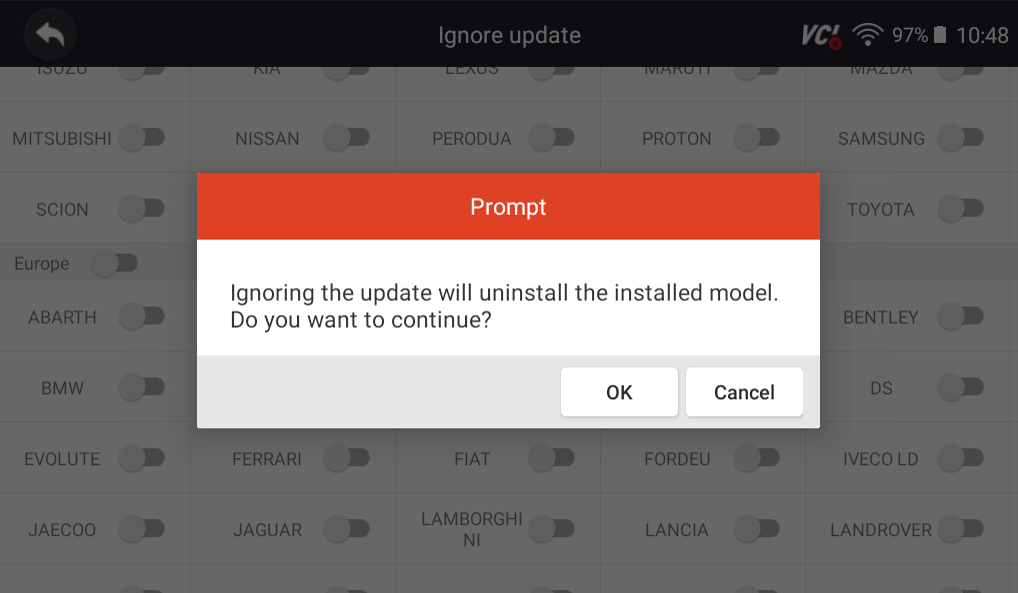
Select “OK”
The vehicle software that you deleted should not reappear in the “Diagnostic” app.
To Reinstall Vehicle Software
Reinstalling vehicle software is quick and easy!
1. Go to Updates, and select “Ignore Update.”
2. Deselect the vehicle software that you wish to reinstall, and then run software updates.
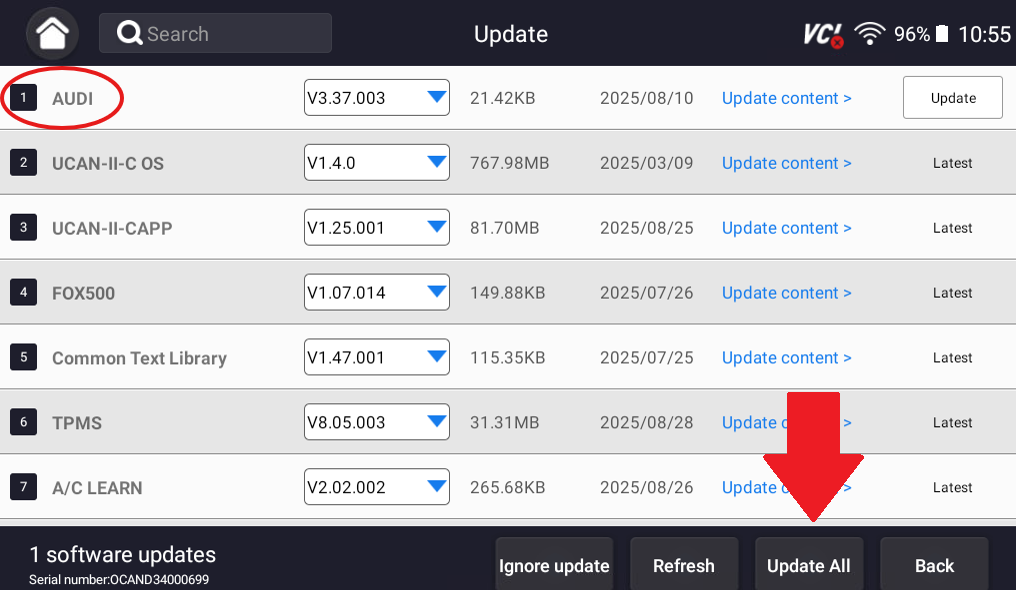
Once you have run software updates, the deleted software should reappear in the “Diagnostic” tab.

You’re all set! If you need help during this process, you can always email our support team at support@youcanic.com! For more help with your scanner, don’t forget to check out our other scanner guides!