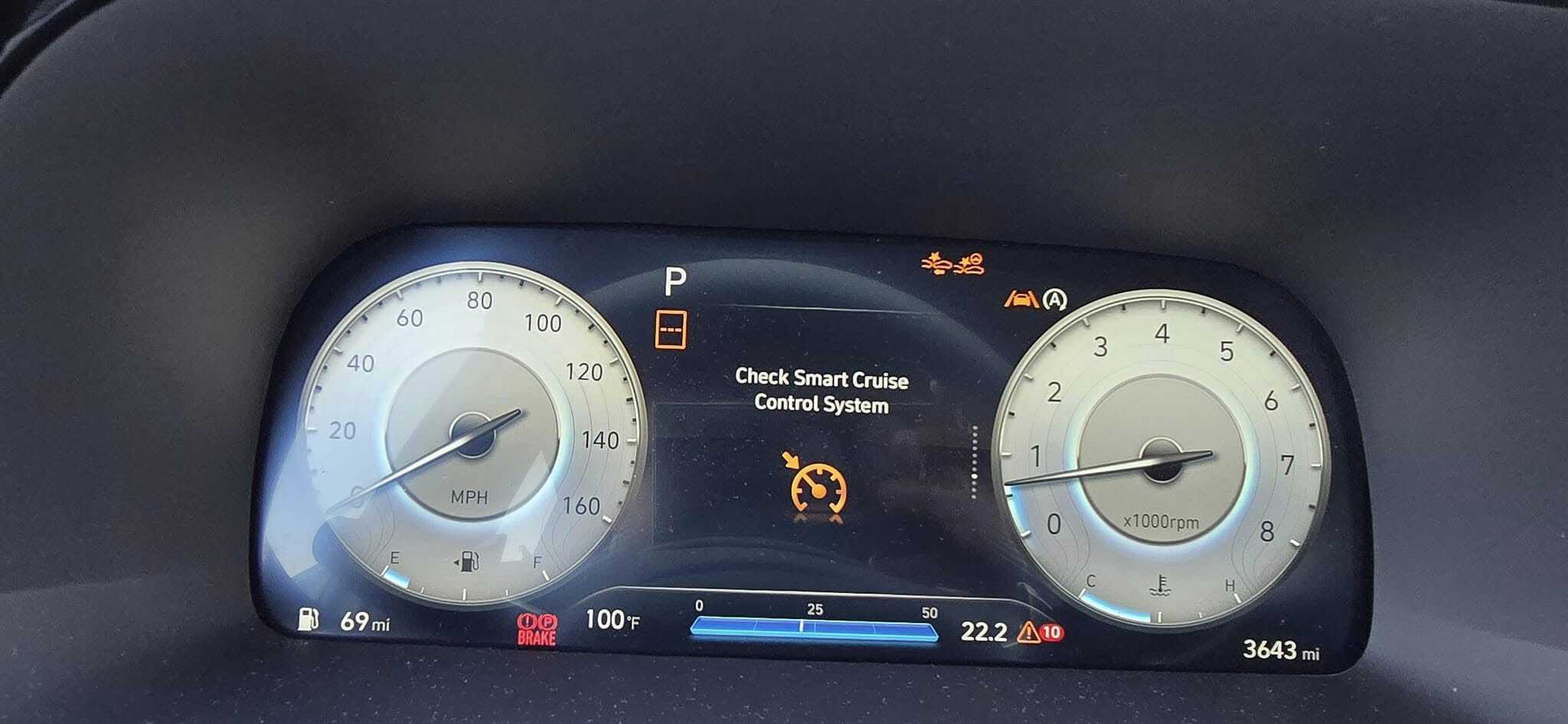
When the “Check Smart Cruise Control” warning message comes on in your Hyundai, it means there is an issue with the Smart Cruise Control safety feature. Ignoring this warning can lead to dangerous driving situations like the car not braking or slowing down when it should. The problem could worsen with safety features like ESC or Lane Keeping Assist involved, making the vehicle difficult to control. It’s crucial to diagnose and fix this issue quickly.
What Does the Check Smart Cruise Control Warning Message Mean on a Hyundai (Kia)?
Smart Cruise Controlis part of your Hyundai’s Driver Assistance System. It detects the car in front and helps maintain a safe following distance while controlling your speed. When the warning message appears on your dashboard, your Smart Cruise Control is not working correctly.
⚠️ Why You Should Fix It As Soon As Possible
Safety Risk – A malfunctioning Smart Cruise Control can fail to maintain a safe distance from the vehicle ahead, increasing the risk of rear-end collisions.
Performance Issues – Smart Cruise Control works with other Assist and Safety features such as Highway Driving Assist, Lane Keeping Assist, Speed Limit Assist, Electronic Stability Control (ESC), and Anti-lock Braking System (ABS) to make your driving experience safer. Depending on what system and component have caused the warning message, the car may exhibit driving issues such as unintended deceleration, where the brakes are consistently applied, vehicle instability, and sudden brake checks.
Costly Repairs – Ignoring repairs can become very expensive very quickly. A basic scan and diagnosis at a dealership typically costs between $100 and $200. If your front radar sensor gets misaligned, service could cost around $250 to $400. Replacement of sensors and labor costs could get up to $2,000 or more.
Common Causes
Here are the most common reasons this light appears:
✅ Weak Battery: Low voltage can cause erroneous system errors and unexpected warning lights. If this is the cause of the malfunction, the car won’t start, and the Check Smart Cruise Control warning will show on the dashboard.
✅ Faulty Sensor: The front-view camera and the front radar sensor are used as detection sensors in the Smart Cruise Control System. These sensors may become misaligned over time, causing the warning message to appear on the dashboard. These sensors can get dirty or blocked by mud, dirt, rain, or snow, leading to errors or inaccurate readings. If you notice the warning message appearing when you reach a speed of 30 mph and above, it probably indicates that your front radar sensors are faulty. A front radar sensor is also the culprit if there is a “Check Forward Safety System” alert and the “Check Smart Crusie Control” warning message. Your front-view camera may not be faulty, but a heavily tinted or damaged windshield can obstruct its accuracy.
✅ Low Fluid Levels: Smart Cruise Control relies on safe braking to maintain distance from the vehicle ahead. Low brake fluid level can affect its operation.
✅ Malfunctioning Module: A bad ECU or ABS control module could trigger false alerts.
✅ Defective Clock Spring or Cruise Control Switch: A defective clock spring or cruise control switch can disrupt electrical signals between the steering wheel and the car’s systems, leading to a warning message on your dashboard.
✅ Defective Wheel Speed Sensor– A defective wheel speed sensor often causes ABS and ESC issues, leading to Smart Cruise Control problems.
✅ Underinflated Tire: Underinflated tires cause instability, leading to malfunctions with the ESC. If the ESC becomes defective, it can trigger a warning message on your dashboard.
✅ Aftermarket wheel size and suspension modifications – Aftermarket wheel sizes and suspension modifications can affect the front-view camera’s viewing angles, resulting in inaccurate distance calculations and misreadings.
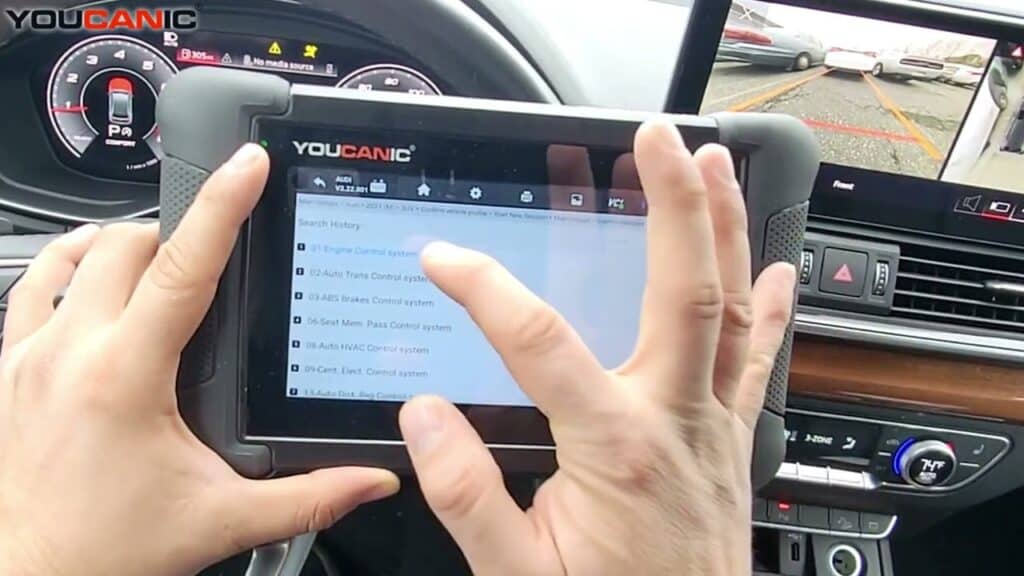
🛠️ Pro Tip: Use an OBD-II scanner to check for error codes related to the issue.
Troubleshooting & Fixes for the Check Smart Cruise Control
Before taking your car to a mechanic, try these DIY fixes:
Check Battery Health – Use a battery tester, multimeter, or scanner to check for low voltage. Car batteries need to be replaced every 3-5 years. If the voltage falls below 12.4, your battery must be replaced or recharged. If your new battery still struggles to keep a charge after replacing it, you might have a faulty alternator.
Check Wires – Look for loose connections or frayed wires near your car’s front-view camera, front radar sensor, and wheel speed sensors.
Inspect fuses – look for damaged or melted fuses in your vehicle’s fuse box. This could be an indicator of an electrical issue in your car. ONLY REPLACE OLD FUSES WITH NEW ONES OF THE SAME AMPERAGE.
Inspect sensors for dirt and damage – Sensors can become damaged or dirty over time. Check the front-view camera, radar sensor, and wheel speed sensors for dirt, water damage, or loose wires, as these could be the source of the issue.
Top-Off Fluids – Check if brake fluid is at the correct level. If needed, refill the brake fluid reservoir until it reaches the “MAX” line on the side. NEVER MIX BRAKE FLUID. REFER TO YOUR OWNER’S MANUAL FOR CORRECT TYPE OF FLUID.
Check tire pressure – Inspect the correct pressure of each tire. Correct tire pressures are listed on the nameplate inside the driver’s door. If equipped, you may also check tire pressures in your Tire Pressure Monitoring System (TPMS).
Use the manufacturer’s specifications for wheel sizes and suspension. – Stick to Hyundai’s recommended wheel sizes. Avoid significant suspension modifications, especially those altering the vehicle’s height. Recalibrate the system after any wheel or suspension changes if modifications are needed or desired.
Reset the system—reset the system by disconnecting the battery for 30 minutes or using a scan tool to clear any glitch-related warning lights or error messages.
Can I still drive with the Check Smart Cruise Control warning message on?
➡️ The Check Smart Cruise Control warning message could signal a malfunction affecting the system’s ability to brake or maintain distance from other vehicles properly. It could lead to ineffective braking, particularly with ABS and ESC involved. That’s why driving cautiously is best until the issue is fixed.
How do I reset the Check Smart Cruise Control warning message?
➡️ You can try these steps. First, disconnect the car battery for about 30 minutes to reset the system. Use an OBD-II scanner to clear any diagnostic codes related to the issue. Another option is to complete a driving cycle—start the car, drive it for a short distance, then restart it.
What happens if I ignore this warning?
➡️ Smart Cruise Control is a complex system requiring the operation of other systems for it to function. The warning message can leave people unsure about which systems and components are affected, mainly for safety features that depend on the front radar sensor and front-view camera, potentially compromising safety. The cruise control system may stop working and affect other systems, resulting in costly repairs.
Do I need a mechanic, or can I fix this myself?
➡️ You can first try the troubleshooting procedures found in this article. If the procedures don’t fix the problem, that’s the time you can call your trusted mechanic or dealership.
Final Thoughts
The Check Smart Cruise Control warning message should never be ignored, as it could affect the functioning of your vehicle’s safety systems, such as the ABS, ESC, and Forward Collision Avoidance system.Following these troubleshooting steps and scanning for fault codes can save time and money while ensuring your car remains safe and reliable.
Experts Who Contributed to This Article
Antonie Labasan
Diagnostic Specialist
Antonie Labasan is a Registered Mechanical Engineer and Lean Six Sigma Blackbelt who brings practical automotive expertise to our diagnostic guides. With specialized training at VOLVO and years of experience managing diverse vehicle fleets including Toyota, Hyundai, and Kia models, Antonie understands common failure points across different manufacturers. His systematic approach to diagnostics helps readers identify and fix the true source of automotive problems, making his YOUCANIC scanner guides exceptionally effective for DIY mechanics.
rhila, ASE Certified
Diagnostic Specialist15+ years of experience
Rushit Hila is a dedicated automotive engineer with ASE G1 certification and specialized training from an esteemed Automotive Specialty School. His hands-on experience and technical expertise in advanced diagnostics, system integration, and performance optimization make him a trusted voice in the industry.