How to Test your Brake Light Switch using a YOUCANIC Scanner
Are your brakes not working? Is the ABS light on in the dashboard of your car? While the ABS light could come on for many different reasons, such as a faulty wheel speed sensor, the issue could also be a faulty brake light switch! Before you take your car to the dealership, diagnose it yourself using a YOUCANIC scanner!

Demo Model: Mercedes-Benz
Where is my Brake Light Switch located?
Your brake light switch will either be on or next to your brake pedal, or somewhere on your car’s brake booster in the engine bay. The exact location of the switch will vary, so if you’re having a hard time finding the location of your switch, look it up online!

🔧 Stop paying the dealer for every warning light
Get dealer level diagnostics at home with the YOUCANIC Full System Scanner.
- ✔ Works with all makes and models, including most luxury brands
- ✔ Topology map view shows all vehicle modules on one screen for faster diagnostics
- ✔ Bi directional controls to test fans, pumps, actuators and more so you do not have to guess
- ✔ Special resets and calibrations such as ABS bleed, EPB service, battery registration and more
- ✔ Free lifetime updates with no recurring fees


To access your brake booster, pull the hood release lever inside your car on the driver’s side, walk around to the front of your car, and unlock the hood. Lift the hood, and secure it in place using the hood prop rod. Find your brake fluid reservoir, and the brake light switch should be somewhere nearby.

Step-by-step Guide
- Turn on your scanner and plug your VCI into the OBD-II port on your car. You can usually find it near the floor on the driver’s side of the vehicle.

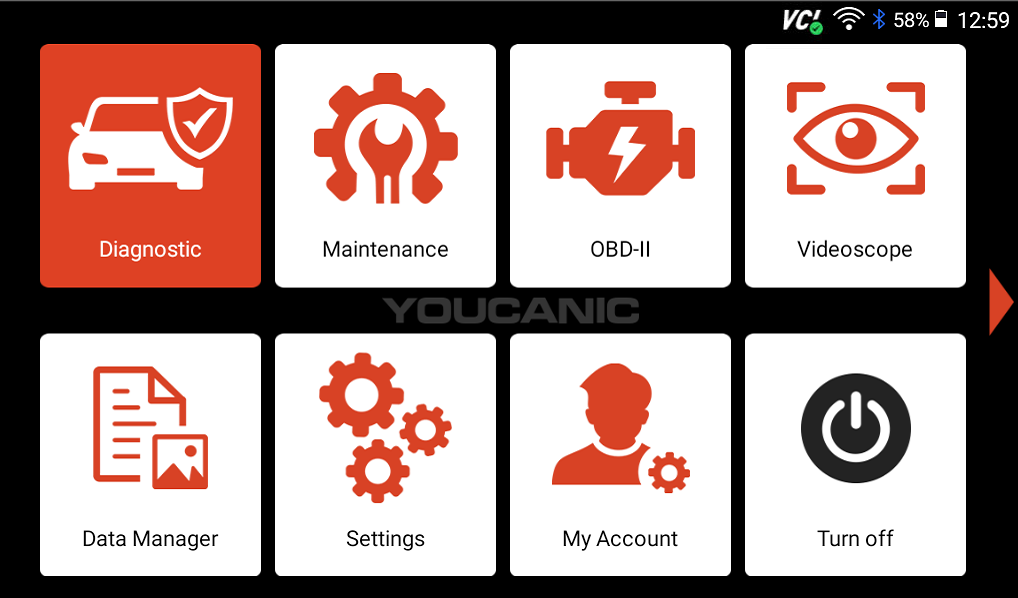
- Select Diagnose on the home page of your scanner, and turn your car on. For this test, you can either have your car in position I, with the engine off, or in position II, with the engine running.

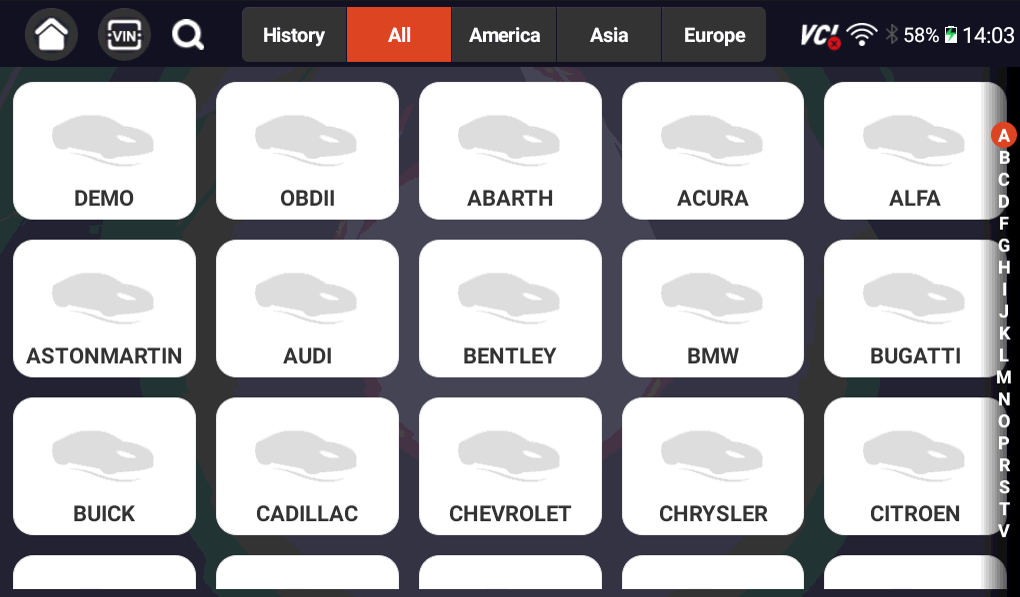
- Select your vehicle make, then choose either SmartVin or Manual Entry.

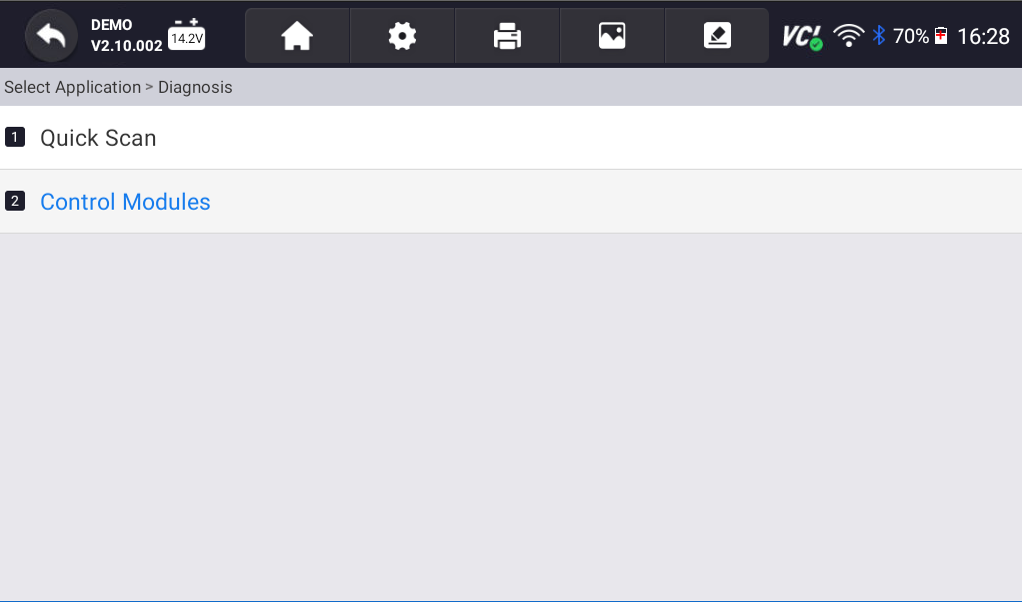
- On the following screen, select Control Modules.

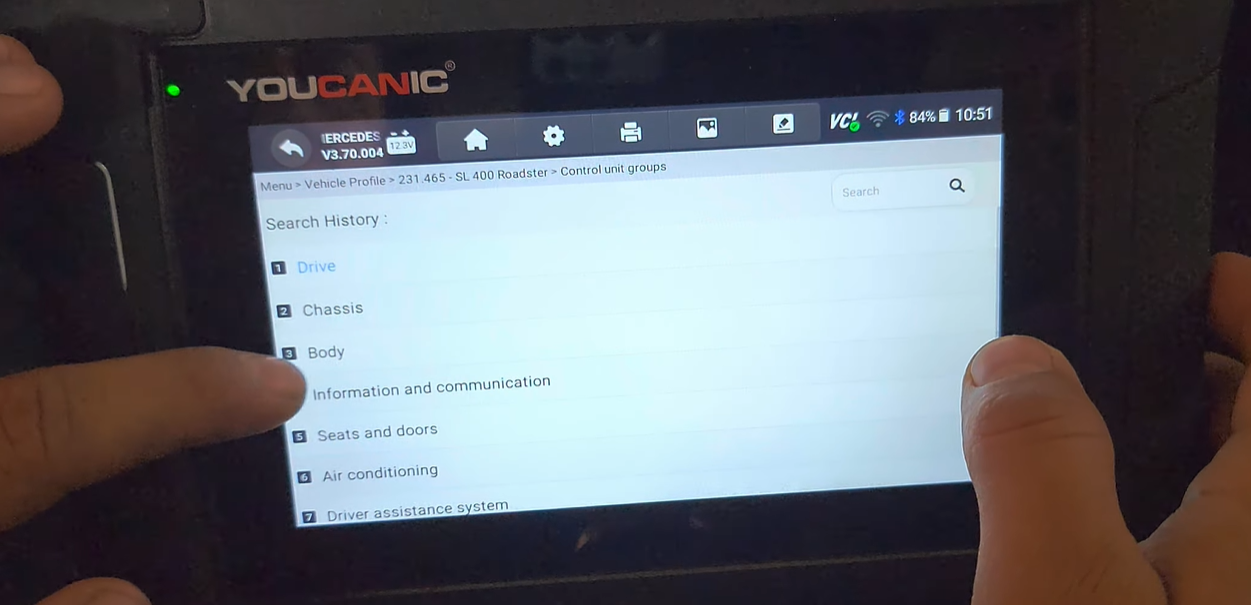
- Select Body.

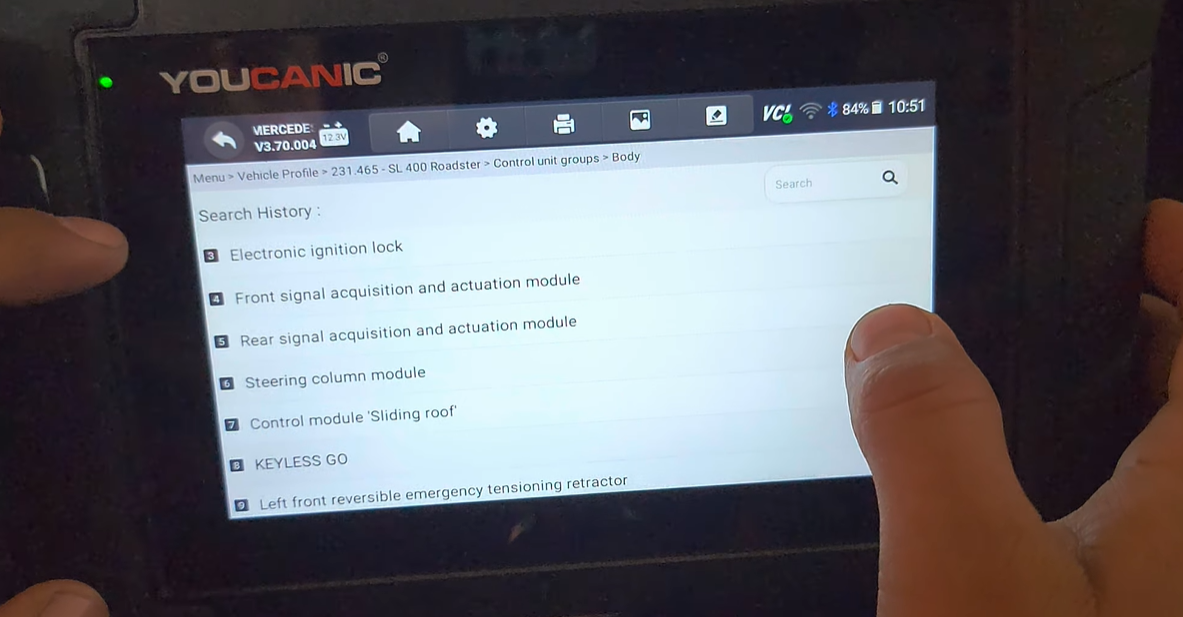
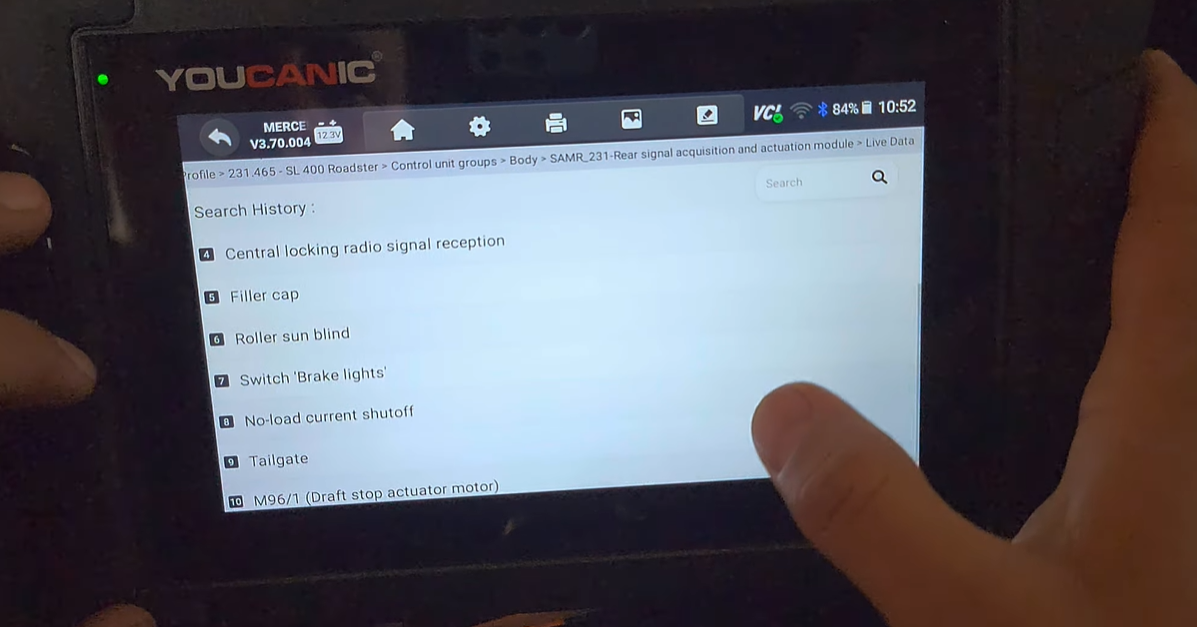
- Next, select Rear signal acquisition and actuation module (rear SAM).
NOTE: Manufacturers may have different names for this module. It will most likely be something similar to Rear SAM, but the name will likely differ. If you’re having a hard time finding the right module, run a quick scan! Your car’s ECU will throw codes related to the brake light switch, and you will be able to figure out where you can go from there.
- Select Live Data, and on the following screen, select Switch ‘Brake Lights.‘ With your car turned on, pump the brake pedal a couple of times. If the switch is working, your scanner should switch from NOT ACTUATED when the brake pedal is not pressed to ACTUATED when it is pressed.

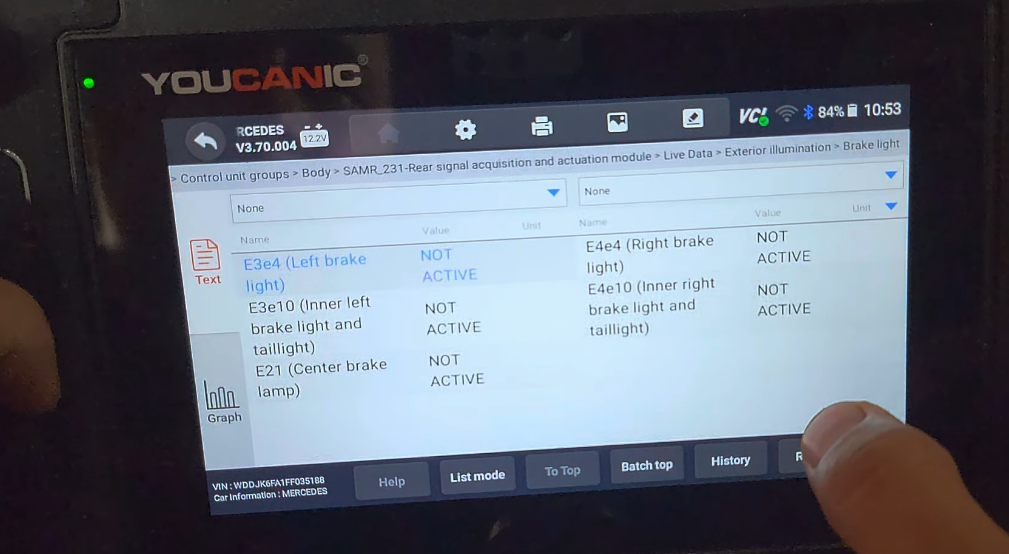
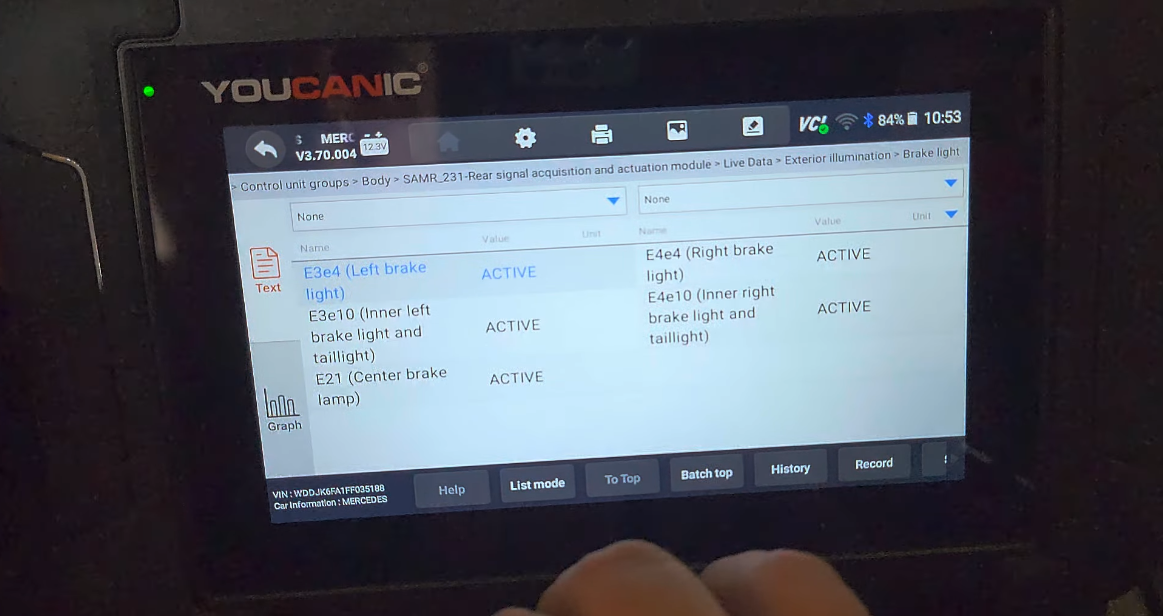
- Another place to check is Exterior illumination, which lets you test your brake lights to see if the switch is properly communicating with them.
- Turn your car on, and press the brake pedal a couple of times. If the status of your brake lights and switch changes from NOT ACTIVE to ACTIVE, your brake light switch is most likely working.


- Before crawling into the footwell of your driver’s side, checking live data in your brake system using a YOUCANIC Scanner can help you save time on troubleshooting and repairs!

Disclaimer: This guide may not apply to all vehicle makes and models. If you need to verify coverage for your particular vehicle, please contact YOUCANIC support or use our Compatibility Checker.