Scanner Guide: How to Check the Real Mileage on your Car
Odometer fraud is on the rise. Before you buy that used car you’ve been eyeing, check the real mileage using a YOUCANIC scanner!

Demo Model: 2014 Porsche Cayenne
What is Odometer Fraud?
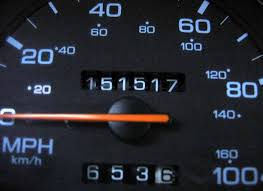
Odometer fraud is the result of someone altering the displayed mileage on a car by replacing the dashboard display or resetting or “rolling back’ the odometer readings in some way. This falsely raises the overall value of the car. According to the National Highway Traffic Safety Administration (NHTSA), more than 450,000 cars are sold annually with rolled-back odometers.

🔧 Stop paying the dealer for every warning light
Get dealer level diagnostics at home with the YOUCANIC Full System Scanner.
- ✔ Works with all makes and models, including most luxury brands
- ✔ Topology map view shows all vehicle modules on one screen for faster diagnostics
- ✔ Bi directional controls to test fans, pumps, actuators and more so you do not have to guess
- ✔ Special resets and calibrations such as ABS bleed, EPB service, battery registration and more
- ✔ Free lifetime updates with no recurring fees
Step-by-step Guide
There are typically four places where you can check your car’s actual mileage using a YOUCANIC scanner.
- Plug your VCI into the OBD-II port and turn your car to position I, so the car is on, but the engine is off. If your car has push-to-start, press the Start button with your foot off the brake pedal.
- On your scanner’s homepage, select Diagnostic.

- Select your vehicle make on the following page, or tap on the VIN option at the top left corner of the screen. From there, use either SmartVIN or Manual Entry to enter other necessary vehicle information.

- On the following screen, tap on the Control Modules option.

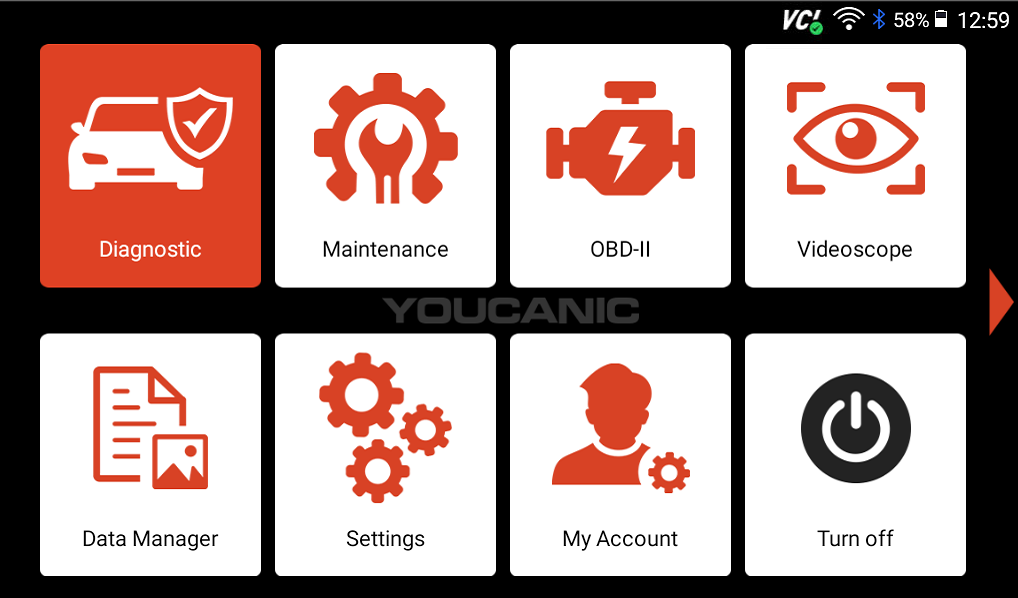
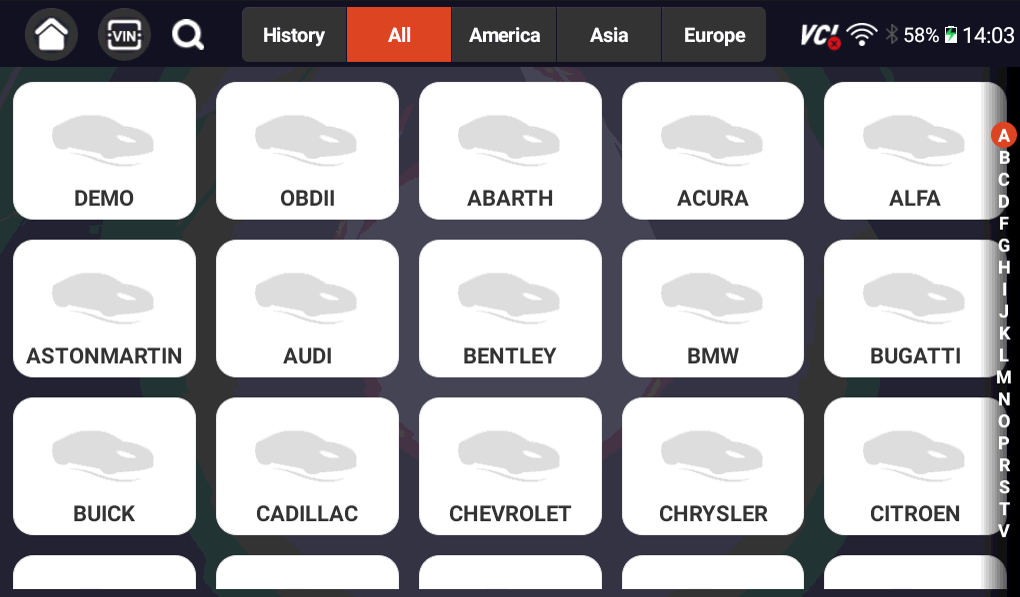
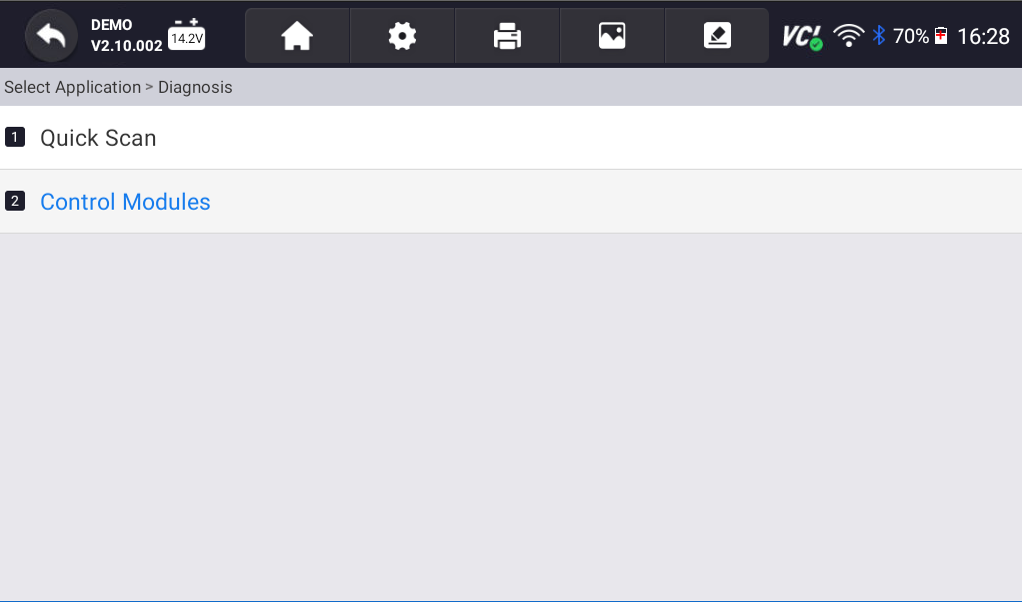
From here, the steps may vary. Different manufacturers categorize and name modules differently. The following steps show you how to check the total mileage on a Porsche. These steps will work for other vehicles, but it might take some trial and error to find exactly what you need.
Option 1
- Select DME or ECU option. The DME in a Porsche is the vehicle’s ECU.

- Tap on Live Data.

- On the following screen, scroll to the bottom of the screen and press Other.

- Look for the Mileage over Service Life option, or press the Select All button at the bottom of the screen.

- Compare the mileage on your scanner to the mileage displayed on the dashboard.


Option 2
- Select Transmission Control.

- Tap on Live Data.
- On the following screen, scroll to the bottom of the screen and press Other.

- Look for the Transmission Mileage option, or press the Select All button at the bottom of the screen.

- Compare the mileage on your scanner to the mileage displayed on the dash.


Option 3
- Select PSM. On a Porsche, PSM refers to the vehicle’s traction control module. In other vehicles, this might be called the ABS or Traction Control.

- Select Live Data.
- Find Mileage on the following screen, or press Select All.

- Compare the mileage on your scanner to the mileage displayed on the dash.


Option 4
- Select Instrument Cluster.

- Tap on Live data, and find the mileage option on the following screen, or press select all.

- Compare the mileage on your scanner to the mileage displayed on the dash.


Other Tips for Buying a Used Car
Before shaking on it, it is always a good idea to scan the car and look for any active fault codes that could be very expensive to fix down the road. If you’re not sure, take the car to a couple of trusted mechanics and have them give you their opinion. One final thing you can do is use the YOUCANIC Used car inspection checklist to calculate the car’s overall score.
Need some extra help? Get real, helpful answers from real mechanics with YOUCANIC DIY Assist support. Email our support team and get a reply within 24 hours to help you with any technical questions you may have.