How to Read and Clear Dodge Fault Codes with OBD-II Scanner
Reading and clearing fault codes from various control units in Dodge vehicles is a straightforward process, especially for models manufactured in 1996 and newer. This includes the engine, transmission, airbags (SRS), air conditioning, and traction control. To begin, you need a compatible OBD-II scanner, a standard tool for diagnosing issues in modern vehicles. First, connect the scanner to the OBD-II port of your Dodge vehicle, usually located under the dashboard. Turn on the ignition without starting the engine to power up the vehicle’s electrical system and the scanner. The scanner will interface with the vehicle’s onboard computer, allowing you to read codes from different modules. These fault codes, typically alphanumeric, are generated by the vehicle’s computer when it detects a problem. The scanner displays specific codes for each control unit that pinpoint the exact issue, whether in the engine, transmission, or other systems.
Once you’ve identified the fault codes, the next step is clearing them. This is done using the same scanner: simply navigate to the option for clearing codes and confirm the action. If your Dodge is 2018 and newer, you must bypass the Security Gateway Module to clear the codes or send bidirectional commands to the vehicle. It’s important to address any issues indicated by the codes before clearing them, as they are vital indicators of malfunction within the vehicle. Besides reading and clearing codes, these scanners provide live data streaming access. This feature allows real-time monitoring of various parameters and system statuses, such as engine RPM, coolant temperature, and oxygen sensor readings. This function is particularly useful for troubleshooting and performance monitoring. These procedures apply to a wide range of Dodge models, including popular ones like the Dodge Ram (pickup truck), Dodge Caravan (van), Dodge Durango (SUV), and the Dodge Charger (car), making them versatile tools for Dodge vehicle owners and mechanics alike.
How to read and clear Dodge Fault Codes
Here are the steps for reading and clearing DTCs or Fault codes of your Dodge.

🔧 Stop paying the dealer for every warning light
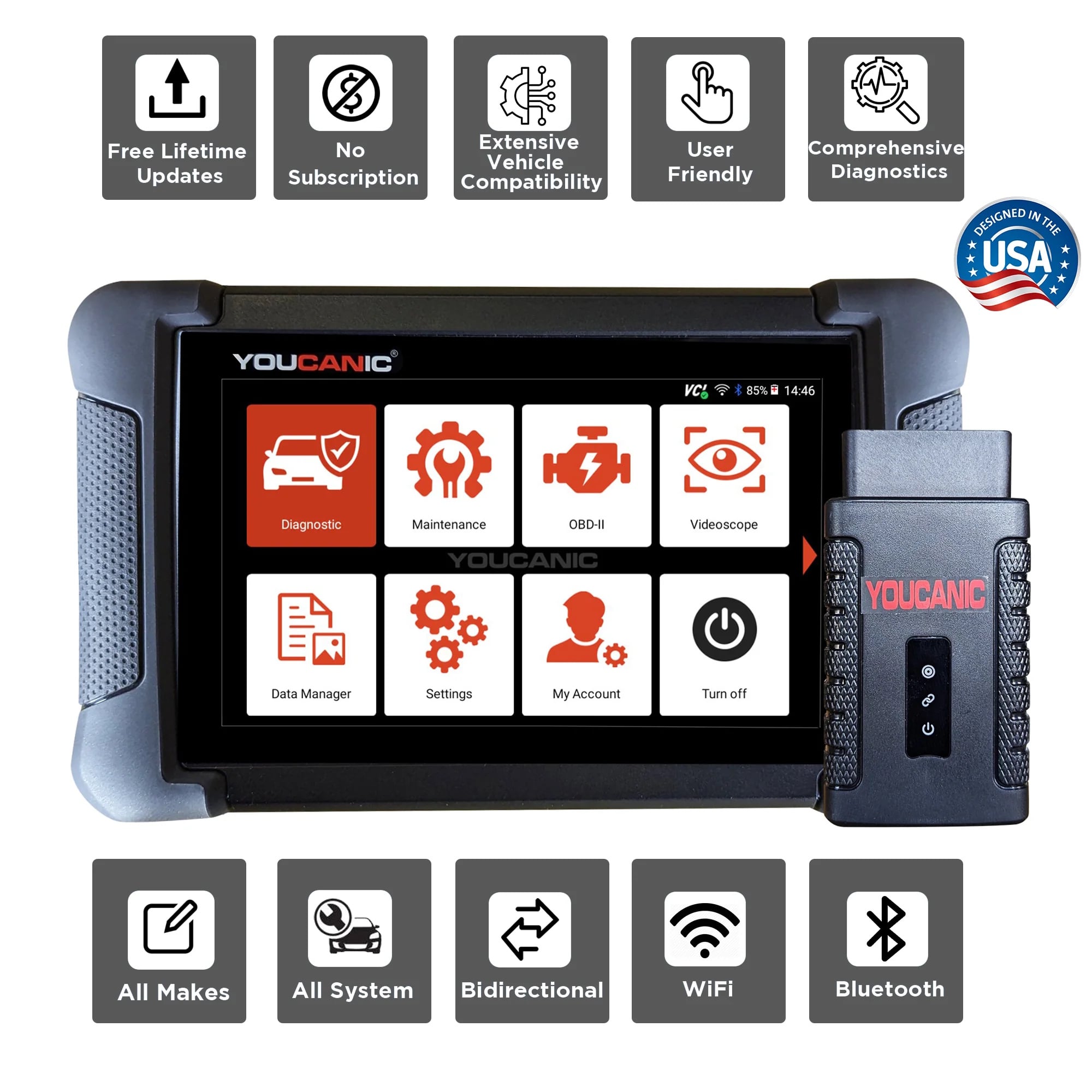
Get dealer level diagnostics at home with the YOUCANIC Full System Scanner.
- ✔ Works with all makes and models, including most luxury brands
- ✔ Topology map view shows all vehicle modules on one screen for faster diagnostics
- ✔ Bi directional controls to test fans, pumps, actuators and more so you do not have to guess
- ✔ Special resets and calibrations such as ABS bleed, EPB service, battery registration and more
- ✔ Free lifetime updates with no recurring fees
- Gather the necessary tools: Equip yourself with a Professional-Grade OBD-II Scanner compatible with your Dodge. Click Here for our Professional-Grade YOUCANIC Scanner.

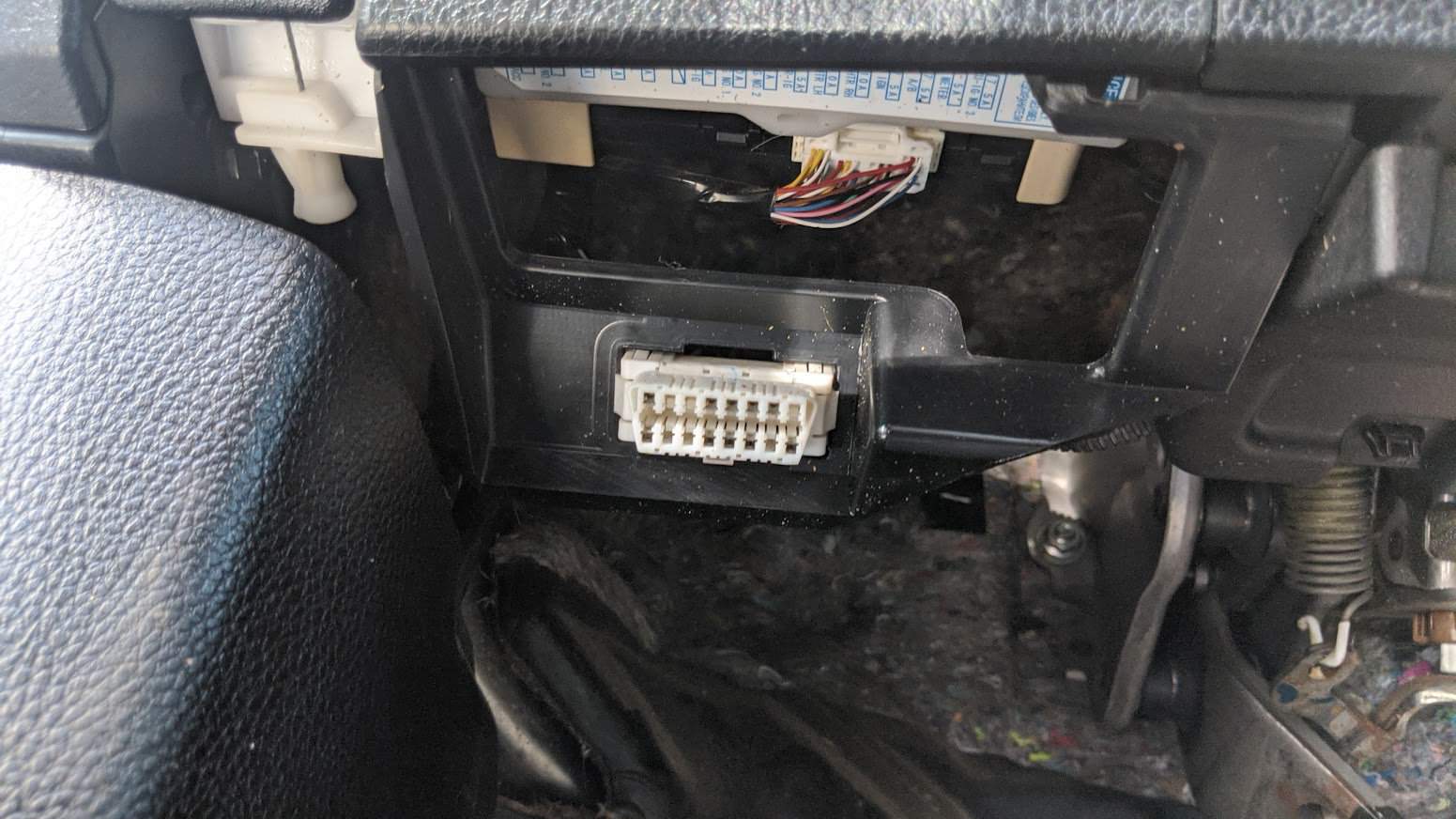
- Access the OBD-II Port: This port is usually found under the dashboard, near the steering column; the OBD-II port is the gateway to your car’s diagnostic information. Turn the ignition key to the “ON” position without starting the engine to make a connection with the vehicle’s computer. If your Dodge has a START/STOP feature, press the button without pressing the brake pedal. Do not start the engine. If you are unsure of the OBD-II port of your vehicle, you can always check the Car Owner’s Manual.
- Turn on the ignition. Do not start the engine.

- Access the Diagnostic Menu: On the YOUCANIC scanner’s display, navigate to the “Diagnostic” or “Scan” menu. This menu allows you to access various diagnostic functions for your Dodge.

- Select ‘DODGE’ as the Vehicle Make: This ensures the scanner effectively communicates with the Dodge On-Board Diagnostic system and effectively scans the fault codes.
- Select option for model selection: The scanner has various options for model selection. You can choose SmartVIN to detect your vehicle automatically. However, you choose Manual Selection if SmartVIN does not work as intended. Click here to learn more about how to decode VIN.
- Select the Specific Model and Chassis: After selecting the vehicle make, scroll through the available models and select the correct one for your Dodge. Choose the corresponding chassis or body type to properly sync the scanner to your vehicle.
- Select Control Units: Once you have selected the model and chassis, the scanner will let you choose between “Quick scan” or “Control Modules”. Control Modules display a list of control units or modules in your vehicle. Examples include the engine control module (ECM), transmission control module (TCM), and ABS control module. Choose the specific module you want to diagnose. Otherwise, you can also choose the “Quick Scan” to check everything.
- Interpret the Codes: Once the YOUCANIC scanner completes the code retrieval process, the displayed codes will provide information about specific issues detected by the control unit. Take note of these codes for further analysis and diagnosis. Each DTC consists of a letter and four numbers. The letter indicates the system affected, while the numbers describe the issue more specifically. Click here to learn more about Fault codes.
- Erase Codes: After the problem has been repaired, return to the scanner’s menu and select the option to “Erase Codes” or “Clear Codes.” This action removes the stored fault codes from the control unit’s memory, indicating that the problem has been resolved. Please note that you may or may not erase a code when the issue is not fixed.



NOTE: These pictures are just the demo of our YOUCANIC Scanner. It may or may not be the same, but the procedure is the same.
Common Fauldt Codes
Here are 25 common fault codes found in Dodge vehicles, including those related to the ABS, engine, and transmission control units, along with their possible causes:
- P0300 – Random/Multiple Cylinder Misfire Detected
- Possible causes: Faulty spark plugs, ignition coils, fuel system issues, vacuum leaks.
- P0301 – Cylinder 1 Misfire Detected
- Possible causes: Faulty spark plug or coil on cylinder 1, injector problems, internal engine issues.
- P0302 – Cylinder 2 Misfire Detected
- Similar causes to P0301, but specific to cylinder 2.
- P0303 – Cylinder 3 Misfire Detected
- Similar causes to P0301, but specific to cylinder 3.
- P0304 – Cylinder 4 Misfire Detected
- Similar causes to P0301, but specific to cylinder 4.
- P0171 – System Too Lean (Bank 1)
- Possible causes: Vacuum leaks, faulty mass air flow sensor, weak fuel pump.
- P0174 – System Too Lean (Bank 2)
- Similar causes to P0171, but specific to bank 2.
- P0420 – Catalyst System Efficiency Below Threshold (Bank 1)
- Possible causes: Faulty catalytic converter, oxygen sensor issues, exhaust leaks.
- P0430 – Catalyst System Efficiency Below Threshold (Bank 2)
- Similar causes to P0420, but specific to bank 2.
- P0441 – Evaporative Emission Control System Incorrect Purge Flow
- Possible causes: Faulty purge valve, leaks in EVAP system.
- P0455 – Evaporative Emission Control System Leak Detected (Gross Leak)
- Possible causes: Loose fuel cap, EVAP system leaks.
- P0463 – Fuel Level Sensor Circuit High Input
- Possible causes: Faulty fuel level sensor and wiring issues.
- P0562 – System Voltage Low
- Possible causes: Weak battery, poor charging system, bad alternator.
- P0700 – Transmission Control System Malfunction
- Possible causes: Issues with the transmission control module, wiring, or solenoids.
- P0731 – Gear 1 Incorrect Ratio
- Possible causes: Worn transmission gears, faulty shift solenoids, transmission fluid issues.
- P0732 – Gear 2 Incorrect Ratio
- Similar causes to P0731, but specific to gear 2.
- P0733 – Gear 3 Incorrect Ratio
- Similar causes to P0731, but specific to gear 3.
- P0734 – Gear 4 Incorrect Ratio
- Similar causes to P0731, but specific to gear 4.
- P0740 – Torque Converter Clutch Circuit Malfunction
- Possible causes: Faulty torque converter, TCC solenoid, wiring issues.
- P0743 – Torque Converter Clutch Circuit Electrical
- Similar causes to P0740, with an electrical focus.
- P0750 – Shift Solenoid A Malfunction
- Possible causes: Faulty shift solenoid, wiring issues, transmission problems.
- P0755 – Shift Solenoid B Malfunction
- Similar causes to P0750, but for solenoid B.
- P0760 – Shift Solenoid C Malfunction
- Similar causes to P0750, but for solenoid C.
- C0031 – Left Front Wheel Speed Sensor Circuit
- Possible causes: Faulty wheel speed sensor, wiring issues, ABS module problems.
- C0034 – Right Front Wheel Speed Sensor Circuit
- Similar causes to C0031, but specific to the right front wheel.
These codes and their causes can vary based on your Dodge vehicle’s specific model and year. Proper diagnosis using an OBD-II scanner and consultation with a professional mechanic is recommended for accurate troubleshooting and repair.
What if I can’t clear the Fault Codes on my Dodge?
- Secure Gateway Module: Your Dodge is equipped with the Security Gateway Module, which must be bypassed to clear the codes.
- Use a professional-grade scanner: You might be using a generic OBD-II scanner. Utilize a full system scanner or a professional-grade scanner like the YOUCANIC scanner because generic scanners may not be fully compatible with your Dodge, and they will not be able to access and clear manufacturer-specific codes or perform advanced diagnostic functions.
- Underlying Issues: Before attempting to clear fault codes, it’s crucial to address the underlying problem or malfunction that triggered the codes in the first place. Failure to resolve the root cause may result in the codes reappearing even after clearing them.
- Proper Clearing Procedure: Following the correct steps outlined in your diagnostic scanner’s user manual is essential to clear fault codes effectively. If unsure about the clearing procedure, consult a professional for guidance specific to your scanner and Dodge model.
What is the meaning of History, Current Codes, and Stored Codes?
DTCs can be classified into three categories:
- History Codes: These are past faults that have been resolved but remain in the system
- Current Codes: These indicate active faults that are currently affecting the vehicle’s operation
- Stored Code: These are intermittent faults that have occurred in the past but are not currently active.
What happens when I ignore fault codes?
Ignoring fault codes can lead to several detrimental consequences:
- Lose performance: The underlying issue can worsen, causing reduced fuel efficiency, decreased performance, and potential safety hazards.
- Costly Repairs: Delaying repairs can lead to more extensive damage, requiring more expensive repairs in the long run.
- Unwanted Emissions: Ignoring fault codes can increase emissions and potential environmental issues.
DIY Repairs vs. Professional Services: Making the Right Choice
While some fault codes may be simple enough to address, seeking assistance from authorized mechanics for more complex issues is generally recommended. Trained technicians possess the tools and expertise to diagnose and repair faults accurately, ensuring your vehicle’s safety and performance. If you are a DIY enthusiast, you can always check DTCs on your own using our Youcanic Scanner. Although most models today now have OBD-II ports since vehicles made 2001 to present. Some Dodge models include Challenger, Charger, Viper, Avenger, Ram, Diplomat, and newer models. You can also contact us for more information and assistance regarding your diagnosis.
FAQ
How often should I scan my Dodge for fault codes?
It’s recommended to scan your vehicle for fault codes at least once a year, preferably before scheduled maintenance or if you notice any performance changes or warning lights.
What is the difference between a DTC and a trouble code?
DTC and trouble code are interchangeable terms, referring to the alphanumeric codes generated by the OBD system to indicate malfunctions.
Can I scan my Dodge with a generic code reader?
Generic code readers can retrieve basic DTCs but may not be able to access manufacturer-specific codes or provide advanced features. Professional-grade scanners are recommended for comprehensive diagnosis.
What is the best OBD-II for DIY Auto Repair?
You can check our article here if you want to know what is the best OBD-II Scanner for DIY Enthusiasts: Best OBD2 Scanner For DIY Auto Repair – YOUCANIC
References:
- What Is an OBD2 Scanner and How Does It Work?
What Is an OBD2 Scanner and How Does It Work? | The Drive - DTC Fault Codes
DTC Fault Codes – YOUCANIC - What Does the Check Engine Light Look Like, and What Does It Mean?
What Does the Check Engine Light Look Like, and Really Mean? – Consumer Reports - Current / Stored / Active / Past / History Fault Codes Explained
Current / Stored / Active / Past / History Fault Codes Explained – YOUCANIC